Best Baby Monitors with Smart Features
Best baby monitors with smart features for 2026: real AI safety alerts, sleep tracking, and app control compared for busy parents.

Choosing a baby monitor used to mean picking between a screen and a speaker. Now it means wading through spec sheets full of AI claims, subscription tiers, and app promises that don’t always hold up once the box is open. If you’re trying to figure out which of the best baby monitors with smart features are worth your money in 2026, you’re not alone. Parents want more than a grainy video feed; they want a device that can tell the difference between a baby stirring and a baby actually in distress.
This guide breaks down what “smart” really means in a nursery camera, which features are genuinely useful versus which ones exist to justify a higher price tag, and how to match a monitor to your family’s actual routine. We looked at video quality, AI-driven alerts, sleep tracking, app reliability, and — importantly — whether a brand locks its best tools behind a monthly fee. Some of the sharpest hardware on the market becomes far less appealing once you realize the cry detection or night vision recording only works with a paid plan.
Whether you’re monitoring a newborn who needs breathing and rollover alerts, or a toddler who’s outgrown the crib and started climbing things they shouldn’t, there’s a smart baby monitor built for that stage. Below, we’ll walk through the top picks by category, the features actually worth paying for, and the mistakes parents commonly make when shopping for one.
What Makes a Baby Monitor “Smart” in 2026
A smart baby monitor is any device that goes beyond basic audio or video transmission and adds some form of intelligence, connectivity, or automated analysis. That can mean a lot of things, so it helps to separate the category into a few buckets.
AI-Powered Safety Alerts
This is the feature getting the most attention right now, and for good reason. Instead of just detecting motion or sound, newer cameras analyze the video feed itself to catch specific hazards:
- Covered face detection — flags when a blanket or crib bumper is over a baby’s face
- Rollover alerts — notifies you when a baby who should be on their back rolls to their stomach
- Cry differentiation — distinguishes fussing from genuine distress crying, cutting down false alarms
- Edge detection — warns if an older baby is near the crib rail or climbing
These alerts matter most in the first six months, before a baby can reliably reposition themselves. After that window, the value of AI safety monitoring drops off a bit, so it’s worth weighing how much of the sticker price is going toward a feature you’ll only lean on for half a year.
Sleep Tracking and Coaching
Several of the best smart baby monitors now function almost like a sleep lab for your nursery. They log total sleep time, night wakings, and sleep efficiency, then translate that into simple coaching suggestions inside the app. For parents trying to establish a schedule or troubleshoot frequent night waking, this data can be genuinely useful, not just a novelty graph.
App Connectivity and Remote Viewing
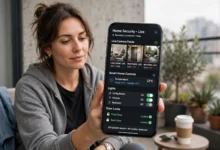
This is the baseline “smart” feature most people think of first: streaming the camera feed to your phone over WiFi, wherever you are. The best implementations also include:
- Two-way talk so you can soothe baby remotely
- Push notifications for sound, motion, or AI-flagged events
- Cloud or local video recording you can scrub back through
- Multi-camera support with split-screen viewing for more than one room
Health and Vitals Monitoring
A smaller but important category tracks physical vitals directly, usually through a wearable sock or band rather than the camera. These monitors read heart rate and oxygen saturation and are aimed at parents who want more than visual reassurance, often for newborns with a known health concern or a family history that warrants closer watching.

Top Picks: Best Baby Monitors with Smart Features
Here’s how the standout options break down by what they’re actually best at.
1. Best Overall Smart Monitor
The strongest all-around pick pairs a sharp camera (1080p or better) with a mature app, reliable sleep insights, and a two-way intercom that doesn’t lag. Look for a model with wide-angle lens coverage so you’re not constantly adjusting the pan to see the whole crib. The biggest thing to check before buying: does the core video feed and recording work without a subscription, or is that locked behind a paywall after the first year? Several well-known brands ship excellent hardware and then charge monthly for features that used to be included.
2. Best for AI Safety Alerts
If covered-face and rollover detection are your priority, look for a monitor with a dedicated onboard AI chip rather than one that processes video in the cloud, since local processing tends to mean faster alerts and works even if your internet briefly drops. A sharp QHD or better picture also makes a real difference here, since the AI is only as good as the image it’s analyzing.
3. Best Non-WiFi Smart Monitor
Not every parent wants a camera feed traveling over the internet, and that’s a legitimate concern. Some of the newer hybrid baby monitors solve this well: a dedicated parent unit works entirely offline, while an optional app layer adds remote viewing only when you choose to turn WiFi on. This setup gives you smart-monitor convenience without a camera that’s always connected, and it sidesteps a lot of the privacy worry that comes with cloud-based nursery cameras.
4. Best for Sleep Tracking
For parents deep in sleep training, a monitor that logs patterns over weeks rather than just showing a live feed pays for itself in reduced guesswork. The better apps in this category will flag trends, like a baby waking earlier over several nights in a row, before you’d necessarily notice it yourself.
5. Best Budget Smart Pick
You don’t need every AI feature to get real value. A budget-friendly smart monitor with solid motion detection, a two-way talk button, and a decent night light covers most of what a first-time parent actually needs day to day. Save the full AI suite for a second monitor down the line if you decide you want it.
6. Best for Twins or Multiple Rooms
Families watching more than one baby, or a baby and a toddler in separate rooms, should prioritize split-screen viewing and support for at least two cameras on one app or parent unit. Range matters more here too, since you’re often covering a bigger footprint of the house.
7. Best for Vitals Monitoring
For parents who want physical health data rather than just visual reassurance, a wearable sock or band that tracks heart rate and oxygen levels alongside a standard camera feed offers the most complete picture. These systems tend to cost more and often require ongoing app access to view historical data.
8. Best Video Quality
If crisp night vision and a wide field of view matter most to you, look at the resolution spec closely; 4K and 2.5K QHD cameras on the market now genuinely outperform the 720p and 960p units that dominated a few years ago, especially in low light.
9. Best for Privacy-Conscious Parents
Some brands now advertise WiFi-optional operation and local-only storage as a selling point, which is worth seeking out if you’re uneasy about a nursery camera feed sitting on a cloud server indefinitely.
10. Best Hybrid Pick (No Subscription)
A growing number of 2026 monitors combine a dedicated parent unit with an app, and — the detail that matters most — include full recording and remote access without ever charging a monthly fee. If you’re tired of subscription creep on devices you already paid full price for, this is the category to shop.
Key Features to Compare Before You Buy
Rather than getting swept up in marketing language, run any monitor you’re considering through this checklist:
- Video resolution — 1080p or higher is the current baseline for a genuinely usable night-vision picture.
- Subscription requirements — check whether AI alerts, recording, or app access require an ongoing fee.
- Connection type — WiFi-only, non-WiFi, or hybrid, based on your comfort level with a connected camera.
- Battery life — for portable units, look for at least 8–10 hours on a charge.
- Range — especially important for non-WiFi monitors in larger homes.
- Number of supported cameras — relevant if you plan to monitor more than one room.
- Two-way audio quality — not all intercoms are created equal; some have noticeable lag or static.
- Mounting options — wall mount, floor stand, or furniture clip, depending on your nursery layout.
Smart Features Worth the Extra Cost (and Ones That Aren’t)
Not every “smart” label adds real value. Based on how families actually use these devices day to day, a few features consistently earn their keep:
- True cry detection reduces false alarms compared to basic sound activation, which matters a lot for a light sleeper who wakes at every notification.
- Rollover and covered-face alerts genuinely add a layer of reassurance during the newborn stage.
- Offline-capable parent units are worth paying more for if home WiFi reliability is a concern.
Features that tend to be overhyped relative to their price:
- Automatic photo or milestone capture, which is charming but rarely essential
- Extremely high zoom ranges that most parents never use beyond the default framing
- Voice-assistant integration, which adds convenience but not safety
Safety Guidelines to Keep in Mind
Whatever monitor you choose, it should support — not replace — established safe sleep practices. The American Academy of Pediatrics’ safe sleep recommendations are worth reviewing regardless of which camera you buy, since no monitor, however smart, substitutes for a safe sleep environment. It’s also worth checking the U.S. Consumer Product Safety Commission’s nursery product safety guidance before installing any camera or cord near a crib, since cord placement remains a real strangulation risk with older monitor models.
Frequently Asked Questions
Do I need a WiFi baby monitor, or is a non-WiFi model enough? It depends on whether you want remote viewing when you’re away from home. If you’re usually within earshot or in the same house, a non-WiFi model with a strong dedicated parent unit is often more reliable and avoids any concern about a connected camera feed.
Are AI safety alerts actually reliable? They’ve improved significantly, but they’re a supplement to good sleep practices, not a replacement. False positives and occasional missed alerts still happen, so don’t treat any monitor as a substitute for checking on your baby.
Is it worth paying for a subscription-based smart monitor? Only if the specific features behind the paywall matter to your routine, like extended video history or advanced sleep coaching. Several strong monitors now offer the same core functionality with no ongoing fee, so compare before assuming a subscription is necessary.
What’s the biggest mistake parents make when choosing a smart monitor? Buying based on the AI feature list alone and skipping basics like video resolution, battery life, and whether the app is actually stable. A monitor with fewer bells and whistles but a reliable core experience usually wins out day to day.
Conclusion
The best baby monitors with smart features in 2026 aren’t necessarily the ones with the longest spec sheet; they’re the ones that match how your family actually uses a nursery camera, whether that’s AI-driven safety alerts for a newborn, sleep tracking for an older baby, or a simple hybrid setup that skips the monthly fee altogether.
Start by deciding how much you value WiFi connectivity versus a fully offline parent unit, check whether the features you care about require a subscription, and prioritize video quality and app reliability over flashier extras you may rarely use. Get those fundamentals right, and any of the smart monitors on this list will earn its place in your nursery.