Best VPN Apps for iPhone and Android
Best VPN apps for iPhone and Android in 2026: real speed tests, pricing, and security notes to help you pick the right mobile VPN today.
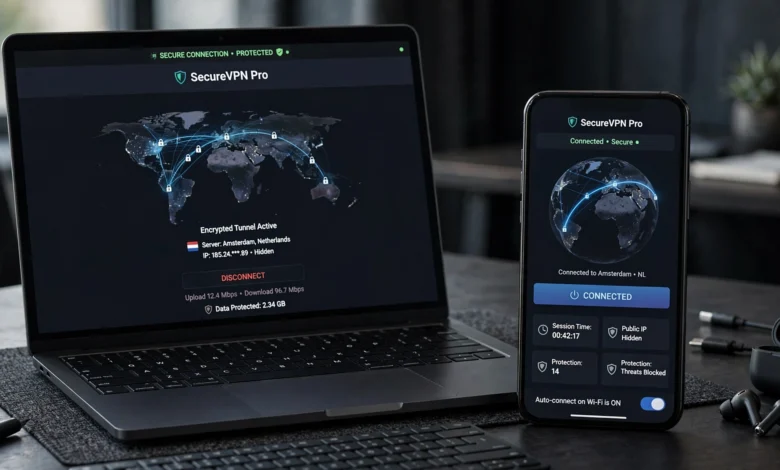
If you’ve ever connected to airport Wi-Fi without thinking twice, you’ve probably needed one of the best VPN apps for iPhone and Android more than you realized. Mobile VPNs used to be an afterthought, something people installed for streaming a show that wasn’t available in their country. That’s changed. Between public Wi-Fi, banking apps, and how much personal data lives on our phones now, a solid mobile VPN has become close to essential.
The problem is that the App Store and Google Play are both packed with VPN apps making similar promises: unlimited speed, “military-grade encryption,” servers in 100+ countries. Most of that language is marketing noise. What actually matters is whether the app holds a stable connection on cellular data, doesn’t drain your battery by 3pm, and has a no-logs policy that’s actually been audited by someone outside the company.
In this guide, I’ll walk through the best VPN apps for Android and iPhone based on real usage patterns: speed on mobile networks, app design, streaming reliability, and price. I’ll also cover how to pick between them depending on what you actually need a VPN for, whether that’s privacy on public Wi-Fi, unblocking content while traveling, or just peace of mind. By the end, you should be able to pick an app and have it running in under five minutes.
What Makes a Good VPN App for Mobile Devices
Before ranking anything, it’s worth being clear about what separates a genuinely good VPN app for iPhone and Android from one that just looks good in a screenshot.
Native App Design, Not a Ported Interface
A lot of VPN apps feel like someone took the desktop version and shrunk it down. That’s a problem on mobile, where you need quick access to a connect button, not a settings menu buried three taps deep. The best mobile VPN apps are built specifically for iOS and Android, using platform-native features like iOS Shortcuts or Android quick-settings tiles.
Speed and Stability on Cellular Networks
Desktop VPN speed tests don’t tell you much about how an app performs on LTE or 5G, where connections drop and switch between networks constantly. A good VPN for mobile devices needs to reconnect automatically when you switch from Wi-Fi to cellular, without you noticing the gap.
Battery Efficiency
Encryption takes processing power, and processing power drains batteries. Some VPN apps are noticeably worse than others here. If your phone is warm and at 40% by lunchtime after turning on a VPN in the morning, that’s a sign the app isn’t optimized for mobile hardware.
A Verified No-Logs Policy
Anyone can claim they don’t log your activity. What matters is whether that claim has been checked by an independent auditor. Providers that publish third-party audit results are worth trusting more than ones that just put “no logs” on their homepage.
Kill Switch and Split Tunneling
A kill switch cuts your internet connection if the VPN drops, so your real IP address and traffic never leak out unprotected. Split tunneling lets you choose which apps go through the VPN and which don’t, useful if a banking app doesn’t play nicely with encrypted traffic.


The Best VPN Apps for iPhone and Android, Ranked
Here’s the breakdown of the apps that consistently perform well across both platforms.
1. NordVPN – Best Overall VPN App
NordVPN is the most well-rounded option on this list, and it’s the one I’d point most people toward if they just want something that works without a lot of tinkering. It runs a large server network, reportedly over 9,000 servers spread across more than 160 countries, which gives you a lot of flexibility if you’re trying to reach content or services tied to a specific region.
What stands out on mobile specifically:
- NordLynx protocol keeps speeds close to your baseline connection, which matters for streaming or video calls
- Threat Protection blocks trackers and malicious sites before they load
- Meshnet lets you securely connect your own devices to each other, useful for accessing files on a home computer while traveling
- A no-logs policy that has gone through independent audits
The iPhone and Android apps are both clean and quick to connect, usually a single tap from opening the app. If you want one VPN that handles security, streaming, and general privacy without much thought, this is the safest starting point.
2. Surfshark – Best Budget VPN App
Surfshark earns its spot mainly on value. It’s one of the more affordable options in this space, and unlike most competitors, it doesn’t cap how many devices you can connect on a single plan. That makes it a strong pick for families or anyone juggling a phone, tablet, and laptop under one account.
Key strengths:
- Unlimited simultaneous device connections
- A server network of 3,000+ servers across 100 countries
- CleanWeb feature for ad and tracker blocking
- Add-on tools at higher tiers, including antivirus and data-breach alerts
The trade-off is that speeds can be a little less consistent than NordVPN’s, particularly on distant servers. For everyday browsing and streaming on a phone, though, most people won’t notice a difference.
3. ExpressVPN – Best for iPhone Users Specifically
If you’re mainly asking about the best VPN app for iPhone, ExpressVPN deserves serious consideration. Its Lightway protocol was built with mobile networks in mind, and it handles the constant switching between Wi-Fi and cellular better than most competitors, which matters more than people expect until they’re on a train losing signal every few minutes.
Notable features:
- Lightway protocol built for speed and battery efficiency
- Simple, large “connect” button interface, good for less technical users
- 24/7 live chat support
- Reliable at unblocking major streaming platforms
ExpressVPN sits at a higher price point than Surfshark, and it caps you at a smaller number of simultaneous connections. But if you want the smoothest possible iPhone experience, it’s worth the extra cost.
4. Proton VPN – Best Free VPN App
Most “free” VPNs come with a catch, whether that’s data caps, ads, or selling your browsing data to make up the difference. Proton VPN is one of the few exceptions. Built by the same team behind Proton Mail, it offers a genuinely usable free tier with no data limits, which is rare in this industry.
Why it’s worth using:
- Free plan with unlimited data (though fewer server locations)
- Based in Switzerland, under strong privacy law
- Open-source apps that have been independently audited
- Clean, straightforward Android and iOS interface
The paid tier unlocks more servers and faster speeds, but even the free version is genuinely useful if you just need occasional protection on public Wi-Fi and don’t want to pay for a subscription.
5. Private Internet Access (PIA) – Best for Customization
Private Internet Access leans toward users who want more control over their settings rather than a simple one-tap experience. It offers granular options for encryption strength, protocol selection, and port forwarding that more advanced users will appreciate.
Standouts include:
- Highly configurable settings for both Android and iOS
- Unlimited simultaneous connections
- A long track record of court-tested no-logs claims
- Competitive pricing on longer subscription terms
It’s not the most beginner-friendly app on this list, but if you like adjusting settings rather than accepting defaults, it’s a strong option.
6. IPVanish – Best for Multi-Device Households
IPVanish rounds out this list as a solid, if less flashy, option. It doesn’t have the brand recognition of NordVPN or ExpressVPN, but it covers the basics well and allows unlimited device connections on most plans, making it practical for households with several phones and tablets running different operating systems.
How to Choose the Right VPN App for Your Needs
Picking from a list is one thing. Picking the right app for how you actually use your phone is another. Here’s a simple way to narrow it down.
If You Mainly Use Public Wi-Fi
Airports, cafes, and hotel networks are the most common places people get their data intercepted. If that’s your main concern, prioritize a VPN with a reliable kill switch and automatic connection on untrusted networks. NordVPN and Surfshark both handle this well.
If You Travel Frequently
Look for a large server network with locations in the countries you’ll actually visit, plus a provider known for consistently unblocking streaming services. ExpressVPN and NordVPN both perform strongly here.
If You’re on a Tight Budget
Surfshark’s unlimited device policy and lower price point make it hard to beat, and Proton VPN’s free tier is a legitimate option if you don’t need premium speeds every day.
If You Manage Devices for a Family
Look at unlimited-connection plans specifically, since some providers cap you at 5 or 6 devices. Surfshark, PIA, and IPVanish all allow unlimited simultaneous connections.
If a Specific App Breaks When the VPN Is On
This happens most often with banking apps. Rather than giving up on the VPN entirely, use split tunneling to exclude that one app from the encrypted tunnel while keeping everything else protected.
Setting Up a VPN App on Your Phone
Getting a VPN running is usually a quick process, and it looks nearly identical across providers:
- Download the official app from the App Store or Google Play, never a third-party site
- Create an account and choose a plan
- Open the app and tap connect, or manually select a server location
- Turn on auto-connect for public Wi-Fi networks in the settings menu
- Test a banking app or sensitive account to confirm nothing breaks
- Run a short video call or stream to check for lag
- Monitor battery use for a day before deciding it’s a keeper
If something doesn’t work right away, like a banking app failing to load, don’t assume the VPN is broken. Try split tunneling first, or switch to a different server before troubleshooting further.
Is It Legal and Safe to Use a VPN?
Using a VPN is legal in most countries, including the United States, Canada, the UK, and across the European Union. A small number of countries restrict or ban VPN use, so it’s worth checking local regulations if you’re traveling somewhere with strict internet controls. For a broader look at how VPN technology works and why encryption matters for everyday privacy, the Electronic Frontier Foundation’s guide to VPNs is a solid, non-commercial resource.
It’s also worth remembering that a VPN doesn’t make you anonymous or invincible online. It encrypts your traffic and hides your IP address from your internet provider and anyone snooping on the same network, but it doesn’t stop a website from tracking you through cookies or account logins. If you want a technical breakdown of what a VPN actually protects against, Cloudflare’s explainer on how VPNs work covers the mechanics clearly.
VPN App Comparison at a Glance
| VPN App | Best For | Simultaneous Connections | Free Plan |
|---|---|---|---|
| NordVPN | Overall performance | 10 | No |
| Surfshark | Budget and multiple devices | Unlimited | No |
| ExpressVPN | iPhone-specific reliability | 8 | No |
| Proton VPN | Free, privacy-focused use | 10 (paid) | Yes |
| Private Internet Access | Advanced customization | Unlimited | No |
| IPVanish | Households with many devices | Unlimited | No |
Common Questions About Mobile VPN Apps
Does a VPN Slow Down My Phone?
Some speed loss is normal since your traffic is being encrypted and routed through another server, but the difference should be small with a well-optimized app. If you notice a major slowdown, try switching to a closer server location.
Can I Use a Free VPN App Safely?
Some can be trusted, like Proton VPN’s free tier, but many free VPN apps make money by selling user data or injecting ads, which defeats the purpose of using one. Stick to providers with a transparent, audited privacy policy.
Do I Need a VPN If I Only Use Mobile Data?
Cellular data is generally harder to intercept than open Wi-Fi, but your mobile carrier can still see and log your browsing activity. A VPN still adds a layer of privacy even on cellular networks.
Will a VPN App Drain My Battery?
It uses more battery than not running one, since encryption takes processing power, but a well-built app shouldn’t cause a dramatic difference. If battery drain feels severe, that’s usually a sign the app itself is poorly optimized.
Conclusion
Choosing among the best VPN apps for iPhone and Android really comes down to matching the app to how you actually use your phone. NordVPN is the safest all-around pick for most people, Surfshark makes the most sense if you’re covering several devices on a budget, ExpressVPN is worth the extra cost for iPhone users who want the smoothest possible experience, and Proton VPN is a genuinely solid choice if you want to start with something free. Whichever one you choose, the setup takes only a few minutes, and the privacy and security it adds to your daily phone use is well worth that small amount of effort.