How to Report a Phishing Website
Report a phishing website in minutes. This guide covers Google, Microsoft, APWG, the FTC, hosting providers, and what to do if you already clicked.
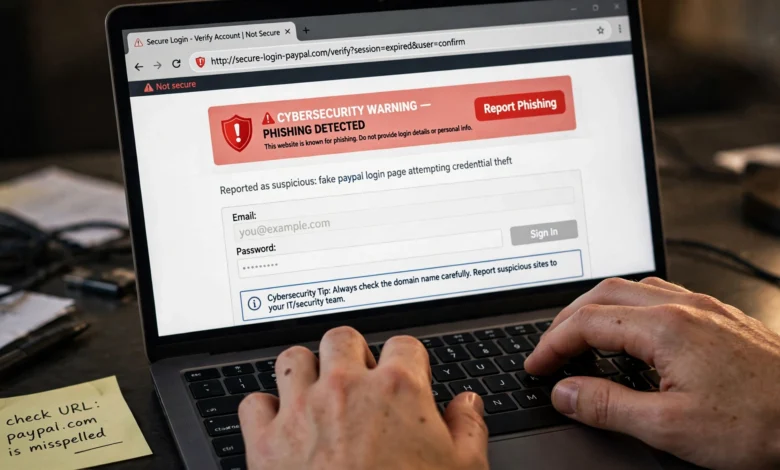
Report a phishing website the moment you spot one, and you might save the next person from handing over their password, bank details, or life savings. Most people close the tab, feel a small jolt of relief, and move on. That’s understandable, but the fake page is still live, and someone else is about to land on it.
Phishing sites are cheap to build and quick to launch. A scammer can copy a bank’s login page, register a lookalike domain, and start sending links within an hour. What slows them down is people like you flagging the site so browsers, hosting companies, and security groups can block it or take it offline.
The good news is that reporting takes a few minutes, not an afternoon. You don’t need technical skills or special software. You need the link, a couple of the right places to send it, and a basic sense of what to avoid while you do it.
This guide walks you through exactly how to report a phishing website, step by step. You’ll learn how to recognize a fake website, how to collect evidence safely, where to send your phishing website report (Google, Microsoft, the APWG, the site’s host, government agencies), and what to do if you already typed in your information. There’s also a short FAQ at the end for the questions people ask most often.
What Is a Phishing Website?
A phishing website is a fake page built to trick you into giving away sensitive information. It usually pretends to be something you trust: your bank, a delivery company, a streaming service, a government office, or your employer’s login portal.
The goal is almost always one of these:
- Stealing login credentials such as email, banking, or social media passwords
- Collecting payment details like card numbers and CVV codes
- Harvesting personal data for identity theft, including ID numbers, dates of birth, and addresses
- Installing malware through a fake “update” or download button
Most people reach these sites through a phishing email, a text message (often called smishing), a social media ad, or a message on a chat app. Some scam sites even appear in paid search ads, which makes them look more legitimate than they are.
Because these pages can look nearly identical to the real thing, knowing when and how to report a phishing website is one of the most useful online safety habits you can build.
How to Spot a Phishing Website Before You Report It
Before you file a report, it helps to be reasonably sure the site is fake. You don’t need to be 100% certain (security teams would rather get a false alarm than miss a real threat), but these signs will help you decide.

Check the Domain Name Carefully
The web address is the single best clue. Scammers rely on lookalike domains that pass a quick glance:
- Misspellings like
paypa1.comoramaz0n-support.com - Extra words like
yourbank-secure-login.com - The real brand name buried in a subdomain, like
yourbank.com.verify-account.xyz(the actual domain here isverify-account.xyz) - Unusual endings like
.top,.xyz, or.clickfor a brand that normally uses.com
Don’t Trust the Padlock Alone
Years ago, the padlock icon meant a site was probably safe. Today, anyone can get an HTTPS certificate for free, and most phishing sites have one. The padlock only means your connection is encrypted. It says nothing about who’s on the other end.
Look for Pressure and Urgency
Phishing pages tend to push you to act fast:
- “Your account will be suspended in 24 hours”
- “Unusual sign-in detected, verify now”
- “Your package is on hold, pay the customs fee”
Real companies rarely threaten you through a random link.
Notice Small Design Problems
Look for blurry logos, odd spacing, broken links in the footer, or menus that don’t work. Many fake sites copy only the login page, so clicking anything other than the form goes nowhere.
Watch What the Page Asks For
A bank login page that also asks for your full card number, PIN, and mother’s maiden name is a huge red flag. Legitimate sites don’t ask for everything at once.
Before You Report: Gather Evidence Safely
A good phishing website report is specific. Before you start sending it off, take a minute to collect what investigators will need. Just be careful not to interact with the page more than necessary.
Copy the Full URL Without Clicking Again
If the link came in an email or text, don’t click it again. On a computer, right-click the link and choose “Copy link address.” On a phone, press and hold the link and choose copy. If you’re already on the page, copy the address from the browser bar.
When you paste the link into an email or chat to share it, many security professionals “defang” it so nobody clicks it by accident. For example:
https://fake-bank-login.com becomes hxxps://fake-bank-login[.]com
Most reporting forms want the real URL, so only defang it when you’re sharing it with people, not when you’re pasting it into an official form.
Take Screenshots
Capture the page itself, the address bar, and the message that brought you there. Screenshots are useful because phishing sites often vanish or change within hours.
Save the Original Message
If a phishing email led you to the site, keep it. Don’t delete it until you’ve reported it. Some reporting services want the full message with headers, which show where the email actually came from. In Gmail, open the message, click the three dots, and choose “Show original.” In Outlook, look for “View message source” or “View message details.”
Never Enter Real Information to “Test” It
It’s tempting to type in fake details to see what happens. Don’t enter anything real, and it’s safest not to enter anything at all. Some pages log keystrokes as you type, and some trigger downloads.
How to Report a Phishing Website: 7 Proven Steps
You don’t need to do all seven. Even one or two reports help. But each place you report to stops the site in a different way, so covering several gives the best chance of getting it shut down quickly.
Step 1: Report a Phishing Website to Google Safe Browsing
Google Safe Browsing is the system behind the red “Deceptive site ahead” warning in Chrome. It also protects Firefox, Safari, and many other apps, so a single report here can shield billions of users.
- Go to the Google Safe Browsing phishing report page
- Paste the phishing URL into the field
- Add a short note, such as “Fake Chase login page sent via SMS”
- Complete the check and submit
Google reviews the report and, if it confirms the site is malicious, adds it to its blocklist. Once that happens, anyone who tries to visit gets a full-screen warning.
Step 2: Report to Microsoft SmartScreen
Microsoft runs its own protection system called SmartScreen, which powers warnings in Edge, Windows, and Outlook. You can submit a site through the Microsoft report unsafe site form.
If you’re using Edge, there’s a faster option. While on the suspicious page, open the menu (three dots), go to “Help and feedback,” and choose “Report unsafe site.” Edge fills in the URL for you.
Step 3: Send It to the APWG
The Anti-Phishing Working Group (APWG) is a global coalition of security companies, banks, and researchers. Reports sent to the APWG get shared with a wide network of organizations that block and investigate phishing.
To report, forward the phishing email to reportphishing@apwg.org. If you only have a link (from a text or social media post, for example), paste the URL into a new email and send it to the same address. You can read more on the APWG phishing reporting page.
Step 4: Contact the Domain Registrar and Hosting Provider
This is the step that actually gets a scam website taken offline. Google and Microsoft block access, but the hosting provider and domain registrar can remove the site or suspend the domain entirely.
Here’s how to find them:
- Go to the ICANN Lookup tool and enter the domain name (just the domain, like
fake-bank-login.com) - Look for the registrar name and its abuse contact email
- To find the host, check the IP address using a free lookup tool, then look up who owns that IP range
Once you have the abuse contacts, send a short, clear email:
- Subject: “Phishing site hosted on your network: [domain]”
- The full URL
- What the site impersonates
- When you found it
- Screenshots, if possible
Most reputable providers act within a day or two. Some registrars also have dedicated abuse forms on their websites, which can be quicker than email.
Step 5: Tell the Company Being Impersonated
The brand being copied has every reason to fight back. Large companies have security teams that file takedown requests daily, and they often move faster than anyone else.
Many companies publish a dedicated address or form for this. A few common examples:
- Apple: reportphishing@apple.com
- PayPal: phishing@paypal.com
- Amazon: report through the “Report something suspicious” page in Amazon’s help center
- Banks: check the “Security” or “Fraud” section of your bank’s official website
Always find the contact details by typing the company’s real address into your browser yourself. Never use a phone number or link from the suspicious message.
Step 6: Report to Government and Cybercrime Agencies
Government reports matter even when they don’t lead to an instant takedown. They help agencies track scam campaigns, spot patterns, and build cases against the people behind them.
In the United States:
- The Federal Trade Commission (FTC) collects fraud reports at ReportFraud.ftc.gov
- The FBI’s Internet Crime Complaint Center (IC3) at ic3.gov handles cases involving financial loss
- You can also forward phishing emails to reportphishing@apwg.org and scam texts to 7726 (SPAM)
In the United Kingdom:
- Forward suspicious emails to report@phishing.gov.uk, run by the National Cyber Security Centre
- Report scam websites through the NCSC’s suspicious website form
- Forward scam texts to 7726
Everywhere else:
Most countries have a national cybercrime unit or consumer protection agency that accepts online reports. Search for your country’s official cybercrime reporting portal, and make sure you land on a government domain before submitting anything.
Step 7: Report It Where You Found It
Finally, report the phishing attempt inside the app or service that delivered it. This trains the spam filters and can get the sender’s account shut down.
- Gmail: Open the email, click the three dots, and choose “Report phishing”
- Outlook: Select the message, then choose “Report” and “Report phishing”
- Facebook, Instagram, X, LinkedIn: Use the “Report” option on the post, ad, or message
- WhatsApp and Telegram: Open the chat and use “Report” or “Block and report”
- SMS: Most phones let you report junk messages directly, and carriers accept forwards to 7726 in many countries
How to Report a Phishing Website on Your Phone
A lot of phishing now arrives by text message, so knowing how to report from your phone is worth a quick look.
On iPhone:
- Press and hold the link in the message, then tap “Copy Link” (don’t tap the link itself)
- Open Safari and go to the Google Safe Browsing report page
- Paste the URL and submit
- Go back to Messages and tap “Report Junk” under the message
On Android:
- Press and hold the link and copy it
- Open Chrome and go to the Google Safe Browsing report page
- Paste and submit
- In Google Messages, press and hold the conversation, then tap “Block” and “Report spam”
You can also forward the text to 7726 if your carrier supports it.
What to Do If You Already Entered Your Information
If you typed something into a fake website before realizing what it was, don’t panic, but do act quickly. The faster you move, the less damage a scammer can do.
If You Entered a Password
- Change the password on the real site right away, typing the address yourself
- Change it anywhere else you used the same password
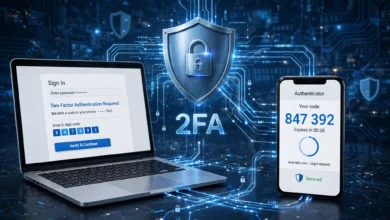
- Turn on two-factor authentication (2FA)
- Check the account for unfamiliar logins, forwarding rules, or recovery email changes
If You Entered Card or Bank Details
- Call your bank using the number on the back of your card or on its official website
- Ask them to block the card and watch for unusual transactions
- Review recent statements carefully over the next few weeks
If You Shared Personal ID Information
- Consider placing a fraud alert or credit freeze, if your country offers one
- Report the identity theft to your local authorities or the relevant government service
- Keep records of everything: dates, screenshots, and reference numbers
If You Downloaded Something
Disconnect from the internet, run a full scan with reputable security software, and change your important passwords from a different, clean device.
What Happens After You Report a Phishing Website?
It’s natural to wonder whether your report did anything. Here’s what usually happens behind the scenes:
- Browser blocklists (Google and Microsoft) typically review reports within hours to a couple of days. Once confirmed, users start seeing warnings.
- Hosting providers and registrars investigate abuse reports and may suspend the site or domain. Response times vary widely, from a few hours to a week.
- The APWG shares data with member organizations, which feeds into many security products at once.
- Government agencies usually won’t contact you unless they need more information, but your report goes into databases used for investigations.
You might not get a confirmation email, and that’s normal. If the site is still live a few days later, it’s fine to report it again, especially to the host.
Simple Habits That Keep You Safe
Knowing how to report a phishing site is useful, but avoiding the trap in the first place is even better. These habits make a big difference:
- Type addresses yourself for banks, email, and shopping sites instead of clicking links in messages
- Use a password manager. It won’t autofill your password on a fake domain, which is a great early warning sign
- Turn on two-factor authentication for every account that supports it, ideally with an authenticator app or security key
- Keep your browser updated so it gets the latest Google Safe Browsing and SmartScreen protections
- Pause before acting on urgent messages. Scammers rely on panic, so a 30-second pause breaks the spell
- Talk about it. Tell family members, especially older relatives, about common scams. A two-minute conversation can prevent a painful loss
Frequently Asked Questions
Is it safe to visit a phishing website just to report it?
It’s best not to. You can report most sites using only the URL. If you’ve already opened it, close the tab without entering anything and don’t download any files.
Will I get in trouble if I report a site that turns out to be real?
No. Reporting services review every submission. If the site is legitimate, nothing happens to it or to you. Security teams prefer extra reports over missed threats.
How long does it take to shut down a phishing site?
It depends on the host and registrar. Browser warnings can appear within hours. Full takedowns can take anywhere from a day to a couple of weeks, especially with hosts in countries that are slow to respond.
Can I report a phishing website anonymously?
Many forms, including Google Safe Browsing, don’t require your name. Government reports may ask for contact details, especially if you lost money, but you can often limit what you share.
What’s the single most effective place to report?
For fast protection, Google Safe Browsing reaches the most people. For actually getting the site removed, the hosting provider and domain registrar are the most effective. If you have time for only two, choose those.
Conclusion
Learning how to report a phishing website takes very little time, and each report makes the internet a bit harder for scammers to use. Start by confirming the signs of a fake page, collect the URL and screenshots without interacting with the site, then send your report to Google Safe Browsing, Microsoft, and the APWG so browsers can warn other users. From there, contact the domain registrar and hosting provider to get the site taken down, alert the company being impersonated, and file a report with your national cybercrime or consumer protection agency.
If you already entered information, change passwords, call your bank, and watch your accounts closely. Build a few simple habits like typing addresses yourself and using a password manager, and you’ll spot the next phishing attempt long before it can do any harm.