How to Monitor Your Home Remotely with IoT
Learn how to monitor your home remotely with IoT using smart cameras, sensors, and apps that keep you connected and secure from anywhere.
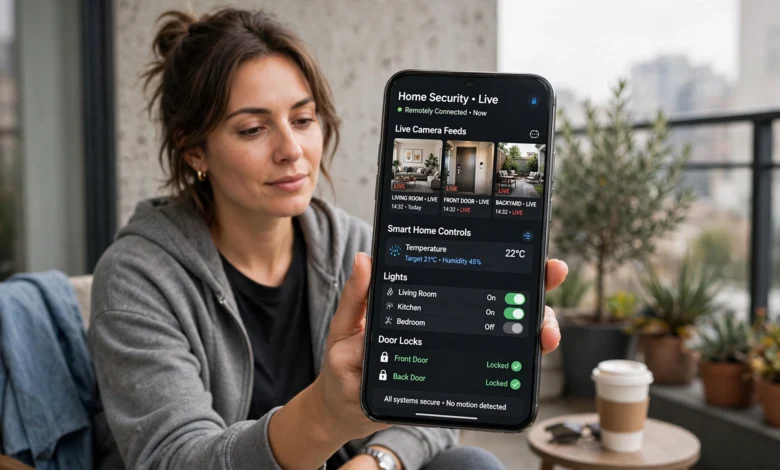
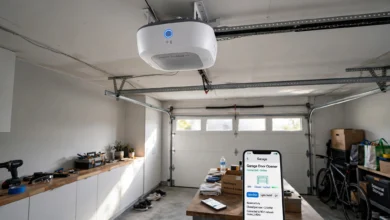
If you have ever left for a trip and wondered whether you actually locked the back door, you already understand why so many people want to monitor your home remotely with IoT. Internet of Things technology has turned that nagging worry into something you can settle in ten seconds, right from your phone. Instead of driving back home to check a stove or calling a neighbor to peek through a window, a network of connected sensors, cameras, and smart devices does the watching for you, around the clock.
This shift didn’t happen overnight. Home security used to mean a wired alarm panel and maybe a monitoring contract that cost a small fortune. Today, IoT home monitoring systems are affordable, easy to install, and often set up in an afternoon without hiring anyone. Cameras stream live video to your phone, sensors detect motion or water leaks, and smart locks tell you exactly who came and went and when. All of that data lives in one app, so you get a complete picture of your home no matter where you are in the world.
In this article, we will walk through exactly how remote home monitoring with IoT works, the devices that make it possible, how to set everything up correctly, and the mistakes to avoid so your system actually protects you instead of giving you a false sense of security. Whether you are a renter with a single smart camera or a homeowner building a full smart home ecosystem, you will find practical guidance here that you can act on today.
What Does It Mean to Monitor Your Home Remotely with IoT?
At its core, remote home monitoring with IoT means using internet-connected devices to observe, track, and sometimes control what is happening in your house from anywhere with a data connection. Each device, whether it is a camera, a sensor, or a smart plug, connects to your home Wi-Fi and sends information to a cloud service or app. You then check that app on your phone, tablet, or computer to see live footage, receive alerts, or review a history of activity.
This is different from traditional home security in a few important ways:
- No physical monitoring station required. Classic alarm systems route signals to a call center that then contacts you or the police. IoT systems send alerts directly to your device in real time, so you decide what happens next.
- Two-way interaction. Many IoT devices let you act, not just watch. You can lock a door, turn off a light, or speak through a camera’s speaker to someone at your front porch.
- Data you can actually use. Instead of a single triggered alarm, you get a timeline of events: when a door opened, how long a room stayed empty, or when the temperature in your basement dipped low enough to worry about frozen pipes.
The technology behind this relies on small, low-power sensors, home Wi-Fi or a dedicated hub, and cloud platforms that process and store the data. In simple terms, it gives you the ability to control and check on your connected devices from wherever you are, using nothing more than a mobile app, a web browser, or a voice assistant. That combination of hardware and software is what makes checking on your home from a beach chair or an office desk possible.
Why Homeowners Are Switching to IoT-Based Monitoring
Peace of Mind When You’re Away
The single biggest reason people invest in home IoT monitoring is simple reassurance. Whether you’re at work, traveling, or just running errands, being able to pull up a live camera feed removes the guesswork. You know your kids got home from school, your dog isn’t tearing up the couch, and no one unexpected is at your door.
Faster Response to Problems
Speed matters when something goes wrong. A water leak that goes unnoticed for a week can cause thousands of dollars in damage, but a smart leak sensor catches it within minutes. Similarly, smoke and carbon monoxide detectors connected to your phone alert you the moment they sense danger, even if you’re nowhere near the house.
Lower Costs Compared to Traditional Security
Professional monitoring companies often charge monthly fees that add up over the years. Many IoT devices, on the other hand, work with a one-time purchase and either no subscription or a low-cost plan for cloud video storage. You get comparable protection without the long-term contract.


Smarter Energy Management
Remote monitoring isn’t only about security. Smart thermostats and plug-in energy monitors let you see how much power your home uses and adjust settings remotely, which can noticeably lower utility bills over a year.
Core Devices Used to Monitor Your Home Remotely with IoT
Building a reliable home monitoring system starts with choosing the right mix of devices. You don’t need everything at once. Start with the areas that matter most to you and expand from there.
1. Smart Security Cameras
Indoor and outdoor cameras are usually the first device people buy, and for good reason. Modern cameras offer live streaming, motion-triggered recording, night vision, and two-way audio. Many also use on-device AI to tell the difference between a person, a car, and a passing cat, which cuts down on pointless notifications.
When shopping for cameras, look for:
- Local storage options (an SD card or hub) in addition to cloud storage, in case your internet goes down
- Weatherproof ratings if the camera will sit outside
- A wide field of view to reduce blind spots
- Encrypted video transmission to protect your privacy
2. Smart Door and Window Sensors
These small, battery-powered sensors attach to door and window frames and send an instant alert the moment something opens that shouldn’t. They’re inexpensive, easy to install with adhesive strips, and form the backbone of most remote home monitoring setups.
3. Smart Locks
A smart lock lets you lock or unlock your door from anywhere, check whether the door is currently locked, and grant temporary access codes to guests, cleaners, or contractors. Some models log every entry and exit, which is useful if you want a record of exactly when someone came in.
4. Environmental and Leak Sensors
Water damage and temperature swings are two of the most common (and expensive) home problems. Environmental sensors placed near appliances, basements, or plumbing fixtures detect leaks and send alerts right away. Manufacturers design these sensors so that once a leak is detected, an alert reaches the homeowner’s phone almost instantly, giving enough time to shut off water or call a plumber before real damage sets in. The same category of sensor can also track humidity and CO2 levels to keep indoor air quality in check.
5. Smart Smoke and Carbon Monoxide Detectors
Unlike a standard detector that only beeps locally, an internet-connected version pushes a notification to your phone the instant it senses smoke or gas, even if you’re miles away.
6. Motion Sensors
Placed in hallways, living rooms, or entryways, motion sensors can trigger lights, cameras, or alerts when they detect movement in an otherwise empty house. They’re also handy for automating everyday tasks, since a sensor can turn off lights or adjust the thermostat when a room sits empty for a while.
7. Smart Plugs and Hubs
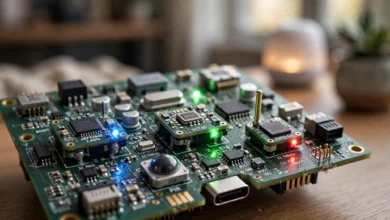
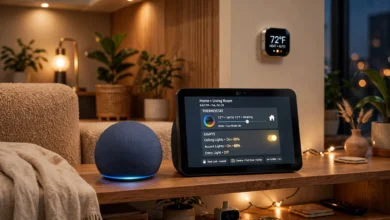
Smart plugs let you control lamps, fans, or appliances remotely, which is useful for making an empty house look occupied while you’re traveling. A central hub, meanwhile, ties every device together so you’re not juggling five different apps. TEKTELIC’s KONA Micro IoT Gateway is a good example of this approach, since it connects multiple IoT devices and lets sensors and systems communicate seamlessly instead of operating in isolation.
Step-by-Step: How to Set Up Remote Home Monitoring with IoT
Step 1: Assess What You Actually Need to Monitor
Before buying anything, walk through your home and think about your specific risks. Do you live somewhere with frequent package theft? Focus on a video doorbell. Worried about a finished basement flooding? Start with leak sensors. Matching devices to real risks, rather than buying everything at once, keeps costs down and avoids notification overload.
Step 2: Choose a Reliable Home Network
Every device in your IoT home monitoring setup depends on a stable internet connection. A slow or overloaded router leads to delayed alerts and choppy video. If your home is large or has dead zones, consider a mesh Wi-Fi system so cameras and sensors in far corners of the house stay connected.
Step 3: Pick an Ecosystem That Works Together
Some brands play nicely with each other through standards like Matter or Thread, while others lock you into a single app. Before buying, check compatibility so your camera, lock, and sensors can all report into one dashboard instead of three separate apps. This single step saves enormous frustration later.
Step 4: Install Devices in the Right Locations
- Place cameras at entry points and high-traffic areas, angled to avoid glare from windows
- Put door and window sensors on every ground-floor access point, not just the front door
- Install leak sensors near water heaters, washing machines, and under sinks
- Mount motion sensors where they cover hallways or open living spaces rather than corners
Step 5: Set Up Alerts and Automation Rules
This is where remote monitoring becomes genuinely useful instead of just a live camera feed. Configure your app to:
- Send a push notification when a door opens after a certain hour
- Alert you immediately for water leak or smoke detection, with no delay
- Turn on lights automatically when motion is detected after dark
- Send a daily or weekly summary so you’re not overwhelmed by every minor event
Step 6: Test the System Before You Rely on It
Walk through each scenario yourself. Open a window and confirm the sensor fires. Trigger a camera and check how long it takes for the notification to arrive. Testing catches gaps, like a sensor with a dying battery or a camera angle that misses the actual doorway, before they matter in a real situation.
Step 7: Review and Adjust Over Time
Your needs will change. Maybe you add a home office and want a camera there, or you realize your pet keeps triggering false motion alerts. Revisit your settings every few months to fine-tune sensitivity and add or remove devices as needed.
Security and Privacy Considerations You Shouldn’t Skip
Connecting more devices to the internet means more potential entry points for bad actors, so a few precautions go a long way.
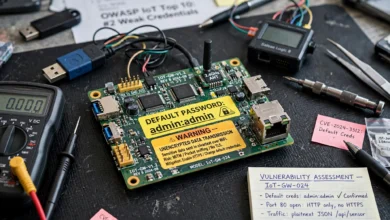
- Use strong, unique passwords for your router and every connected app, and turn on two-factor authentication wherever it’s offered
- Keep firmware updated. Manufacturers regularly patch security flaws, and outdated devices are a common weak point
- Segment your network. Many routers let you create a separate guest or IoT network, keeping smart devices isolated from computers and phones that hold sensitive data
- Check camera privacy settings. Disable microphones or cover lenses for cameras placed in private areas like bedrooms
- Review third-party access. If you’ve shared access with a cleaner or dog walker, remove it once it’s no longer needed
For more detailed guidance on securing connected devices at home, the Federal Trade Commission’s guide to smart device security is a solid, plain-language resource worth bookmarking.
Common Mistakes to Avoid When Monitoring Your Home Remotely with IoT
Relying on a single point of failure. If your entire system depends on one hub and that hub loses power or Wi-Fi, you lose visibility into your whole house. Battery backups and devices with local storage help cover this gap.
Ignoring notification fatigue. Too many alerts train you to ignore your phone entirely, defeating the purpose of the system. Tune sensitivity settings so you only get notified about things that actually matter.
Skipping regular maintenance. Batteries die, lenses get dusty, and firmware goes out of date. A quarterly check of your devices takes fifteen minutes and prevents blind spots.
Overlooking bandwidth needs. Several cameras streaming high-definition video at once can slow down your entire home network. Check your internet plan’s upload speed, since that’s what cameras rely on to send footage out.
Forgetting about power outages. If your area loses power often, look into devices with cellular backup or battery packs so your monitoring doesn’t go dark exactly when you need it most.
The Future of Remote Home Monitoring
The direction this technology is heading makes remote monitoring even more capable. Artificial intelligence is getting better at distinguishing between a genuine threat and a routine event, like a delivery driver dropping off a package versus someone lingering near a window. Interoperability standards are also making it easier for devices from different brands to work together without needing five separate apps.
On the infrastructure side, low-power wireless protocols are extending how far sensors can operate from your main hub without draining batteries, which matters for larger properties, sheds, or detached garages. One home monitoring project built around this kind of setup keeps its remote stations asleep most of the time, waking only periodically to take environmental readings and relay them to a gateway, which stretches battery life to months or even years between charges. As these protocols become more mainstream, expect whole-property monitoring, not just single-room setups, to become the norm even for average homeowners.
For readers who want a technical deep dive into how remote device monitoring works at scale, the National Institute of Standards and Technology’s IoT cybersecurity resources offer a good starting point for understanding the standards shaping this space.
Conclusion
Learning to monitor your home remotely with IoT doesn’t require a technical background or an oversized budget. With the right combination of cameras, sensors, smart locks, and a stable network, you can build a system that shows you exactly what’s happening at home, alerts you the moment something needs attention, and even lets you take action from wherever you are.
The key is starting with your actual risks, choosing devices that work together, setting up sensible alerts, and staying on top of security basics like strong passwords and firmware updates. Do that, and remote home monitoring stops being a gadget purchase and becomes a genuinely useful layer of everyday peace of mind.