How IoT Sensors Work in the Real World
IoT sensors quietly run modern life, from smart thermostats to factory floors. Here's how they actually work and why it matters.
IoT sensors are the small, often invisible devices that let physical objects talk to software. They sit inside your thermostat, your car, the pipes under a city street, and the shipping container carrying your next online order. Most people never see them, but they generate the data that keeps modern systems running smoothly.
If you’ve ever wondered how your phone knows you’ve stepped into your driveway, or how a farmer knows exactly when a field needs water, the answer is almost always the same: a sensor picked up a signal, turned it into data, and sent it somewhere that could act on it. That’s the entire job of an IoT sensor, described simply.
This article breaks down how these devices actually function once they leave the spec sheet and get deployed into real conditions like dust, heat, spotty WiFi, and years of battery drain. We’ll go through the core components inside a typical sensor, the ways they connect and communicate, the industries relying on them most, the common types you’ll run into, and the practical challenges engineers face when these devices leave the lab. By the end, you’ll have a grounded, non-technical understanding of how IoT sensor technology turns raw physical signals into decisions that businesses and households make every day.
What Are IoT Sensors and How Do They Actually Work
An IoT sensor is a physical device built to detect a specific change in its environment, such as temperature, motion, light, pressure, or moisture, and convert that change into an electrical signal a computer can process. What makes it “IoT” rather than just a plain sensor is the connectivity layer: the ability to send that signal over a network, usually the internet, so the data can be viewed, stored, or acted on remotely.
The basic sequence looks like this:
- A sensing element detects a physical change (heat, movement, gas concentration, and so on).
- The signal is converted from analog to digital form.
- A microcontroller processes or packages the data.
- The data is transmitted through a wireless or wired connection.
- A server, app, or gateway receives the data and triggers an action or stores it for analysis.
That last step is where the real value shows up. Raw temperature readings mean nothing on their own. But when a smart sensor network feeds that data into software that automatically adjusts a thermostat, shuts off a valve, or alerts a technician, the sensor has done its job. The hardware detects; the network and software decide.
This is also why people sometimes lump IoT devices and IoT sensors together, even though they’re not identical. A sensor is a component. An IoT device is often the finished product, like a smart thermostat, that contains one or more sensors plus the processor and radio needed to connect it to the internet.
The Core Components Inside Every IoT Sensor
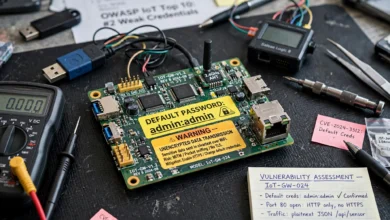
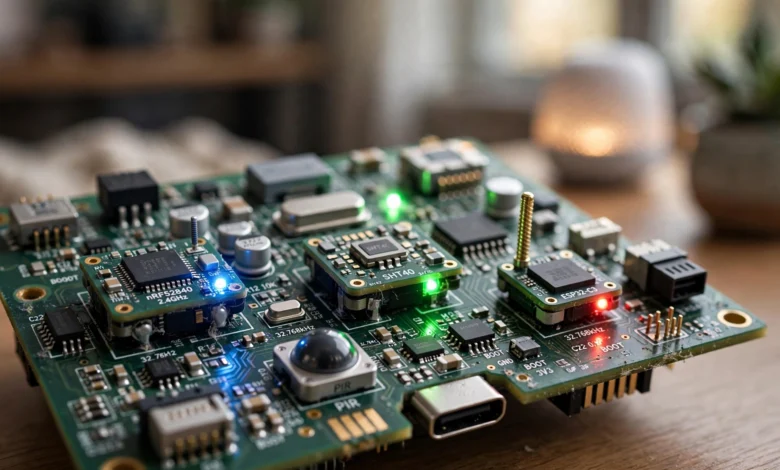
Every functioning IoT sensor, regardless of what it’s measuring, is built from a handful of parts working together. Understanding these makes it much easier to see why sensors behave the way they do in the field.
The Sensing Element
This is the actual detector, the part physically reacting to the outside world. A thermistor changes resistance with heat. A photodiode reacts to light. An accelerometer detects motion and orientation. This component is usually the cheapest part of the device but the one that determines accuracy and reliability more than anything else.


The Microcontroller or Processor
Once the sensing element produces a signal, a small onboard chip converts it into usable digital data. This chip also handles basic logic, like deciding whether a reading is significant enough to transmit, which matters a lot for battery-powered devices that can’t afford to send data constantly.
The Connectivity Module
This is the piece that turns a simple sensor into an IoT sensor. It could be a WiFi chip, a Bluetooth radio, a cellular modem, or a low-power wide-area network (LPWAN) transmitter like LoRa. The choice here shapes almost everything else about the device, including range, power draw, and cost.
The Power Source
Sensors are either wired into a power supply or run on batteries, and this single decision drives most of the design trade-offs engineers deal with. A battery-powered soil moisture sensor in a remote field needs to sip power for months or years, which limits how often it can transmit data and what kind of connectivity it can use.
How IoT Sensors Communicate: Connectivity Protocols That Matter
Getting data off a sensor and into a usable system is often the hardest part of any IoT deployment. Different environments call for different connectivity approaches, and picking the wrong one is a common reason projects fail once they leave the pilot stage.
- WiFi works well indoors with existing infrastructure but drains batteries quickly and has limited range outdoors.
- Bluetooth Low Energy (BLE) is efficient for short-range applications like wearables or indoor asset tracking.
- Zigbee and Z-Wave are popular in smart homes because they form mesh networks, letting devices relay signals to extend coverage.
- LoRaWAN is built for long-range, low-power use cases such as agricultural or utility sensors spread across large areas.
- Cellular (NB-IoT, LTE-M) suits sensors that need reliable coverage in remote or mobile settings, like fleet tracking, though it costs more to operate.
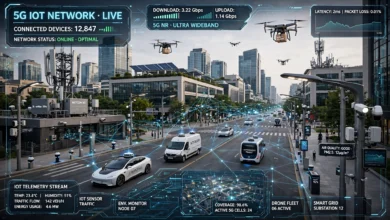
The right protocol depends entirely on the use case. A wireless sensor network monitoring a warehouse has completely different requirements than one tracking soil conditions across hundreds of acres of farmland. Range, power budget, data volume, and cost all pull in different directions, and there’s rarely a single “best” answer.
Real-World Applications of IoT Sensors by Industry
The concept of an IoT sensor is abstract until you see where it’s actually being used. Here’s how different industries put this technology to work.
Agriculture
Farmers use IoT sensors to monitor soil moisture, temperature, and nutrient levels across large fields. This data feeds into irrigation systems that only water when needed, cutting water use significantly while improving crop yields. Weather stations paired with these sensors also help predict frost risk or disease conditions before they become visible.
Healthcare
Wearable IoT sensors track heart rate, blood oxygen, glucose levels, and sleep patterns continuously rather than during occasional doctor visits. Hospitals also use sensor-equipped equipment to monitor patient vitals remotely, freeing up staff time while catching problems earlier.
Manufacturing
On factory floors, IoT sensors monitor vibration, temperature, and pressure on machinery to catch signs of wear before a breakdown happens. This approach, often called predictive maintenance, can prevent costly downtime by flagging issues days or weeks in advance instead of after equipment fails.
Smart Homes
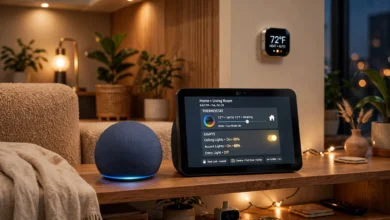
Motion sensors, door and window sensors, and smart thermostats are probably the most familiar consumer example of IoT sensor technology. These devices work together to automate lighting, security, and climate control based on actual occupancy rather than fixed schedules.
Logistics and Supply Chain
GPS and temperature sensors attached to shipping containers let companies track location and condition in real time. This matters enormously for perishable goods or pharmaceuticals, where a few hours outside a safe temperature range can ruin an entire shipment.
Common Types of IoT Sensors You’ll Encounter
There’s no single “IoT sensor.” The term covers a wide range of devices built for very different jobs. Some of the most common types include:
- Temperature sensors – used in HVAC systems, cold chain logistics, and industrial equipment monitoring.
- Humidity sensors – common in agriculture, greenhouses, and building management systems.
- Motion/PIR sensors – found in security systems and smart lighting.
- Proximity sensors – used in manufacturing and automotive parking assistance.
- Pressure sensors – applied in pipelines, tires, and medical devices.
- Gas sensors – detect leaks or air quality issues in industrial and residential settings.
- Light sensors – automate street lighting and indoor illumination based on ambient conditions.
- GPS/location sensors – track vehicles, shipments, and mobile assets.
Each type has its own accuracy range, power needs, and ideal deployment conditions, which is why choosing the right sensor for a specific job matters as much as the network it runs on.
Challenges in Real-World IoT Sensor Deployment
Sensors that work perfectly in a lab often run into trouble once deployed outside in the field. A few challenges come up again and again.
Battery Life and Maintenance
Replacing batteries on thousands of sensors spread across a farm or a city is expensive and time-consuming. Engineers often have to balance how frequently a sensor reports data against how long its battery needs to last, sometimes stretching a single charge to cover several years.
Environmental Interference
Metal structures, thick walls, weather, and even foliage can weaken wireless signals. A sensor network designed for an open field may need a completely different setup to work reliably inside a steel warehouse.
Data Security
Every connected sensor is a potential entry point for attackers. The National Institute of Standards and Technology has published extensive guidance on this exact issue, largely because many IoT devices simply don’t have the processing power to run the same security software a laptop or server would. That gap makes securing large sensor deployments genuinely difficult. Encrypting data in transit and keeping firmware updated are basic but often overlooked steps.
Scale and Data Volume
A pilot project with ten sensors is easy to manage. A production deployment with ten thousand sensors generates a flood of data that needs proper storage, filtering, and analysis, or it just becomes noise nobody looks at.
Best Practices for Choosing the Right IoT Sensor
Picking the right sensor setup for a project comes down to a few practical questions:
- What exactly needs to be measured, and how precisely? Overspecifying accuracy adds cost without adding value.
- How often does data really need to be collected? Continuous monitoring drains power faster than periodic checks.
- What’s the physical environment like? Temperature extremes, moisture, and dust all affect hardware durability.
- What connectivity is actually available on-site? Not every location has reliable WiFi or cellular coverage.
- How will the data be used? A sensor feeding an automated system needs faster, more reliable transmission than one used for occasional reporting.
Getting these answers right before deployment saves a lot of rework later. Research published in the IEEE Internet of Things Journal regularly covers exactly this kind of decision-making, since early choices around architecture and network design tend to have outsized effects on a system’s long-term reliability and cost.
Frequently Asked Questions About IoT Sensors
Are IoT sensors the same as regular sensors?
Not exactly. A regular sensor detects a physical change and reports it locally, often through a wire connected to a display or controller. An IoT sensor adds a wireless connectivity layer on top of that detection, allowing the data to travel over a network to a cloud platform, app, or dashboard without a direct physical connection. The sensing part is often identical; the difference is what happens after the reading is taken.
How long do IoT sensors typically last in the field?
It depends heavily on the power source and how often the device transmits data. A wired sensor connected to mains power can run indefinitely, aside from normal hardware wear. A battery-powered IoT sensor reporting data once an hour might run for three to five years on a single charge, while one reporting every few seconds could need a new battery within months. This is one of the biggest planning considerations in any large-scale deployment.
Do IoT sensors need an internet connection to work?
Not always directly. Many sensors connect to a local gateway or hub using a short-range protocol like Zigbee or Bluetooth, and that gateway is the device that actually connects to the internet. This setup extends battery life significantly since the sensor itself doesn’t need the power-hungry radio required for a direct WiFi or cellular connection.
Can IoT sensors work without WiFi?
Yes, and in many real-world deployments, they have to. Rural farms, remote pipelines, and shipping routes often don’t have reliable WiFi coverage. That’s exactly why protocols like LoRaWAN and cellular options such as NB-IoT exist: they’re designed to carry small amounts of sensor data over long distances without depending on a local wireless network at all.
The Future of IoT Sensor Technology
The direction of IoT sensor development right now is pushing toward smaller, cheaper, and smarter devices. A few trends worth watching:
- Edge processing is moving more decision-making onto the sensor itself, rather than sending every reading to the cloud for analysis. This cuts down on bandwidth use and speeds up response times for things like industrial safety shutoffs.
- Energy harvesting is reducing dependence on batteries entirely, with some sensors now drawing tiny amounts of power from ambient light, vibration, or temperature differences.
- AI-enabled sensors are starting to flag anomalies on-device instead of just reporting raw numbers, which matters for use cases like predictive maintenance where speed of detection is the whole point.
- Improved interoperability standards are slowly making it easier for sensors from different manufacturers to work within the same network, something that has historically been a headache for large deployments.
None of these trends replace the fundamentals covered earlier in this article. A sensor still needs to detect, process, and transmit data reliably. What’s changing is how efficiently and intelligently it can do each of those steps.
Conclusion
IoT sensors are a lot less mysterious once you break them down into their working parts: a detector, a processor, a way to communicate, and a power source, all working together to turn a physical change into usable data. What makes them powerful isn’t the hardware itself but how that data gets used, whether it’s automating irrigation on a farm, catching a failing machine before it breaks, or keeping a shipment of vaccines at the right temperature.
The technology works best when the sensor type, connectivity method, and power setup are all matched carefully to the environment they’ll actually operate in, because what performs well in a lab often behaves very differently once it’s out in the real world.