Private Search Engines: 10 Best Trusted Picks to Protect Your Data in 2026
Private search engines that stop tracking your queries. Compare 10 trusted options, their data policies, and which one suits your daily browsing.
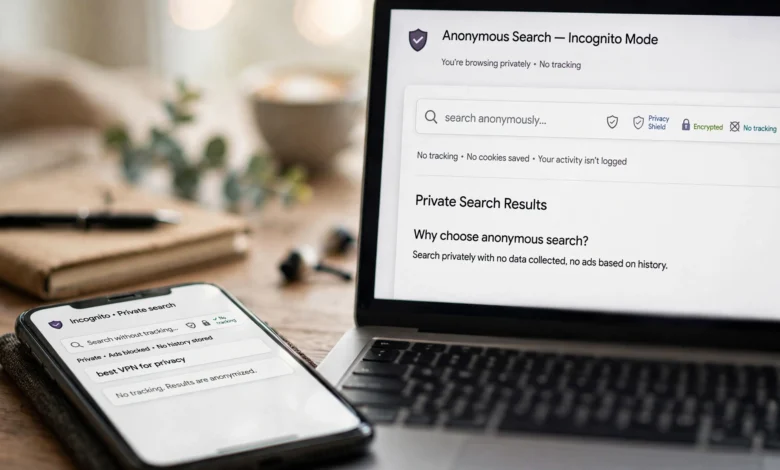
Private search engines have gone from a niche interest to something a lot of regular people actually care about. And it makes sense. Think about what you type into a search bar in a normal week: health symptoms, money worries, questions about a relationship, a job you’re thinking of leaving. Put all of that together and it paints a pretty detailed picture of who you are.
Mainstream search engines use that picture. They log your queries, connect them to your account, your device, and your location, then use the profile to target ads and shape the results you see. Most people never agreed to that in any meaningful way. They just clicked “accept” at some point and moved on.
The good news is that you have real options now. A privacy search engine can give you useful results without building a file on you. Some pull results from Google or Bing and strip away your identity first. Others run their own independent index. A few charge a small fee so they never need ads at all.
This guide walks through the best private search engines available in 2026, what each one does well, where each one falls short, and how to pick the right fit. You’ll also find practical tips for setting one as your default and a few extra habits that make your online privacy stronger. No hype, just a clear look at what works.
What Are Private Search Engines?
Private search engines are search tools that don’t track your queries, don’t build a personal profile on you, and don’t sell your search history to advertisers. When you search, you get results based on the words you typed, not on everything you’ve searched for in the past five years.
Here’s the basic difference. A traditional engine usually stores:
- Your search queries, often tied to your account
- Your IP address and approximate location
- Device and browser details
- The links you click and how long you stay
A private search engine either doesn’t collect this data at all or strips it away before anything gets stored. Many still show ads, but those ads are based on your current search term (like “running shoes”) instead of a long-term profile of your life.
Private Search vs. Incognito Mode
A lot of people assume incognito or private browsing mode protects them. It doesn’t, at least not the way they think. Incognito only stops your browser from saving history on your own device. The search engine, your internet provider, and the websites you visit can still see what you do. Anonymous search needs a search engine that refuses to log you in the first place.
Why You Should Switch to a Privacy Search Engine
Switching is one of the easiest privacy upgrades you can make. It takes about a minute and it touches something you do dozens of times a day.


1. Your Search History Stays Yours
Search data is some of the most personal data that exists. With no tracking search engines, there’s no stored archive of your questions that could be leaked, hacked, sold, or handed over later.
2. Less Targeted Advertising
When an engine doesn’t know who you are, it can’t follow you around the web with ads for the thing you looked up once. That alone makes browsing feel a lot less creepy.
3. No Filter Bubble
Personalized results can quietly narrow what you see. Two people searching the same topic may get very different pages. Private search engines tend to show everyone the same results for the same query, which gives you a more neutral view.
4. Better Protection on Shared or Work Devices
If you share a laptop or use a work computer, a secure search engine means your queries don’t pile up in a synced account somewhere.
How We Picked the Best Private Search Engines
To put this list together, we compared the top-ranking guides on this topic and then looked at each engine against a set of practical criteria:
- Data collection policy: Does it log IP addresses, queries, or cookies?
- Result quality: Can it actually replace Google for daily use?
- Index source: Does it run its own index or rely on Google or Bing?
- Jurisdiction: Where is the company based and which privacy laws apply?
- Transparency: Is the code open source or independently audited?
- Business model: How does it make money without selling your data?
That last point matters more than people think. If a free service doesn’t explain how it pays the bills, be a little skeptical.
The 10 Best Private Search Engines in 2026
Here are the top Google alternatives for anyone who wants to search without being profiled.
1. Brave Search
Brave Search is probably the strongest all-around option right now. The big selling point is that it runs its own independent web index instead of simply renting results from Google or Bing. That gives it real independence. Reviewers in 2026 have named it the most well-rounded private engine for exactly this reason, noting that PCMag’s tests showed Brave producing a randomized fingerprint in the EFF Cover Your Tracks test.
What stands out:
- Independent index, so fewer third parties touch your query
- Clean results with an optional AI summary at the top
- “Goggles” feature that lets you re-rank results with custom rules
- Works in any browser, not just the Brave browser
Things to consider: Results for very local or very niche queries can sometimes be thinner than Google’s.
Best for: Most people who want a single private search engine they can set and forget.
2. DuckDuckGo
DuckDuckGo is the name most people think of first, and for good reason. It’s one of the most popular private search engines, averaging over 100 million daily searches. It doesn’t store your search history or tie queries to you, and the interface feels familiar enough that switching is painless.
What stands out:
- “Bangs” shortcuts, like typing !w to search Wikipedia directly
- Built-in tracker blocking through its browser and extensions
- Available as a default option in Safari, Firefox, and other major browsers
- Instant answers for weather, calculations, and definitions
Things to consider: Much of its core result data comes from Bing, so it isn’t fully independent.
Best for: Beginners who want an easy, free replacement that just works.
3. Startpage
Startpage takes a different approach. It sends your query to Google on your behalf, removes your identifying details, and hands you Google-quality results without Google knowing it was you. It’s based in the Netherlands, which puts it under strict EU privacy rules.
What stands out:
- Google-quality results with your identity removed
- “Anonymous View,” which lets you open result pages through a proxy
- No logging of IP addresses or search history
- Straightforward, uncluttered design
Things to consider: Startpage is owned by an ad tech company, which some privacy fans find uncomfortable, even though the privacy policy remains strict.
Best for: People who love Google’s results but hate Google’s tracking.
4. Mojeek
Mojeek is a UK-based engine that has quietly built something impressive. It operates its own crawler-based index rather than relying on third-party results such as those from Bing, and it says it does not track, profile, or personalize search results.
What stands out:
- Fully independent index built from scratch
- No tracking and no personalization
- A genuinely different view of the web, useful for research
- “Focus” feature to narrow searches to certain site groups
Things to consider: Because the index is smaller than Google’s, some specific searches may come up short.
Best for: Researchers and anyone who wants results that aren’t shaped by the big tech players.
5. Kagi
Kagi is a paid search engine, and that’s the whole point. Since you’re the customer, not the product, there are no ads and no reason to track you. It pulls from several sources, including its own index, and gives you a lot of control over how results look.
What stands out:
- No ads at all
- Ability to block, lower, or boost specific websites in your results
- Lenses for focused searching (forums, academic sources, programming)
- Strong result quality, often praised by power users
Things to consider: It costs money every month after a limited trial. For some people that’s a dealbreaker, for others it’s a relief.
Best for: Heavy searchers who want a premium, ad-free secure search engine and don’t mind paying for it.
6. SearXNG
SearXNG is free, open-source software that you can use through a public instance or run yourself. As a metasearch engine, it sends your query to upstream search engines, removes private data from those requests, and returns the combined results to you. As of 2026, it lists 251 possible search services to pull from.
What stands out:
- Completely open source
- You can self-host it for maximum control
- Highly customizable, with dozens of sources to choose from
- No ads, no tracking
Things to consider: Public instances vary in speed and reliability, and self-hosting takes some technical comfort.
Best for: Tech-savvy users who want full control and total transparency.
7. Qwant
Qwant is a French search engine built around European privacy standards. It doesn’t track users or personalize results, and it has been working with Ecosia on a shared European search index to reduce reliance on US tech companies.
What stands out:
- Based in France, subject to GDPR
- No user profiling
- Clean layout with separate web, news, and image sections
- Qwant Junior, a filtered version for kids
Things to consider: Results can still depend partly on Bing, and quality varies by language and region.
Best for: European users and families who want a kid-friendly option.
8. Ecosia
Ecosia is best known for using its ad revenue to plant trees, but it also takes privacy seriously. It doesn’t create personal profiles, doesn’t sell data to advertisers, and anonymizes searches within a short period.
What stands out:
- Profits go to tree planting and climate projects
- No personal profiles or data sales
- Easy to use, with a familiar layout
- Transparent monthly financial reports
Things to consider: It’s privacy-friendly rather than privacy-first. Some minimal data is processed before anonymization.
Best for: People who want a greener search habit with solid privacy basics.
9. Swisscows
Swisscows is based in Switzerland, a country with some of the strongest data protection laws in the world. It stores no user data and filters out adult and violent content by default, which makes it popular with families and schools.
What stands out:
- Swiss jurisdiction and servers
- Zero data storage policy
- Built-in family-friendly filtering
- Semantic search that suggests related topics
Things to consider: The content filter can’t be turned off, which may frustrate some adult users.
Best for: Parents, teachers, and anyone who wants a safe search environment.
10. Ghostery Private Search
Ghostery is famous for its tracker-blocking extension, and its search engine follows the same philosophy. It aims for unbiased results without tracking and integrates neatly with the Ghostery browser extension.
What stands out:
- No search profiling or tracking
- Pairs naturally with Ghostery’s tracker blocker
- Simple, fast interface
- Good fit for people already using Ghostery tools
Things to consider: It’s less well known than DuckDuckGo or Brave, and its feature set is lighter.
Best for: Existing Ghostery users who want a matching search tool.
Quick Comparison of Top Privacy Search Engines
| Search Engine | Own Index? | Price | Based In | Best For |
|---|---|---|---|---|
| Brave Search | Yes | Free | USA | Overall pick |
| DuckDuckGo | Partly | Free | USA | Beginners |
| Startpage | No (Google) | Free | Netherlands | Google-style results |
| Mojeek | Yes | Free | UK | Independent research |
| Kagi | Partly | Paid | USA | Ad-free power users |
| SearXNG | No (metasearch) | Free | Varies | Self-hosters |
| Qwant | Partly | Free | France | EU users, kids |
| Ecosia | Partly | Free | Germany | Eco-minded users |
| Swisscows | Partly | Free | Switzerland | Families |
| Ghostery | No | Free | Germany | Ghostery users |
One note worth mentioning: the landscape keeps shifting. Presearch, a decentralized engine that often showed up on lists like this, operated from 2017 to 2026, which is a good reminder to check that any service you rely on is still active and maintained.
How to Choose the Right Private Search Engine
There’s no single “most private” option for everyone. The right pick depends on what you care about most.
If You Want the Best Results
Go with Startpage for Google-quality results or Brave Search for strong independent results. Both are easy to live with day to day.
If You Want Maximum Independence
Choose Mojeek or Brave Search. They run their own indexes, so your query doesn’t pass through Google or Microsoft at all.
If You Want Zero Ads
Kagi is the clear choice. You pay a subscription and in return you get a clean page with no sponsored links.
If You’re Technical
SearXNG gives you full control. Host it yourself and you know exactly where your searches go.
If You Have Kids at Home
Swisscows and Qwant Junior filter unsuitable content automatically.
For a well-maintained, independent breakdown of options, the community-run Privacy Guides search engine recommendations is a useful reference.
How to Set a Private Search Engine as Your Default
Switching is quick. Here’s the general process for most browsers:
- Chrome: Go to Settings, then Search engine, then Manage search engines. Pick your engine or add it manually, then set it as default.
- Firefox: Open Settings, go to Search, and choose from the Default Search Engine dropdown.
- Safari: Open Settings (or Preferences), go to Search, and choose DuckDuckGo or another available option.
- Edge: Go to Settings, then Privacy, search, and services, then Address bar and search.
- Mobile: On iPhone, go to Settings, then Safari, then Search Engine. On Android, change it inside your browser’s settings.
If your preferred engine isn’t in the list, visit its homepage first. Most browsers will then detect it and let you add it.
Limits of Private Search Engines
It’s important to be honest here. Private search engines are a big privacy win, but they don’t make you invisible.
- Your IP address is still visible to your internet provider and to websites you click on.
- Websites have their own trackers. Once you leave the results page, the site you visit can track you unless you block it.
- Browser fingerprinting can identify you even without cookies.
- Logged-in accounts on other services still know who you are.
Think of a privacy search engine as one layer, not the whole solution. To see how easily your browser can be identified, try the EFF’s Cover Your Tracks fingerprinting test. It’s eye-opening.
Extra Steps to Boost Your Online Privacy
If you want to go further, combine your new search engine with a few simple habits:
- Use a privacy-focused browser such as Firefox with strict tracking protection, Brave, or the DuckDuckGo browser.
- Install a tracker blocker like uBlock Origin or Ghostery.
- Consider a trustworthy VPN to hide your IP address from your internet provider and websites.
- Log out of big accounts while searching, or use a separate browser profile for them.
- Clear cookies regularly or set your browser to delete them on exit.
- Review app permissions on your phone, especially location access.
For a deeper, practical guide to protecting yourself online, the Electronic Frontier Foundation’s Surveillance Self-Defense guide is one of the most trusted free resources available.
Frequently Asked Questions
Are private search engines really private?
Most reputable private search engines don’t store your queries or build profiles. Still, trust depends on the company’s policy, jurisdiction, and transparency. Open-source and independently audited options give you more confidence.
Are private search engines legal?
Yes. Using an anonymous search tool is completely legal in almost every country. It’s simply a choice about which service handles your queries.
Are the results as good as Google?
For everyday searches, most people won’t notice much difference, especially with Startpage, Brave Search, or Kagi. For very local or niche queries, Google may still have an edge.
Do private search engines make money?
Yes. Most show contextual ads based on your current search rather than your history. Some, like Kagi, use subscriptions instead.
Which is the most private search engine?
It depends on your threat model. A self-hosted SearXNG instance gives you the most control. Among ready-to-use options, Brave Search, Mojeek, and Startpage are strong choices.
Conclusion
Private search engines give you a simple way to take back control of something you do every single day, and the options in 2026 are better than ever. Brave Search stands out as the best all-rounder thanks to its independent index, DuckDuckGo remains the easiest switch for beginners, Startpage delivers Google-quality results without the tracking, Mojeek offers true independence, and Kagi is worth paying for if you want a completely ad-free experience, while SearXNG, Qwant, Ecosia, Swisscows, and Ghostery each serve specific needs well.
Keep in mind that a privacy search engine is only one layer of protection, so pair it with a good browser, a tracker blocker, and smart habits for the strongest results, and you’ll search the web without leaving a trail behind.