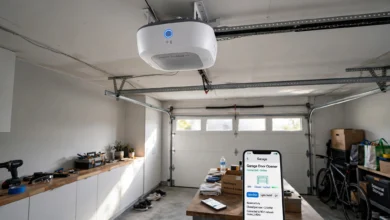
How to Set Up a Smart Home on a Budget
Learn how to build a smart home on a budget with practical tips, affordable devices, and simple setup steps that actually save you money.

Building a smart home on a budget sounds like a contradiction. Most people picture thousands of dollars in gadgets, hidden wiring, and a subscription for every device. That’s not how it has to work. You can start with a single smart plug for under $15 and grow from there, adding pieces only when you actually need them.
The truth is, a budget smart home setup is less about buying the flashiest tech and more about picking the right starting point. A smart speaker, a couple of smart bulbs, and a video doorbell can cover most of what people actually want: convenience, security, and lower energy bills. You don’t need to automate every light switch in your house on day one.
This guide walks through exactly how to plan, prioritize, and shop for an affordable smart home, including which devices give you the most value, which ecosystem to pick, and how to avoid the common mistakes that make people overspend. Whether you’re renting an apartment or own a house, you’ll find a practical path here that fits real budgets, not aspirational ones.
Why Go Smart Home on a Budget?
Before buying anything, it helps to know what you’re actually trying to solve. People building a smart home on a budget usually want one or more of these things:
- Lower electricity bills through smart thermostats and plugs
- Better home security without paying for a full alarm system
- Convenience, like voice-controlled lights or automated routines
- Peace of mind when traveling or leaving pets home alone
Once you know your priority, it’s much easier to spend money where it counts instead of buying gadgets because they looked interesting on a sale page.
Step 1: Pick a Smart Home Ecosystem First
This is the step most beginners skip, and it usually costs them money later. Every smart device connects to an ecosystem, typically Amazon Alexa, Google Home, or Apple HomeKit. Picking one early keeps your devices working together instead of fighting each other through three separate apps.
Amazon Alexa
Alexa has the widest device compatibility and the cheapest entry point. The Echo Dot regularly goes on sale for $20 to $30, and thousands of third-party devices support it. If your goal is a cheap smart home setup, this is usually the easiest starting point.
Google Home
Google Home works well if you already use Android phones or Google services daily. The Nest Mini is affordable and integrates cleanly with Google Calendar, Maps, and search, which makes routines feel more natural.
Apple HomeKit
HomeKit is the pricier option but has the strongest privacy standards, with local processing built in. If privacy matters more to you than price, it’s worth the extra cost. Otherwise, most budget shoppers do better starting with Alexa or Google Home.
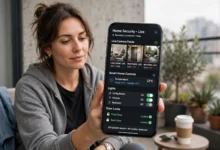

Tip: Stick to one ecosystem for your first year. Mixing platforms is where a lot of unnecessary spending happens, since you end up buying duplicate hubs or devices that only half-work together.
Step 2: Start With a Smart Speaker or Display
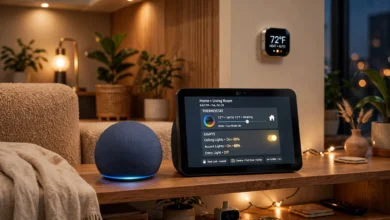
A smart speaker is the control center of most budget setups. It’s the device that lets you say “turn off the lights” instead of opening an app. It also acts as the hub for many Wi-Fi based devices, so you don’t need a separate bridge.
Look for these when shopping:
- Entry-level models (Echo Dot, Nest Mini) instead of premium versions with better speakers
- Bundle deals, which often include a smart plug or bulb for a few dollars more
- Refurbished or open-box units from the manufacturer’s own store, which usually carry a warranty
A single speaker in your living room or kitchen is enough to start. You don’t need one in every room right away.
Step 3: Add Smart Plugs Before Anything Else
If you’re wondering where to spend your first $20, put it here. Smart plugs are the highest-value item in any budget-friendly smart home. You plug them into an existing outlet, connect them to your app, and instantly control whatever’s plugged in, lamps, fans, coffee makers, string lights, without rewiring anything.
Benefits of smart plugs:
- They turn any regular appliance into a “smart” one
- They let you schedule things like porch lights or holiday decorations
- They help cut phantom power usage from devices left plugged in
- They typically cost $10 to $15 each, often less in multi-packs
This is also the easiest way to test whether smart home tech fits your habits before spending more.
Step 4: Upgrade Lighting Gradually
Smart bulbs are popular, but they add up fast if you try to replace every bulb in the house at once. A more cost-effective smart home lighting strategy is to prioritize the rooms you actually use most and dim the rest with plugs and switches instead.
Where Smart Bulbs Make Sense
- Bedrooms, for gradual wake-up routines
- Living rooms, for movie mode or ambiance lighting
- Entryways, for security and convenience when arriving home
Where to Skip Bulbs and Use Switches Instead
- Hallways and closets, where basic on/off is all you need
- Rooms with multiple fixtures, where switches control everything at once for less money
A smart switch replacing an existing wall switch often costs less overall than buying five or six smart bulbs for one fixture, and it still gives you app and voice control.
Step 5: Focus Security Spending Where It Matters Most
Full alarm systems with monthly monitoring fees aren’t necessary for most households. A smarter, cheaper approach covers the entry points that actually get used.
Video Doorbells
A video doorbell is one of the best value purchases in home security. It lets you see who’s at the door, deters package theft, and often costs less than $60 for a solid entry-level model. According to the Federal Trade Commission, securing your home network is just as important as the physical device, so always change default passwords and keep firmware updated.
Smart Locks
Smart locks range widely in price, but even a basic keypad deadbolt gives you the core benefit: no more hidden keys under the mat, and the ability to let in a guest or dog walker remotely.
Motion Sensors and Cameras
- Indoor cameras start around $25 to $30 and cover the basics well
- Outdoor cameras cost more but are worth it for driveways or backyards
- Motion sensor lights are a low-cost deterrent that don’t require an app at all
You don’t need every category. Pick one or two based on actual risk, like a doorbell if package theft is common in your area, or a camera if you travel often.
Step 6: Automate Climate Control to Save Money Long Term
A smart thermostat is one of the few smart home purchases that can pay for itself. According to the U.S. Department of Energy, you can save around 10% a year on heating and cooling by adjusting your thermostat 7 to 10 degrees for eight hours a day. A smart thermostat automates that without you having to remember.
Budget-friendly options include:
- Mid-range models from established brands, often discounted during utility rebate programs
- Checking with your local energy provider first, since many offer instant rebates or even free installation for qualifying thermostats
- Smart plugs connected to space heaters or fans as a low-cost alternative if a full thermostat isn’t in the budget yet
This is one area where spending a bit more upfront often makes sense, since the energy savings offset the cost within a year or two for most households.
Step 7: Use Routines Instead of Buying More Devices
Once you have a few devices connected, the real value comes from routines, not more purchases. Most apps let you set these up for free.
Examples of useful routines:
- “Good morning” turns on lights gradually and reads your calendar
- “Leaving home” locks the door, adjusts the thermostat, and turns off lights
- “Movie night” dims lights and turns off notifications on connected displays
- “Bedtime” locks doors, lowers the thermostat, and turns off everything except a night light
Routines are free to set up and often deliver more day-to-day convenience than buying another gadget. Spend time here before spending more money.
Common Mistakes That Blow the Budget
A few habits push people past what a smart home on a budget should actually cost:
- Buying into two ecosystems. Duplicate hubs and incompatible devices waste money fast.
- Replacing every bulb at once. Start with the rooms you use most, not the whole house.
- Skipping the research on subscriptions. Some cameras and doorbells require a monthly fee for cloud storage. Check this before buying, not after.
- Ignoring sales cycles. Prices on smart plugs, bulbs, and speakers drop significantly during major shopping events. Waiting a few weeks can cut your total spend by 30% or more.
- Overbuying security. Not every home needs four cameras and a full sensor network. Match spending to actual risk.
How Much Does a Budget Smart Home Actually Cost?
Here’s a realistic breakdown for a starter setup:
| Item | Estimated Cost |
|---|---|
| Smart speaker | $20–$30 |
| 3 smart plugs | $25–$35 |
| 2 smart bulbs | $20–$30 |
| Video doorbell | $50–$60 |
| Smart thermostat (optional) | $80–$130 |
A solid entry-level setup without a thermostat runs somewhere between $115 and $155. Adding a thermostat brings the total closer to $200 to $285, which is still far below what a professionally installed system typically costs.
Final Thoughts on Building a Smart Home Without Overspending
A smart home on a budget isn’t about cutting corners, it’s about spending on the things that actually improve daily life and skipping the extras that just look good in a product photo. Start with one ecosystem, add a speaker, grab a few plugs, and expand from there based on what you actually use. Prioritize savings-generating devices like thermostats and skip full-room lighting overhauls until you know you’ll use them.
Security spending should match your actual risk, not a checklist. Most importantly, use free automation routines to get more value out of what you already own before buying anything new. Approached this way, a functional and genuinely useful smart home is well within reach for under $200, with plenty of room to grow it over time.