Best Free Email Services Beyond Gmail
Looking for the best free email services besides Gmail? Compare Outlook, Proton Mail, Zoho, Tuta and more by storage, privacy, ads, and features.
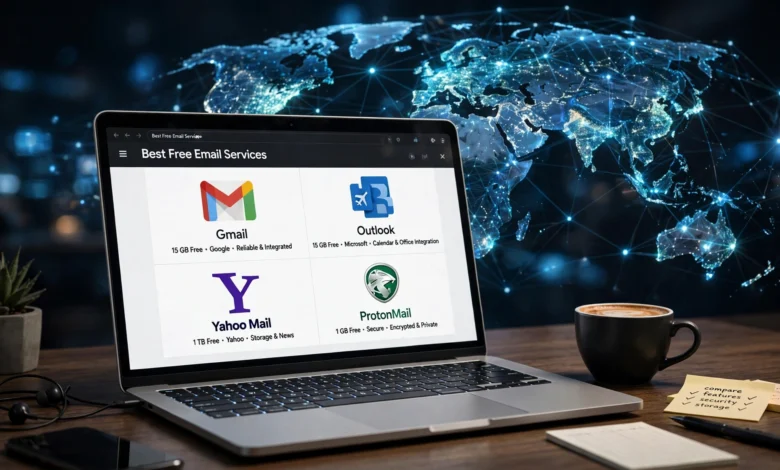
The best free email services are no longer just a choice between Gmail and “everything else.” For years, Gmail was the default. You signed up for an Android phone, a YouTube account or Google Docs, and suddenly you had an inbox whether you wanted one or not. That convenience is real, but it comes with trade-offs that more people are starting to notice.
Some users are uneasy about how much of their digital life runs through a single company. Others want an ad-free email experience, stronger privacy, or a cleaner way to handle work and personal mail. And some simply ran out of their 15 GB of shared storage because Google Photos quietly ate it.
The good news is that there are solid Gmail alternatives that cost nothing to use. Some focus on encrypted email and keeping your messages private. Others give you a business-ready inbox, deep integration with your phone, or more room for attachments. Each one has a different idea of what “free” should mean.
This guide walks through eight free email providers worth your time in 2026. For each one, you’ll see what it does well, where it falls short, and who it suits best. You’ll also get a practical checklist for choosing a provider and a step-by-step plan for moving away from Gmail without losing old messages or contacts. By the end, you should know exactly which free email account fits the way you actually use email.
Why People Are Looking Beyond Gmail
Gmail is still a strong product. Its spam filtering is excellent, its search is fast, and it connects neatly with Drive, Calendar and Docs. So why are so many people searching for alternatives?
Privacy Concerns
Google’s business runs on data. It no longer scans email content to target ads the way it once did, but your account still sits inside an ecosystem built around understanding user behavior. For people who want their inbox to stay separate from their search history, location data and video habits, that is reason enough to look elsewhere.
Shared Storage Fills Up Fast
Gmail’s free 15 GB sounds generous until you realize it covers Gmail, Google Drive and Google Photos combined. Both Gmail and Outlook offer 15 GB free, but Gmail’s allowance is shared with Drive and Photos, so it can run out sooner. One year of phone photo backups can push you into a paid plan.
Too Many Eggs in One Basket
If your Gmail account is locked or compromised, you can lose access to your email, files, photos and every service that uses “Sign in with Google.” Spreading things out across providers reduces that risk.
Wanting Something Built for a Specific Need
Some people want encryption. Some want a professional inbox with a custom domain. Some just want a simpler interface. A general-purpose service can’t be the best at everything, which is why specialized free email providers keep growing.


What to Look for in the Best Free Email Services
Before comparing specific names, it helps to know what actually separates one provider from another. These are the factors that matter most in day-to-day use.
Email Storage Limits
Email storage decides how long you can go without deleting old messages. Free plans range from about 500 MB to 20 GB, and that gap is huge. If you receive lots of attachments, storage should be near the top of your list.
Privacy and Encryption
A privacy-focused email service limits what the provider can see and collect. Look for:
- End-to-end encryption between users of the same service
- Zero-access encryption, meaning the company can’t read stored messages
- A clear, readable privacy policy
- A home country with strong data protection laws
Ads and Tracking
Many free services pay the bills with ads. Some show banner ads inside your inbox. Others are fully ad-free email services that fund themselves through paid upgrades. Decide how much clutter you’re willing to tolerate.
Apps and Device Support
A great web interface doesn’t help much if the mobile app is clunky. Check whether the service offers apps for Android and iOS, and whether it supports standard protocols (IMAP/POP) so you can use a third-party email client.
Custom Domain Support
If you run a small business or freelance, custom domain email (like you@yourbusiness.com) looks far more credible than a generic address. Only a few free plans offer this, so it’s worth checking early.
Account Recovery and Security Features
Two-factor authentication, recovery options and login alerts are basic requirements in 2026. Avoid any provider that doesn’t offer at least 2FA.
8 Best Free Email Services Beyond Gmail
Here’s the list. Each service is free to start, actively maintained and suitable for daily use.
1. Outlook.com: Best All-Round Gmail Alternative
Microsoft’s Outlook.com is the closest thing to a direct Gmail replacement. It handles personal email, calendars and contacts in one place and connects smoothly with Word, Excel, OneDrive and Teams.
The free plan gives you 15 GB of email storage plus a separate 5 GB of OneDrive space. Unlike Gmail, your email storage isn’t shared with your photo backups, which makes a noticeable difference over time.
What you get:
- A clean inbox with a “Focused” tab that separates important mail
- Built-in calendar with scheduling and reminders
- Free web versions of Word, Excel and PowerPoint
- Strong apps for Windows, Mac, Android and iOS
Where it falls short: If you want to avoid ads on a free plan, Outlook won’t suit you. The ads are more visible than Gmail’s, and the interface can feel busy.
Best for: Anyone who already uses Microsoft Office or wants a familiar, full-featured inbox.
2. Proton Mail: Best Free Email for Privacy
If privacy is your main reason for leaving Gmail, Proton Mail is usually the first name people recommend. Based in Switzerland, it uses end-to-end and zero-access encryption, so Proton itself can’t read the messages stored in your account.
The service is part of a larger Proton ecosystem with shared storage, ad-free apps and a strong focus on zero-access design. The free plan includes the core mail app, a calendar and access to Proton’s VPN and Drive products at a basic level.
What you get:
- Automatic encryption for emails sent between Proton users
- Password-protected emails for non-Proton recipients
- No ads and no data mining
- Open-source apps that security researchers can audit
Where it falls short: Gmail beats it on storage, 15 GB versus about 1 GB, and on ecosystem features. The free plan also limits the number of folders, labels and addresses you can create.
Best for: Journalists, activists, privacy-minded users and anyone who wants a truly secure email account without paying. You can compare its free and paid plans directly on the official Proton Mail website.
3. Zoho Mail: Best Free Email for Small Businesses
Zoho Mail is built for work. It’s one of the few free options that lets you connect your own domain, which makes it a popular pick for freelancers and small teams who want professional addresses without paying for Google Workspace.
Zoho’s inbox stays ad-free even on the free plan, and the free tier includes 5 GB of storage for one user.
What you get:
- Custom domain email hosting on the free tier
- Clean, distraction-free web interface
- Built-in tasks, notes, calendar and bookmarks
- Integration with the wider Zoho suite (CRM, invoicing and more)
Where it falls short: Free plan features have changed over the years, and some tools like IMAP/POP access or advanced mobile features may require a paid upgrade depending on your region. Check the current terms before migrating a whole team.
Best for: Freelancers, startups and small businesses that want a branded address on a budget. See the current plan details on Zoho Mail’s pricing page.
4. Tuta: Best Encrypted Email With Minimal Data Collection
Tuta (formerly Tutanota) is a German provider that takes encryption even further than most competitors. It encrypts subject lines, contacts and calendar entries, not just message bodies.
Its own apps provide end-to-end protection along with tracking protection and phishing defenses, and the free plan includes 1 GB of email storage and three labels.
What you get:
- Full encryption of mailbox, calendar and contacts
- No ads and no phone number required to sign up
- Open-source apps on all major platforms
- Post-quantum encryption work built into newer versions
Where it falls short: Tuta doesn’t support IMAP, so you can’t use it with Thunderbird, Apple Mail or other outside email clients. Search is also more limited because of the encryption design.
Best for: Users who want maximum privacy and are comfortable living inside one provider’s apps.
5. Yahoo Mail: Best for Long-Time Users Who Want Familiarity
Yahoo Mail has been around since the late 1990s and still has a huge user base. Its interface has improved a lot in recent years, with useful views for receipts, travel bookings and package tracking.
The big change to know about is storage. Yahoo cut its free storage cap from 1 TB to 20 GB, and users who pass that limit can’t send or receive mail until they delete messages or upgrade. The new limits were fully in place by August 27, 2025.
What you get:
- 20 GB of email-only storage, still more than Gmail’s shared 15 GB
- Smart views for shopping, travel and subscriptions
- Disposable addresses and theme options
- Easy sorting tools for large emails and attachments
Where it falls short: The free version carries ads, and its encryption features are limited compared with privacy-focused services. Past security breaches have also left some users wary.
Best for: People who already have a Yahoo address and want a feature-rich inbox with decent storage.
6. iCloud Mail: Best for Apple Users
If you own an iPhone, iPad or Mac, you already have access to iCloud Mail. It’s easy to overlook, but it’s a genuinely clean, ad-free email service.
It comes built into every Apple ID and works closely with iPhone, iPad and Mac, and iCloud+ subscribers get custom email domains and Hide My Email.
What you get:
- No ads and no email scanning for marketing
- Tight integration with Apple Calendar, Contacts and Reminders
- Web access at icloud.com from any computer
- Strong spam filtering
Where it falls short: The free 5 GB is shared across all of iCloud, which includes device backups and photos, so it fills up quickly. Android and Windows support is limited to the web and basic IMAP setup.
Best for: Apple users who want a simple, private inbox without installing anything new.
7. GMX Mail: Best for Generous Features on a Free Plan
GMX Mail is a long-running German provider owned by the same company behind mail.com. It isn’t as well known in some markets, but it offers a lot for a free service, including a large mailbox, file storage and an organizer.
What you get:
- A large free mailbox with support for sizeable attachments
- Built-in cloud storage and calendar
- Spam and virus filtering
- IMAP and POP support for third-party clients
Where it falls short: The free version includes noticeable ads, and the interface feels dated next to Outlook or Proton. It’s also less known, which occasionally leads to deliverability quirks with smaller mail servers.
Best for: Users who want lots of features and space without paying, and don’t mind ads.
8. Mailfence: Best Private Alternative to the Whole Google Suite
Mailfence is a Belgian service that combines encrypted email with calendar, contacts and document storage. It’s less about replacing Gmail alone and more about replacing Google’s full set of productivity tools with a privacy-respecting option.
Its free plan includes 500 MB of email storage and 500 MB of document storage.
What you get:
- OpenPGP encryption and digital signatures
- Encrypted calendar, contacts and documents
- No ads and no tracking
- Support for standard email clients
Where it falls short: The free storage is tight, and the interface is functional rather than polished. Heavy users will likely need to upgrade.
Best for: Privacy-conscious users who want a small, all-in-one suite based in the EU.
Quick Comparison of Free Email Providers
Here’s a side-by-side look at the key differences.
| Service | Free Storage | Ads | Encryption | Custom Domain (Free) |
|---|---|---|---|---|
| Outlook.com | 15 GB mail + 5 GB OneDrive | Yes | Standard | No |
| Proton Mail | About 1 GB | No | End-to-end | No |
| Zoho Mail | 5 GB | No | Standard | Yes |
| Tuta | 1 GB | No | End-to-end | No |
| Yahoo Mail | 20 GB | Yes | Standard | No |
| iCloud Mail | 5 GB (shared) | No | Standard | No (iCloud+ only) |
| GMX Mail | Large mailbox | Yes | Standard | No |
| Mailfence | 500 MB | No | OpenPGP | No |
Storage numbers and plan features change from time to time, so double-check the provider’s own site before you commit.
How to Switch from Gmail Without Losing Your Emails
Switching providers feels like a big project, but it’s manageable if you take it in order.
- Pick your new provider and create the account. Set up two-factor authentication right away.
- Use the built-in import tool. Proton, Outlook, Zoho and several others offer importers that pull in your Gmail messages, contacts and calendar.
- Set up forwarding in Gmail. In Gmail settings, forward new mail to your new address so nothing slips through during the transition.
- Update your important accounts first. Start with banking, government services, your phone carrier and anything tied to password resets.
- Update everything else gradually. Newsletters, shopping sites and social media can be changed as they come up. The forwarded emails will remind you.
- Tell your contacts. A short message to friends, family and clients saves confusion.
- Keep your Gmail account open for a while. Leave it active for at least six months. Old services and people you forgot about will keep sending mail there.
The process isn’t technically hard, but it takes time, especially when updating every service that emails you regularly. Treat it like moving house: do the essentials first and handle the rest over a few weeks.
Which of the Best Free Email Services Is Right for You?
The right choice depends on what you care about most. Here’s a simple way to decide.
If You Want the Easiest Switch
Go with Outlook.com. It has similar features to Gmail, generous storage and apps on every platform.
If Privacy Is Your Top Priority
Choose Proton Mail or Tuta. Proton is easier to use and supports more devices through its Bridge feature on paid plans, while Tuta encrypts more of your data by default.
If You Need a Professional Address
Zoho Mail is the standout here because of its free custom domain email support.
If You Live in the Apple Ecosystem
iCloud Mail is already set up on your devices and has no ads. Just keep an eye on shared storage.
If You Want Maximum Storage
Yahoo Mail gives you 20 GB just for email. Outlook.com is a close second with 15 GB that isn’t shared with photos.
If You Want to Replace Google’s Whole Suite
Mailfence or Proton give you mail, calendar and file storage under one privacy-focused roof.
Common Mistakes to Avoid When Choosing a Free Email Account
Even with a good list, it’s easy to make choices you’ll regret later.
- Choosing on privacy alone. A secure inbox that you find frustrating to use won’t last. Test the app on your phone before committing.
- Ignoring storage limits. A 500 MB or 1 GB plan can fill up within months if you receive attachments regularly.
- Skipping two-factor authentication. Your email account is the key to resetting every other password you own. Protect it.
- Forgetting about recovery options. Some privacy-focused services can’t recover your data if you lose your password. Save your recovery phrase somewhere safe.
- Closing Gmail too soon. Old accounts tied to your Gmail address can become impossible to recover if you delete it early.
For a deeper look at protecting your accounts, the Electronic Frontier Foundation’s Surveillance Self-Defense guide is a practical, well-maintained resource.
Frequently Asked Questions
What are the best free email services besides Gmail?
The strongest options in 2026 are Outlook.com, Proton Mail, Zoho Mail, Tuta, Yahoo Mail, iCloud Mail, GMX Mail and Mailfence. Each suits a different need, from privacy to business use.
Which free email provider has the most storage?
Yahoo Mail offers 20 GB of email-only storage. Outlook.com offers 15 GB for email plus 5 GB of separate OneDrive storage.
Is there a completely free email service with no ads?
Yes. Proton Mail, Tuta, Zoho Mail, iCloud Mail and Mailfence all offer ad-free free plans.
What is the most secure free email service?
Proton Mail and Tuta are widely considered the most secure email options on a free plan because both use end-to-end and zero-access encryption.
Can I get a free email address with my own domain?
Zoho Mail is one of the few providers that supports custom domain email on its free plan, though you’ll still need to own the domain itself.
Conclusion
Gmail is still a capable service, but it’s far from the only good option, and the best free email services in 2026 give you real choices based on what you value. Outlook.com is the easiest direct replacement, Proton Mail and Tuta lead on privacy and encryption, Zoho Mail is ideal for small businesses that need a professional address, Yahoo Mail offers the most email-only storage, iCloud Mail works quietly and cleanly for Apple users, and GMX and Mailfence fill useful gaps for feature seekers and privacy-minded suite users.
Start by deciding what matters most to you, whether that’s storage, privacy, ads or business features, then test one or two providers before moving your important accounts over gradually with Gmail forwarding in place.