Safe Torrent Clients: 7 Best Proven Picks You Can Still Trust in 2026
Safe torrent clients in 2026 that skip adware and bundled junk. Compare qBittorrent, Transmission, Deluge and more to torrent with real peace of mind.
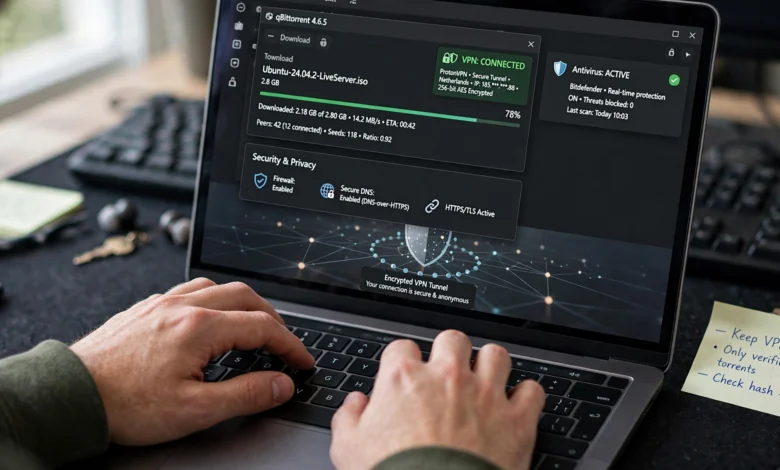
Safe torrent clients are harder to spot than they should be. Search for a torrent app and you’ll find dozens of options, many with shiny download buttons and promises of “blazing speed.” What those pages rarely mention is that some of the most famous names in torrenting have spent years bundling adware, pushing sponsored offers, and even getting flagged by antivirus tools.
That matters because a torrent client isn’t a small browser extension. It runs in the background, opens network ports, connects to hundreds of strangers, and writes files straight to your drive. If the software itself is sketchy, no amount of careful downloading will fully protect you.
The good news is that there are still excellent options that respect your computer and your privacy. Most of them are free, many are open source, and none of them will try to sneak a toolbar onto your system.
In this guide, I’ll walk through the best torrent clients that are still clean and actively maintained in 2026. You’ll see what each one does well, where it falls short, and who it’s best for. I’ll also cover the clients you should probably avoid, the settings that make any client safer, and a few habits that protect you beyond the software itself.
One quick note: torrenting is a legal technology used for Linux distributions, open datasets, game patches, and public domain media. This guide is about using it safely and legally.
What Makes a Torrent Client Safe in 2026?
Before jumping into the list, it helps to know what “safe” really means here. A safe torrent client isn’t just one that doesn’t contain a virus. It’s software that behaves honestly on your machine and gives you control over your data.
Here are the qualities I used to judge every client in this article:
- No ads or bundled software. The installer should install the client and nothing else. No “recommended offers,” no browser changes, no crypto miners.
- Open source or a strong track record. Open-source code can be inspected by anyone, which makes hidden tracking or malicious behavior much harder to hide.
- Active development. Torrent clients deal with network traffic, so security patches matter. An abandoned client slowly becomes a risk.
- Privacy controls. Features like protocol encryption, IP filtering, and the ability to bind the client to a VPN interface make a real difference.
- Official download sources. A safe client publishes its installer from its own website or a trusted repository, ideally with checksums you can verify.
If a client fails more than one of these tests, it didn’t make the list.
Why Popularity Doesn’t Equal Safety
It’s tempting to assume the most-used app is the safest one. With torrent software, that assumption has burned a lot of people.


uTorrent is the classic example. It was once the default choice for nearly everyone. Over time, its free version filled up with ads, bundled third-party software, and sponsored installer offers. At one point it even shipped with a background cryptocurrency mining component that many users didn’t knowingly agree to. Windows Defender and several antivirus vendors have flagged it as a potentially unwanted application.
User behavior has shifted in response. Recent usage data from TorrentAnalytics shows qBittorrent holding roughly 48.7% of the client market in August 2026, with μTorrent far behind at about 13.4%. Back in 2020, the picture was nearly reversed, with uTorrent dominating. People noticed the adware, and they moved.
So when you pick a client, look past the brand name and check how the software actually behaves.
The 7 Best Safe Torrent Clients Right Now
Here’s the shortlist. Each one is free to use, avoids ads, and is still maintained.
1. qBittorrent: The Best All-Round Safe Torrent Client
If you only read one section, make it this one. qBittorrent is the easiest recommendation in the torrent world today, and for good reason.
It’s a free, open-source torrent client built on the libtorrent library. The interface feels a lot like classic uTorrent, which makes switching painless. The difference is that qBittorrent has no ads, no bundled offers, and no hidden extras.
What stands out:
- Built-in search engine that can query multiple torrent indexes through plugins
- IP binding, which lets you lock the client to your VPN’s network adapter so traffic stops if the VPN drops
- RSS feeds with filters for automatic downloads of things like podcast archives or open-source releases
- Sequential downloading, handy when you want to preview media as it downloads
- Web UI for managing downloads remotely
It’s also well maintained. According to one recent review, qBittorrent’s official downloads support Windows 10 and newer, publish SHA-256 hashes along with PGP signature options, and its version 5.2.3 changelog is dated July 7, 2026. Those published hashes let you confirm the installer you downloaded is the real one.
Best for: Almost everyone on Windows, macOS, or Linux.
Downside: The sheer number of settings can feel busy for beginners, though the defaults are sensible.
You can get it directly from the official qBittorrent website.
2. Transmission: The Cleanest Lightweight Option
Transmission is what I recommend to people who want a torrent app that simply stays out of the way. It’s open source, extremely light on memory, and famously simple.
It’s the default client on several Linux distributions and has long been a favorite on macOS. The interface is minimal, but it still covers the essentials:
- Protocol encryption
- Magnet link support
- Per-torrent speed limits
- A web interface and a daemon version for servers and NAS devices
- Blocklist support for filtering known bad IP ranges
Transmission had one serious incident back in 2016, when its official macOS installer was compromised with malware on two occasions. The team responded quickly, and the project has had a clean record since. I mention it not to scare you off, but because it shows why downloading from official sources and keeping software updated matters for every client.
Best for: macOS users, Linux users, older computers, and anyone who likes minimal software.
Downside: Fewer advanced features than qBittorrent, and no built-in search.
Downloads are available on the Transmission project site.
3. Deluge: The Most Customizable Open-Source Client
Deluge takes a different approach. Out of the box it’s fairly plain, but it’s built around plugins, so you can add exactly the features you want and skip the rest.
It also uses a client and server design. That means you can run the torrent engine on one machine (like a home server) and control it from another computer or a browser. For people who run a home media setup, that’s a big plus.
Useful plugins include:
- Scheduler for limiting bandwidth during certain hours
- Label for organizing downloads by category
- Blocklist for filtering IP ranges
- AutoAdd for watching a folder and loading new torrent files automatically
Deluge is open source, ad-free, and has never shipped bundled software.
Best for: Tinkerers, home server users, and anyone who wants a lean base they can build on.
Downside: Updates arrive less often than qBittorrent’s, and some plugins need manual setup.
4. BiglyBT: The Feature-Packed Successor to Vuze
A lot of older guides still recommend Vuze. The problem is that Vuze stopped meaningful development years ago and its later versions came with ads and bundled offers.
BiglyBT is the answer to that. It was created by developers who previously worked on Vuze, and it keeps the powerful feature set while dropping the ads entirely. It’s open source and free.
Highlights include:
- Advanced swarm and peer statistics
- Built-in media playback and device streaming
- Tor and I2P network support for extra privacy
- Detailed bandwidth and queue controls
- An Android version
Best for: Power users who want deep control and lots of data about their downloads.
Downside: It’s Java-based, so it uses more memory than lighter clients, and the interface can feel crowded.
5. Tixati: A Safe Closed-Source Choice
Tixati is the one exception on this list because it isn’t open source. I include it because it has a long history of being clean: no ads, no spyware, no bundled software, and no paid upsells.
It’s aimed at people who like data. You get detailed charts on bandwidth, peer connections, and piece availability, plus a built-in chat channel system. It’s also portable, so you can run it from a USB drive without installing it.
Best for: Windows and Linux users who want detailed stats and don’t mind closed-source software from a trusted developer.
Downside: No macOS version, and you can’t audit the code yourself.
6. Tribler: The Privacy-First Torrent Client
Tribler is built with torrent privacy as its main goal. It routes traffic through its own onion-style network, similar in concept to Tor, so peers can’t easily see your real IP address. It also includes decentralized search, meaning it doesn’t rely on a single torrent website.
It’s open source and developed as a research project at Delft University of Technology in the Netherlands.
Best for: Users who care about anonymity more than raw speed.
Downside: Anonymous routing is noticeably slower, and the swarm of Tribler users is smaller than on mainstream clients. It also shouldn’t be treated as a replacement for good general privacy habits.
7. LibreTorrent: A Safe Torrent Client for Android
Mobile torrenting has its own traps. Many Android torrent apps are stuffed with full-screen ads and aggressive permissions.
LibreTorrent is a clean alternative. It’s open source, ad-free, and available on F-Droid as well as Google Play. It supports magnet links, sequential downloading, RSS feeds, and IP filtering, and it follows modern Android design so it feels at home on your phone.
Best for: Android users who want a lightweight, honest app.
Downside: Torrenting on mobile drains battery and data quickly, so it’s best used on Wi-Fi and while charging.
Quick Comparison of Safe Torrent Clients
If you want the short version, here’s how they compare:
- qBittorrent: Open source, Windows/macOS/Linux, built-in search, best overall
- Transmission: Open source, macOS/Linux/Windows, lightest and simplest
- Deluge: Open source, all desktop platforms, plugin-based and server friendly
- BiglyBT: Open source, desktop and Android, most advanced features
- Tixati: Closed source but clean, Windows/Linux, great statistics
- Tribler: Open source, desktop, strongest built-in anonymity
- LibreTorrent: Open source, Android, best mobile option
Torrent Clients You Should Think Twice About
Not every well-known app belongs on your computer. Here are a few that deserve caution.
uTorrent and BitTorrent
Both are owned by the same company and share the same issues. The free versions include ads, and installers have historically bundled extra software. Security researchers have also found serious vulnerabilities in the past, including a web interface flaw that could let websites control the client remotely. They’ve been patched, but the overall pattern is why most privacy-minded users have moved on.
If you currently use either one, qBittorrent is the most natural replacement. It looks similar and imports your habits easily.
Vuze
As mentioned above, Vuze is effectively abandoned and its classic versions included adware. Use BiglyBT instead.
Unknown “Fast” Torrent Downloaders
Be wary of any client you’ve never heard of that promises dramatically faster speeds, especially if you found it through an ad. Torrent speed depends mainly on the number of healthy seeders, not on magic software. Apps that claim otherwise are often a cover for adware or worse.
How to Make Any Torrent Client Safer
Picking one of the safe torrent clients above is the first step. The settings you choose and the habits you build matter just as much.
Download Only From Official Sources
This is the simplest rule and the most important. Get your client from the developer’s own site or from a trusted repository like your Linux distribution’s package manager or F-Droid. Third-party download portals often wrap installers with their own adware. When a project publishes checksums, take a minute to verify them.
Turn On Protocol Encryption
Most clients let you set encryption to “preferred” or “required.” This won’t make you anonymous, but it helps prevent your internet provider from easily identifying and throttling torrent traffic.
Use a VPN With a Kill Switch
When you join a torrent swarm, every other peer can see your IP address. A reputable VPN hides it behind the VPN’s server. Look for a no-logs policy that has been independently audited and a VPN kill switch that cuts your connection if the VPN drops.
For extra protection, use your client’s IP binding feature. In qBittorrent, for example, you can go to Advanced settings and select your VPN’s network interface. If the VPN disconnects, the client simply stops transferring data instead of falling back to your real connection.
Enable an IP Blocklist
Blocklists filter out IP ranges tied to known bad actors, spam peers, and some monitoring groups. They aren’t perfect, but they cut down on junk connections.
Scan Everything You Download
A clean client can still download a dirty file. Keep your antivirus active and scan files before opening them. Be especially careful with:
- Executable files (.exe, .msi, .bat, .scr)
- Media files that ask you to download a special “codec” or player
- Archives with passwords you have to get from a separate website
- Files much smaller than they should be, like a “full movie” that’s 5 MB
Keep Your Client Updated
Torrent clients process data from strangers, which makes them a target for exploits. Updates patch those holes. Turn on automatic update checks, or check the official site every month or two.
Stick to Legal Content
The safest torrents are the ones you’re allowed to download. Linux distributions, public domain films, Creative Commons music, open datasets, and some game publishers all distribute through BitTorrent. The Electronic Frontier Foundation has useful background on file sharing and the legal issues around it if you want to understand where the lines are.
How to Choose the Right Safe Torrent Client for You
With several good options, the right pick depends on how you actually use torrents.
- You just want something that works: Go with qBittorrent. It’s the best balance of power, safety, and ease of use.
- You’re on a Mac or an older PC: Transmission will feel fast and tidy.
- You run a home server or NAS: Deluge or Transmission’s daemon version are built for that setup.
- You love detailed controls and statistics: BiglyBT or Tixati will keep you busy.
- Anonymity is your top concern: Tribler, ideally combined with a trusted VPN.
- You’re on Android: LibreTorrent is the cleanest option.
You can’t really go wrong with any of these. The bigger risk is sticking with an ad-filled client out of habit.
Frequently Asked Questions About Safe Torrent Clients
Are torrent clients legal?
Yes. Torrent clients are legal software in most countries. What can be illegal is downloading or sharing copyrighted material without permission. The client itself is just a tool, much like a web browser.
Is qBittorrent really safe?
qBittorrent is widely considered one of the safest torrent clients available. It’s open source, has no ads, publishes verification hashes for its installers, and gets regular security updates. As with any software, download it only from the official site.
Do I need a VPN if I use a safe torrent client?
A safe client protects your computer from adware and shady behavior, but it doesn’t hide your IP address from other peers. A VPN handles that part. The two work together rather than replacing each other.
Can a torrent client give me a virus?
The client itself can if it’s from a shady source or has bundled software. More often, though, infections come from the files you download. That’s why using a clean client, scanning files, and avoiding suspicious downloads all matter.
Is uTorrent still dangerous?
It isn’t malware in the traditional sense, but the free version includes ads and has a history of bundled offers and questionable behavior. Many antivirus programs flag it as potentially unwanted. There are better free options, so there’s little reason to use it.
Conclusion
Choosing among safe torrent clients in 2026 comes down to a few simple ideas: favor open-source software, avoid anything with ads or bundled installers, stick with projects that are still actively updated, and always download from official sources. qBittorrent is the best choice for most people, Transmission is ideal for anyone who wants something light and simple, Deluge and BiglyBT suit power users, Tixati offers great stats for Windows and Linux fans, and Tribler focuses on anonymity.
LibreTorrent covers Android cleanly, while older favorites like uTorrent and Vuze are best left behind; pair any of these with encryption, a VPN with a kill switch, IP binding, and a habit of scanning files, and you’ll have a torrent setup that’s fast, private, and genuinely safe to use.