Best Cloud Storage Services Compared 2026
Best cloud storage services compared for 2026: real pricing, free tiers, and encryption tested so you can pick the right one fast.
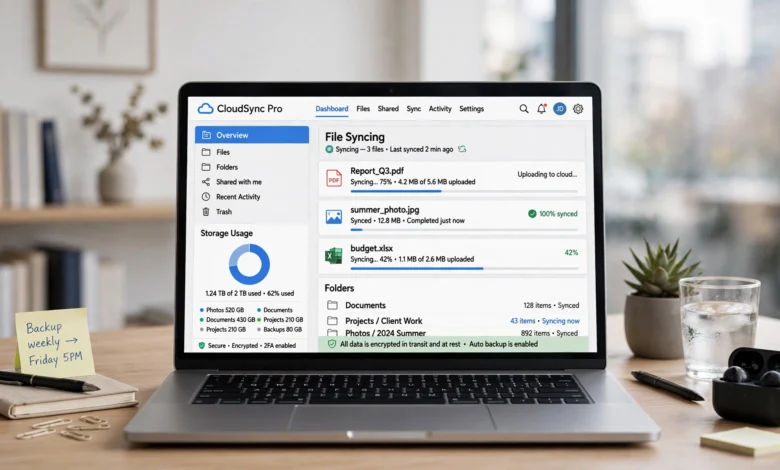
Best cloud storage has quietly become one of those things you don’t think about until your phone tells you it’s full for the third time this week. If you’re reading this, you’ve probably hit that wall. Maybe your laptop is choking on four years of photos, or you just got burned by a hard drive that decided to die without warning. Either way, you’re now shopping for cloud storage, and the sheer number of options makes the decision harder than it should be.
There are dozens of providers claiming to be the best, and most of them are lying about at least one thing, whether it’s the “unlimited” storage that isn’t really unlimited, or the free tier that disappears the moment you actually need it. This guide cuts through that.
We looked at the major cloud storage services available right now, including Google Drive, Dropbox, Microsoft OneDrive, Apple iCloud, pCloud, Sync.com, MEGA, IDrive, and Backblaze, and compared them on the things that actually matter: price per gigabyte, free storage, encryption standards, sync reliability, and who each one is genuinely built for.
By the end, you’ll know which cloud storage service fits your situation, whether that’s a student trying to avoid paying anything, a photographer with terabytes of RAW files, or a small business owner who just needs everyone’s documents in one place without a headache.
What Is Cloud Storage and Why It Matters in 2026
Cloud storage is a service that saves your files on remote servers instead of on your own hard drive or phone. You upload a document, a photo, or a video over the internet, and it lives on the provider’s servers until you need it again. From there, you can pull it up on any device that’s logged into your account, which is the whole point.
The category has grown into a massive industry. Market researchers now estimate the global cloud storage sector is worth close to $200 billion, and adoption has climbed past 3 billion users worldwide. That growth isn’t surprising. Phones now shoot 4K video by default, work has scattered across home offices and coffee shops, and nobody wants to be the person who lost a client presentation because a laptop got stolen.
A few things have changed the game heading into 2026 specifically:
- AI features are now bundled into storage plans. Google, Microsoft, and others increasingly tie their storage tiers to AI assistants, which raises prices but also adds genuine utility for some users.
- Zero-knowledge encryption has gone mainstream. What used to be a niche privacy feature is now a real selling point for services like Sync.com and Proton Drive.
- Lifetime plans are back in fashion. With subscription fatigue setting in, one-time-payment options like pCloud’s lifetime tier have become genuinely popular again.
- Egress fees are under more scrutiny. Business users are paying closer attention to what it costs to get their own data back out of a provider.
Understanding these shifts helps explain why the “best” cloud storage service isn’t the same answer for everyone. It depends heavily on what you’re storing, how sensitive it is, and whether you’re locked into an ecosystem like Apple or Google already.
How We Compared the Best Cloud Storage Services
Before ranking anything, we looked at the criteria that consistently separate a good cloud storage provider from a mediocre one:


- Free tier size – how much storage you get without paying a cent, and whether it comes with restrictions.
- Cost per terabyte – the real, ongoing price once introductory discounts expire.
- Encryption standard – whether files are encrypted at rest, in transit, or with zero-knowledge (client-side) encryption where only you hold the key.
- Sync reliability – how consistently files update across devices without conflicts or delays.
- Platform support – whether the service works cleanly on Windows, macOS, iOS, Android, and Linux.
- File sharing and collaboration – how easy it is to share a folder or work on a document with someone else in real time.
With those factors in mind, here’s how the major players actually stack up.
Best Cloud Storage Services Compared 2026
1. Google Drive (Google One) – Best Overall Cloud Storage
Google Drive remains the most sensible default for most people, mainly because of how deeply it’s woven into Gmail, Docs, Sheets, and Android. You get 15 GB free, shared across Drive, Gmail, and Google Photos, which sounds generous until you realize photos and email attachments eat into it fast.
Paid plans (branded Google One, and increasingly folded into “Google AI Pro”) start around $1.99/month for 100 GB and scale up to 2 TB for roughly $9.99/month, with higher tiers reaching 5 TB, 10 TB, and beyond for power users. Pricing has gotten more confusing lately as Google bundles Gemini AI access into higher tiers, so it’s worth checking the current plan page before committing, since promotional first-year pricing often jumps significantly on renewal.
Best for: Anyone already living inside Gmail, Docs, or Android who wants storage that just works without extra setup.
- Free tier: 15 GB
- Entry paid plan: 100 GB from $1.99/month
- Encryption: At rest and in transit (not zero-knowledge by default)
- Family sharing: Yes, up to 5-6 members depending on plan
2. Dropbox – Best for Pure File Syncing
Dropbox built its reputation on sync speed and reliability, and it still holds up well in 2026, even as competitors have caught up on features. The free tier is stingy at just 2 GB, but the paid experience is polished, with smart sync, strong version history, and some of the cleanest desktop and mobile apps in the industry.
Dropbox Plus starts around $9.99 to $11.99/month for 2 TB depending on region and promotions, which puts it on the pricier end compared to Google Drive or Sync.com. Where Dropbox earns its keep is in cross-platform reliability. If you work across a mix of Windows, Mac, and Linux machines, Dropbox tends to have fewer sync conflicts than most alternatives.
Best for: Freelancers and small teams who move files between different operating systems constantly and need sync that doesn’t break.
- Free tier: 2 GB
- Paid plan: 2 TB from around $9.99–$11.99/month
- Encryption: 256-bit AES at rest, SSL/TLS in transit
- Standout feature: Smart Sync and strong third-party app integrations
3. Microsoft OneDrive – Best for Windows and Office Users
If you already pay for Microsoft 365, OneDrive is close to a no-brainer. Microsoft 365 Personal bundles 1 TB of storage with the full Office suite (Word, Excel, PowerPoint) for around $6.99/month, which is genuinely one of the better bundle deals in the entire cloud storage market. On its own, OneDrive’s free tier is a modest 5 GB.
Integration with Windows is obviously seamless, and File Explorer treats OneDrive folders almost like a local drive. Real-time co-authoring in Word and Excel is smooth, and the mobile app handles automatic camera roll backup reliably.
Best for: Windows users and anyone who already needs an Office 365 subscription for work or school.
- Free tier: 5 GB
- Bundle value: 1 TB with Microsoft 365 Personal for ~$6.99/month
- Encryption: At rest and in transit, with Personal Vault for sensitive files
- Standout feature: Deep Windows and Office integration
4. Apple iCloud – Best for Apple Ecosystem Users
iCloud isn’t trying to compete on raw value. It’s trying to make your iPhone, iPad, and Mac feel like one continuous device, and on that front it succeeds. Photos, messages, app data, and device backups sync without you ever opening a settings menu. The free tier is a tight 5 GB, which fills up almost immediately with a modern iPhone’s photo library.
iCloud+ plans start cheap, often under $1/month for 50 GB, and scale up through 200 GB and 2 TB tiers that can be shared with family members. The catch is that iCloud is far less useful once you step outside Apple hardware; there’s no proper desktop client for Linux, and the Windows app is functional but clunky.
Best for: Households fully committed to iPhones, iPads, and Macs who want backups to happen automatically.
- Free tier: 5 GB
- Entry paid plan: 50 GB for under $1/month
- Encryption: At rest and in transit, with optional Advanced Data Protection for end-to-end encryption
- Standout feature: Automatic device backup with zero configuration
5. pCloud – Best for Lifetime Plans
pCloud is the rare provider still offering a genuine one-time-payment lifetime plan, and it’s become a favorite among people tired of recurring subscriptions. You can pay $199 once for 500 GB or $399 for 2 TB, and the storage is yours indefinitely rather than something you rent monthly.
Do the math and the appeal becomes obvious: pCloud’s 2 TB lifetime plan breaks even against Dropbox’s monthly pricing in roughly 33 months, and everything after that is free. The main trade-off is that true zero-knowledge encryption (pCloud Crypto) costs extra on top of the lifetime fee, and the risk with any lifetime plan is tied to whether the company stays in business for the long haul. pCloud has operated profitably since 2013, which helps, but it’s a factor worth weighing.
Best for: Anyone who hates recurring bills and is comfortable trading a bigger upfront payment for storage they’ll never pay for again.
- Free tier: 10 GB
- Lifetime plan: $199 for 500 GB, $399 for 2 TB
- Encryption: At rest and in transit standard, zero-knowledge available as paid add-on
- Standout feature: True one-time-payment lifetime storage
6. Sync.com – Best Zero-Knowledge Encryption Value
For anyone who wants privacy without paying a premium, Sync.com is close to the top choice. It offers zero-knowledge encryption by default, meaning not even Sync.com’s own staff can view your files, and it does this at roughly $8/month for 2 TB, which undercuts most other privacy-focused competitors significantly.
The trade-off is a smaller ecosystem. There’s no built-in document editor to rival Google Docs, and third-party app integrations are thinner than what Dropbox or Google Drive offer. But if your priority is keeping sensitive files, contracts, medical records, financial documents genuinely private, Sync.com delivers that without forcing you into enterprise pricing.
Best for: Privacy-conscious individuals and small businesses handling sensitive documents who don’t want to overpay for encryption.
- Free tier: 5 GB
- Paid plan: 2 TB for around $8/month
- Encryption: Zero-knowledge, end-to-end by default
- Standout feature: GDPR-compliant, Canada-based data residency
7. MEGA – Best Free Storage Tier
MEGA gives away 20 GB free, which is the largest unconditional free tier among mainstream cloud storage services, and it comes with end-to-end encryption baked in from the start, not as a paid add-on. Paid plans run around $10.95/month for 2 TB, which is competitive though not the cheapest on this list.
MEGA’s desktop and mobile apps have improved a lot in recent years, though sync speed can lag slightly behind Google Drive or Dropbox during large uploads. Transfer quotas on the free tier can also throttle heavy users, something to watch if you plan to move large video files regularly.
Best for: Budget-conscious users who want serious free storage without sacrificing encryption.
- Free tier: 20 GB
- Paid plan: 2 TB for ~$10.95/month
- Encryption: End-to-end by default, even on free accounts
- Standout feature: Largest free tier with encryption included
8. IDrive – Best for Multi-Device Backup
IDrive occupies a slightly different niche than pure sync services. It’s built around backing up multiple devices, computers, phones, NAS drives, all under one account, rather than just syncing a single folder. The value proposition is aggressive: 10 TB for around $2.95–$3.98 in the first year, though renewal pricing jumps to roughly $79.50/year afterward, so it’s important to budget for that increase.
Unlimited devices per account is a genuinely rare feature; most competitors charge per device or limit you to a handful. IDrive also supports physical backup via mailed hard drives for very large datasets, which is a nice touch for users without fast upload speeds.
Best for: Households or small businesses that need to back up several computers and devices without buying separate plans for each.
- Free tier: 10 GB (moving toward a 30-day trial model)
- First-year deal: 10 TB from under $4
- Encryption: At rest and in transit, with optional private encryption key
- Standout feature: Unlimited devices under one plan, plus physical drive backup
9. Backblaze – Best Unlimited Backup
Backblaze isn’t really a sync-and-share tool like Dropbox, it’s a backup service, and it’s excellent at exactly that one job. For a flat $9/month (or roughly $99/year), you get unlimited backup for a single computer, which is unmatched if you’re sitting on several terabytes of photos, video footage, or project files.
The distinction matters: sync tools like Google Drive or Dropbox delete the cloud copy when you delete the local file, while Backblaze retains deleted files for 30 days by default (extendable for a small fee). If your goal is disaster recovery rather than day-to-day file access across devices, Backblaze is close to the cheapest real insurance you can buy against a dead hard drive.
Best for: Anyone with a massive local photo or video library who wants a complete, hands-off backup without worrying about storage caps.
- Pricing: $9/month or $99/year, unlimited storage per computer
- Encryption: At rest and in transit, with private encryption key option
- Standout feature: True unlimited storage for a flat, predictable price
10. Proton Drive – Best Privacy-First Newcomer
Proton Drive, from the makers of ProtonMail, has grown into a legitimate cloud storage contender for privacy-focused users. It offers zero-knowledge encryption across all files by default, Swiss data residency and privacy law protection, and reasonably priced plans, with entry tiers around $2/month for 200 GB.
It’s newer than most competitors here, so third-party integrations and desktop app polish still trail Google Drive and Dropbox somewhat. But for users who already trust Proton’s mail and VPN products, adding Drive to the mix creates a genuinely privacy-first ecosystem.
Best for: Users already inside the Proton ecosystem, or anyone prioritizing Swiss-grade privacy law over convenience features.
- Free tier: 5 GB (with bonus storage available through account actions)
- Entry paid plan: 200 GB around $2/month
- Encryption: Zero-knowledge, end-to-end by default
- Standout feature: Swiss privacy jurisdiction and integration with Proton Mail/VPN
Cloud Storage Pricing Compared
Here’s a simplified breakdown of what you’ll actually pay per month for roughly 2 TB of storage, since that’s the tier most serious users eventually land on:
| Service | ~2 TB Monthly Cost | Free Tier |
|---|---|---|
| Google Drive | ~$9.99 | 15 GB |
| Dropbox | ~$11.99 | 2 GB |
| Sync.com | ~$8.00 | 5 GB |
| MEGA | ~$10.95 | 20 GB |
| pCloud (lifetime, amortized) | ~$399 one-time | 10 GB |
| iCloud+ | ~$9.99 | 5 GB |
A few patterns stand out. Sync.com consistently undercuts Dropbox and Google Drive while including zero-knowledge encryption at no extra cost, which makes it one of the better values for privacy-minded buyers. Meanwhile, pCloud’s lifetime model looks expensive upfront but wins over a long enough time horizon. If you’re budgeting for cloud storage as an ongoing line item, it’s worth running the math on how long you expect to keep using a given service before choosing between a subscription and a one-time payment.
Backblaze and IDrive play a different game entirely since they’re priced around backup volume and device count rather than a flat per-terabyte fee, so they don’t map cleanly onto this table, but they’re worth strong consideration if backup, not sync, is your real need.
Free Cloud Storage Options in 2026
If you’re not ready to pay for anything yet, here’s how the free tiers rank:
- MEGA – 20 GB free, the largest unconditional free tier with encryption included.
- Google Drive – 15 GB free, shared across Drive, Gmail, and Photos.
- pCloud – 10 GB free, expandable through referral bonuses.
- Icedrive – 10 GB free, with a clean, modern interface.
- IDrive – 10 GB free, though shifting toward a trial-based model.
- Apple iCloud – 5 GB free, tight but automatic for Apple devices.
- Microsoft OneDrive – 5 GB free, better paired with an Office subscription.
- Sync.com – 5 GB free, with zero-knowledge encryption included even on the free plan.
- Dropbox – 2 GB free, the smallest allowance among major providers.
A smart approach many people use: combine two or three free tiers rather than relying on one. A Google Drive account for documents, a Sync.com account for anything sensitive, and MEGA for overflow can add up to 40+ GB of free cloud storage without spending anything, though juggling multiple accounts does add friction.
Security and Encryption: Which Cloud Storage Is Safest
Not all “encrypted” storage is equal, and this is where a lot of people get misled by marketing language. There’s a real distinction between two models:
- Encrypted at rest / in transit – The provider encrypts your files on their servers and while they travel over the internet, but the provider itself holds the decryption key. This describes most mainstream services, including Google Drive, Dropbox, and OneDrive by default. It protects you from outside hackers but not necessarily from the provider itself, or from a government request compelling access.
- Zero-knowledge (end-to-end) encryption – Only you hold the decryption key. The provider physically cannot open your files even if compelled to. Sync.com, MEGA, and Proton Drive default to this model. pCloud and some others offer it as a paid add-on rather than a default setting.
For everyday documents and family photos, standard encryption at rest is usually fine. For anything genuinely sensitive, contracts, tax records, health information, legal files, zero-knowledge cloud storage is worth the small premium or the switch in provider. According to the Electronic Frontier Foundation, understanding exactly who holds your encryption keys is one of the clearest ways to evaluate a cloud service’s real privacy posture, since key custody determines who can actually access your data, not just who claims to protect it.
Best Cloud Storage by Use Case
Rather than picking a single winner, it’s more useful to match the service to what you’re actually doing:
- Best for students on a budget: MEGA or Google Drive, thanks to their generous free tiers and zero cost to get started.
- Best for photographers and videographers: Backblaze for backup, paired with pCloud or Google Drive for active project files you’re editing.
- Best for small business teams: Google Workspace or Microsoft 365, since both bundle collaboration tools with storage in a way that scales per user.
- Best for privacy and legal work: Sync.com or Proton Drive, given their default zero-knowledge encryption.
- Best for Apple households: iCloud+, purely for how invisible the sync experience is across devices.
- Best for anyone tired of subscriptions: pCloud’s lifetime plan, if you’re confident you’ll use it for several years.
- Best for backing up an entire home network: IDrive, given its multi-device and NAS support under one plan.
How to Choose the Right Cloud Storage Service
If you’re still stuck between two or three options, work through these questions in order:
- What device ecosystem are you already in? If you’re all-Apple or all-Google, the native option usually wins on convenience even if it’s not the cheapest per gigabyte.
- How sensitive are your files? Tax documents, medical records, and legal files call for zero-knowledge encryption. Family photos generally don’t need it.
- How much storage do you actually need, realistically? Check your current usage across devices before buying. Photos alone often need 200-500 GB over time, and video libraries can easily require 1 TB or more.
- Do you need sync or backup? These are not the same thing. Sync mirrors a folder across devices (delete it in one place, it’s gone everywhere). Backup keeps a separate historical copy even after local deletion. Many people need both.
- What’s your realistic budget over 3 years, not just this month? Factor in renewal pricing, not just the discounted first-year rate, since several providers double their price after an introductory period.
- Do you need to share files externally with people who don’t use the same service? If so, check how painless that process actually is, some providers make external sharing require an account signup, which frustrates recipients.
Running through this list takes about five minutes and eliminates most of the guesswork. According to Fortune Business Insights, the cloud storage market is projected to keep growing significantly through the rest of the decade, which means more competition and, generally, better pricing for consumers who take the time to compare before committing to a plan.
Frequently Asked Questions
Which cloud storage service is best overall in 2026?
Google Drive remains the best all-around pick for most people because of its 15 GB free tier, competitive pricing, and deep integration with Gmail and Google Docs. For privacy-first users, Sync.com is the stronger choice.
Is free cloud storage actually safe to use?
Generally yes, for non-sensitive files. Reputable free tiers from Google, MEGA, and pCloud use the same underlying encryption as their paid plans. Just be cautious with lesser-known providers offering unusually large free storage, since some fund that through ads or data practices worth reading closely.
What’s the difference between cloud storage and cloud backup?
Cloud storage (Google Drive, Dropbox) syncs a folder across devices, meaning deletions propagate everywhere. Cloud backup (Backblaze, IDrive) continuously copies your entire computer and retains deleted files for a set period, making it better suited for disaster recovery.
How much cloud storage do I actually need?
For light document use, 100-200 GB is usually plenty. If you’re storing a full phone photo library, 500 GB to 1 TB is more realistic. Videographers and anyone with large media libraries should plan for 2 TB or more.
Is pCloud’s lifetime plan worth it?
If you expect to use the service for at least 3 years, yes, it typically breaks even against monthly subscriptions within that window. The main risk is company longevity, since a lifetime plan is only as good as the provider’s ability to stay in business.
Conclusion
Choosing the best cloud storage service in 2026 really comes down to matching a provider to your actual habits rather than chasing the biggest number on a pricing page. Google Drive remains the safest default for most people thanks to its free tier and ecosystem integration, Dropbox and OneDrive make sense if you’re already committed to their respective platforms, Sync.com and Proton Drive are the smarter picks.
If privacy is non-negotiable, pCloud rewards anyone willing to pay once and be done with subscriptions, and Backblaze or IDrive are worth adding on top of any of these if what you really need is backup rather than sync. Take ten minutes to check your current storage usage, decide whether sync or backup matters more for your files, and pick accordingly, the right cloud storage setup should disappear into the background and just work.