How to Create a Strong Password in 2026
How to create a strong password in 2026 with 12 proven tips on length, passphrases, password managers, and passkeys that keep your accounts safe.
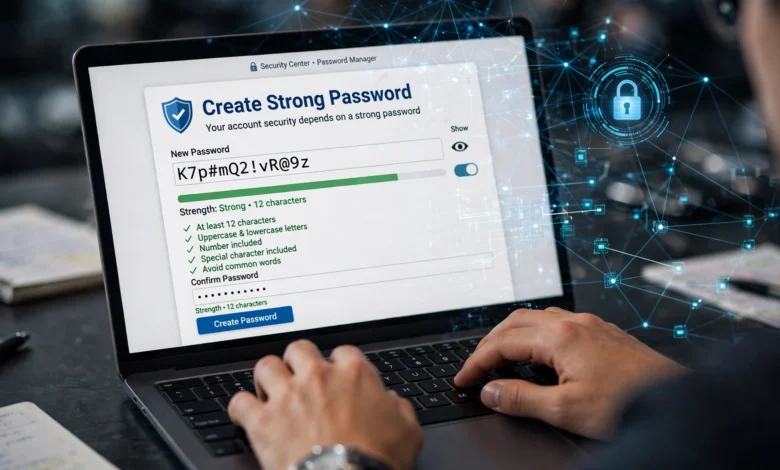
How to create a strong password is one of those things most of us assume we already know. Add a capital letter, throw in a number, maybe an exclamation point at the end, and call it a day. The problem is that attackers know those habits too. Modern cracking tools test billions of guesses per second, and they start with exactly the patterns people think are clever.
The good news is that password security has actually gotten simpler, not harder. The old advice about forced complexity and changing your password every 90 days has been replaced by guidance that is easier to follow and far more effective. Length matters more than symbols. Uniqueness matters more than cleverness. And tools like password managers and passkeys now do most of the heavy lifting for you.
In this guide, I will walk you through what makes a strong password in 2026, why weak ones still get cracked so easily, and a step by step method you can use today. You will also see how passphrases work, when to use two-factor authentication, and which common mistakes quietly put your accounts at risk.
Whether you are protecting a single email account or managing logins for a small business, these tips apply. None of them require technical skills. They just require a small change in habits, and that change can be the difference between a safe account and a stolen one.
What Makes a Strong Password in 2026?
A strong password is one that is long, unique to a single account, and hard to guess even for someone who knows a lot about you. That is really the whole definition. Everything else is detail.
The official guidance backs this up. The NIST password guidelines (SP 800-63B), which many governments and companies follow, now put length ahead of complexity rules. They also advise against forcing people to change passwords on a fixed schedule. Similarly, the CISA guide to using strong passwords recommends passwords of at least 16 characters and a different one for every account.
Length Beats Complexity
Every extra character multiplies the number of guesses an attacker has to make. An 8 character password with symbols can fall in hours. A 16 character password made of plain lowercase words can take centuries with current hardware. When you think about password strength, think about length first.
Uniqueness Protects You From Breaches
Even a perfect password becomes weak the moment it leaks. If you use it on five sites and one of them gets breached, attackers will try it on the other four within minutes. This is called credential stuffing, and it is one of the most common ways accounts get taken over.
Unpredictability Matters
A secure password should not contain your name, birthday, pet, favorite team, or anything someone could find on your social media. It also should not follow obvious patterns like “Summer2026!” or “Password123”. Cracking tools are built around these habits.
Here is a quick summary of the traits you want:
- Length: at least 16 characters for important accounts
- Uniqueness: never reused across sites
- Randomness: no personal details, keyboard patterns, or common phrases
- Storage: kept in a password manager, not a sticky note or a notes app
Why Weak Passwords Still Get Cracked
Most people imagine a hacker sitting at a keyboard trying passwords one at a time. In reality, attacks are automated, fast, and built on data from years of past breaches. Understanding how they work makes it obvious how to create a strong password that holds up.
Brute Force and Dictionary Attacks
A brute force attack tries every possible combination. A dictionary attack is smarter: it starts with lists of real leaked passwords, common words, and predictable variations like swapping “a” for “@” or adding “1!” at the end. Short passwords fall quickly to both.
Credential Stuffing
Billions of usernames and passwords from old breaches are sold and shared online. Attackers feed these into bots that try them on banking sites, email providers, and shopping accounts. If you reused a password even once, you are exposed.
Phishing and Social Engineering
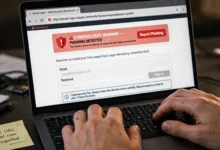
No password is strong enough if you type it into a fake login page. Phishing emails and texts have become more convincing, especially with AI tools that write clean, personalized messages. This is one reason multi-factor authentication and passkeys matter so much.
AI Assisted Guessing
Attackers now use machine learning models trained on leaked password sets. These models learn how humans build passwords and generate guesses that match those habits. The takeaway is simple: anything a human finds memorable and clever, a model can probably predict. Random or long is the answer.
How to Create a Strong Password: 12 Proven Steps
If you want a practical answer to how to create a strong password, follow these steps in order. The first few cover the password itself. The rest cover how you store and protect it, which matters just as much.
1. Aim for at Least 16 Characters
Length is your biggest advantage. Sixteen characters is a sensible minimum for email, banking, and work accounts. If a site allows longer, go longer. Most password managers can generate 20 or more characters in one click.
2. Use a Passphrase You Can Remember
For the handful of passwords you need to type from memory, string together four to six random words, like “lantern orbit pickle frosty meadow”. It is long, easy to recall, and very hard to guess. More on this in the next section.
3. Mix Character Types When It Is Easy
Uppercase letters, numbers, and symbols still add some strength, and many sites require them. Just do not rely on them alone. “Tr0ub4dor!” is weaker than a long string of plain words.
4. Avoid Personal Information
Skip names, birthdays, addresses, phone numbers, school names, and pet names. Attackers often research their targets, and much of this is public.
5. Avoid Common Patterns and Substitutions
Keyboard walks like “qwerty” or “1qaz2wsx”, repeated characters, and predictable swaps like “P@ssw0rd” are all in cracking dictionaries. If you have seen a pattern before, so has the software.
6. Never Reuse a Password
Every account needs its own password. This is the single most important rule for online account security, because it limits the damage when any one site gets breached.
7. Use a Password Generator
A password generator creates truly random strings that no human would come up with. Most password managers and browsers include one. Use it for every account you do not need to type by hand.
8. Store Passwords in a Password Manager
You cannot memorize dozens of long, unique passwords, and you should not try. A password manager stores them in an encrypted vault protected by one strong master password.
9. Turn On Two-Factor Authentication
Even if your password leaks, two-factor authentication (2FA) stops most attackers at the door. Use an authenticator app or a hardware key where possible, since text message codes can be intercepted.
10. Switch to Passkeys Where Available
Many major services now support passkeys, which replace passwords with a cryptographic key tied to your device. They cannot be phished or reused, which makes them the strongest option available today.
11. Check for Breaches Regularly
Most password managers flag passwords that have appeared in known breaches. You can also use services like Have I Been Pwned to see whether your email address was part of a leak. If it was, change that password right away.
12. Secure Your Email Account First
Your email is the master key to everything else, since password resets go there. Give it your strongest password or passkey and turn on 2FA before anything else.
Passphrases: The Easiest Way to Remember a Strong Password
A passphrase is a password made of several random words. It is the best option for the few passwords you have to type yourself, such as your password manager’s master password, your computer login, or your phone.
How to Build a Good Passphrase
- Pick four to six words that have nothing to do with each other.
- Choose them randomly. Rolling dice with a word list (a method called Diceware) or using a generator works far better than picking words yourself.
- Separate the words with spaces, dashes, or a random symbol if the site allows it.
- Optionally add a number or capital letter somewhere unexpected, not at the very start or end.
A result might look like “gravel-Tundra-ink-waffle-7-harbor”. You can picture it, which makes it easy to remember, but no one else could guess it.
What Makes a Passphrase Weak
Passphrases fail when they are not random. Song lyrics, movie quotes, famous sayings, and short sentences about your life are all guessable, because attackers include them in their word lists. “iloveyoutothemoonandback” is long but very weak. Random words are the whole point.
Why a Password Manager Makes Everything Easier
Once you accept that every account needs a long, unique password, a password manager stops being optional. It is the tool that makes good password security realistic for normal people.
What a Password Manager Does
- Generates random, strong passwords for each new account
- Stores them in an encrypted vault that only you can unlock
- Fills in logins automatically on your phone and computer
- Warns you about reused, weak, or breached passwords
- Syncs across devices so you are never locked out
Choosing One
You have three broad options. Built in managers from Apple, Google, and Microsoft are free and work well if you stay within one ecosystem. Dedicated apps like Bitwarden, 1Password, and Proton Pass work across every platform and offer extra features like secure sharing. Open source options appeal to people who want to verify the code themselves.
Whatever you pick, look for end to end encryption, support for 2FA on the vault itself, and a good track record with independent security audits.
Protect the Master Password
Your master password is the one password you must memorize, so make it a long, random passphrase. Never reuse it anywhere else, and turn on two-factor authentication for the manager account. Write a backup copy on paper and keep it somewhere physically safe, like a locked drawer, if you worry about forgetting it.
Passkeys and Two-Factor Authentication: Your Second Line of Defense
Knowing how to create a strong password is essential, but in 2026 the password is no longer the only lock on the door. Two newer layers make your accounts dramatically harder to break into.
What Are Passkeys?
A passkey is a login method built on public key cryptography. Instead of typing a secret, you confirm your identity with your fingerprint, face, or device PIN. The secret part never leaves your device, so there is nothing for a phishing site to steal and nothing to leak in a data breach.
Google, Apple, Microsoft, Amazon, PayPal, and many other services now support passkeys. If an account offers one, it is usually worth switching. You can often keep your password as a backup while you get used to it.
How Two-Factor Authentication Works
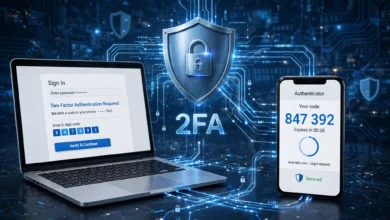
Two-factor authentication asks for something you know (your password) plus something you have (your phone or a security key). Even if someone steals your password, they still cannot log in without the second factor.
Not all 2FA methods are equal. From strongest to weakest:
- Hardware security keys like YubiKey, which resist phishing completely
- Authenticator apps such as Google Authenticator, Microsoft Authenticator, or Authy
- Push notifications from the service’s own app
- SMS codes, which are better than nothing but vulnerable to SIM swapping
Turn on 2FA for email, banking, social media, cloud storage, and your password manager first. Those accounts carry the most risk if someone breaks in.
Common Password Mistakes to Avoid
Even people who understand password best practices slip into habits that undo their effort. These are the ones I see most often.
- Adding one character to an old password. Changing “Coffee2025!” to “Coffee2026!” fools no one. Attackers test these small edits automatically.
- Saving passwords in a notes app or spreadsheet. These files are not encrypted like a password manager, and they often sync to the cloud in plain text.
- Sharing passwords over text or email. Messages get forwarded, backed up, and sometimes leaked. Use your password manager’s secure sharing feature instead.
- Using the same password for work and personal accounts. A breach on one side can open the other.
- Trusting “remember me” on shared computers. Always log out on library, office, or hotel devices.
- Ignoring breach alerts. When your manager or a service says a password was exposed, change it that day.
- Answering security questions honestly. Your mother’s maiden name or first school is easy to research. Treat these answers like extra passwords and store random ones in your manager.
Avoiding these mistakes is just as important as learning how to create a strong password in the first place.
How Often Should You Change Your Password?
This is where the advice has changed the most. For years, companies forced employees to change passwords every 30, 60, or 90 days. It turned out this made password security worse. People picked weaker passwords and just bumped a number at the end each time.
Current guidance says you do not need to change a strong, unique password on a schedule. Change it when there is a reason, such as:
- The service reports a data breach
- Your password manager flags it as exposed or reused
- You notice login attempts or activity you do not recognize
- You shared it with someone who no longer needs access
- You typed it on a device you do not trust
If none of these apply, leave it alone and spend that energy on turning on 2FA or switching to passkeys instead.
Frequently Asked Questions About Strong Passwords
What is an example of a strong password?
A random string like “k7#Vq9mP!zL2wR8x” from a password generator is strong. So is a random passphrase like “copper-violin-glacier-sprout-44”. What they share is length and randomness, not cleverness.
How long should a password be in 2026?
Aim for at least 16 characters for important accounts. Your password manager’s master password should be a passphrase of five words or more.
Is it safe to let my browser save passwords?
Modern browser managers from Google, Apple, and Microsoft are encrypted and reasonably secure, especially with a device lock and 2FA. A dedicated password manager offers more features and works better across different browsers and operating systems.
Are passkeys replacing passwords?
Slowly, yes. Passkeys are becoming the default on major platforms, but many websites still rely on passwords. For now, you will need both, which is why knowing how to create a strong password still matters.
What should I do if my password was leaked?
Change it immediately on that site and anywhere else you used it. Turn on two-factor authentication, check your account for unfamiliar activity, and review recovery email and phone settings.
Conclusion
Learning how to create a strong password in 2026 comes down to a few simple habits: make every password at least 16 characters, keep each one unique, avoid personal details and predictable patterns, and use random passphrases for the few you need to remember. From there, let a password manager generate and store the rest, turn on two-factor authentication for your most important accounts, and switch to passkeys wherever they are offered.
Change passwords when there is a real reason, not on a calendar, and always secure your email first since it controls everything else. None of this takes long, and once it is set up, you will spend less time worrying about logins and far less time recovering from a hacked account.