Best Free Accounting Software in 2026
Best free accounting software in 2026 compared: real limits, hidden costs, and which tool actually fits your business. No fluff.
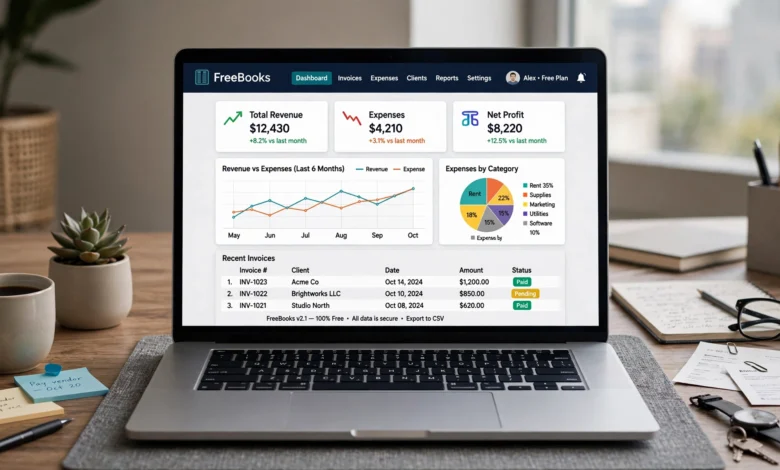
If you’ve spent any time searching for the best free accounting software, you’ve probably noticed something annoying: half the “free” tools aren’t really free, and the other half are missing something you need the moment you actually try to use them. Bank feeds locked behind a paywall. A one-user limit that breaks the second you hire someone. A free plan that quietly caps you at 20 invoices a month.
This guide skips the marketing copy and gets into what each tool actually gives you for $0, where it falls short, and who it’s genuinely built for. I looked at how these platforms handle the basics small businesses care about most: invoicing, expense tracking, bank reconciliation, reporting, and how painful (or painless) it is to eventually outgrow the free tier.
A few things changed in 2026 that are worth knowing upfront. Wave, long the go-to recommendation for freelancers, moved automatic bank feeds and multi-user access behind a paid plan earlier this year, which shifted who it’s actually a good fit for. Meanwhile, tools like Zoho Books and Akaunting have kept building out their free tiers, making them stronger contenders than they were a year or two ago. If you’re choosing free accounting software for your small business this year, the landscape looks a little different than it did in 2024 or 2025, and this guide reflects that.
Quick Comparison: Best Free Accounting Software in 2026
Before diving into the details, here’s a fast overview of how these tools stack up.
| Software | Best For | Free Plan Limits |
|---|---|---|
| Zoho Books | Overall small business accounting | Revenue cap (~$50K/year), 1 user |
| Wave | Solo freelancers and invoicing | No automated bank feeds on free tier |
| ZipBooks | Simple invoicing and light bookkeeping | 1 connected bank account |
| GnuCash | Experienced bookkeepers, desktop use | No cloud sync, steep learning curve |
| Akaunting | International businesses, open-source flexibility | Requires self-hosting for full control |
| Manager.io | Desktop accounting with strong reporting | Free desktop version only, cloud costs extra |
| Google Sheets | DIY tracking, ultra-simple needs | No automation or built-in accounting logic |
How I Evaluated These Tools
Before ranking anything, it helps to know what actually separates a genuinely useful free plan from one that’s free in name only. I looked at each platform through the lens of real day-to-day bookkeeping, not just what’s listed on the pricing page. The criteria that mattered most:
- Core bookkeeping features: Can you track income, expenses, and cash flow without hitting a wall in week one?
- Invoicing capabilities: Are invoices unlimited, or do you get cut off at a certain number per month?
- Bank reconciliation: Does the free tier connect to your bank, or are you stuck with manual CSV uploads?
- Reporting: Do you get a profit and loss statement and balance sheet, or just a transaction list?
- User limits: Can a bookkeeper, accountant, or business partner get access without paying?
- Scalability: When you do outgrow the free plan, is upgrading straightforward, or does it feel like a bait and switch?
With that framework in mind, here’s the breakdown.
1. Zoho Books: Best Overall Free Accounting Software
Zoho Books consistently comes out on top when people compare free accounting software options, and for good reason. It’s one of the few tools that gives you a genuinely complete bookkeeping system at no cost, not just a stripped-down invoicing tool wearing an accounting label.
What’s included in the free plan
- Invoicing and estimates
- Expense and mileage tracking
- Bank reconciliation
- Client and vendor management
- Basic financial reports (profit and loss, balance sheet)
- Recurring invoices and payment reminders
The catch
The free plan caps you at $50,000 in annual revenue and one user. Once your business crosses that threshold, or if you need a second person in the books, you’ll need to move to a paid plan. For a brand-new business or a side hustle, that revenue ceiling is rarely a problem in year one. For anything growing quickly, it’s worth knowing you’ll eventually need to budget for the upgrade.
Who it’s for
Zoho Books works best for small service businesses, consultants, and early-stage companies that want real accounting software rather than a glorified invoice generator. If you’re already using other Zoho products, the integration is a nice bonus, though not a dealbreaker either way.

2. Wave: Best for Freelancers and Solo Operators
Wave has been a favorite among freelancers for years, and it’s still a strong option in 2026, though its free tier looks different than it used to. Earlier this year, Wave shifted automated bank feed connections and multi-user collaboration behind its paid Pro plan, which changes who this tool makes sense for.
What’s included in the free plan
- Unlimited invoices and unlimited users on the invoicing side
- Professional, customizable invoice templates
- Mobile receipt scanning through the Wave app
- Basic expense tracking
The catch
Automatic bank transaction imports now require the paid $19/month plan. If you want your bank transactions pulled in automatically rather than entered by hand or uploaded via CSV, that’s no longer part of the free package. This is the single biggest shift in Wave’s offering this year, and it’s worth factoring into your decision if live bank syncing matters to you.
Who it’s for
Wave still makes sense for solo freelancers and single-operator businesses who mostly need to send professional invoices and don’t mind manual data entry for the rest. If automated bank feeds are a must-have, you’ll want to weigh that $19/month cost against what a tool like Zoho Books offers for free.
3. ZipBooks: Best for Simple Invoicing
If your main need is sending clean, professional invoices without wrestling with a full accounting system, ZipBooks is worth a look. Its free Starter plan is built around simplicity rather than trying to be everything at once.
What’s included in the free plan
- Unlimited invoices, customers, and vendors
- Digital payment acceptance through Square or PayPal
- One connected bank account
- Basic financial reports
The catch
You only get one bank connection on the free tier, and features like inventory tracking, stronger accounts payable tools, and advanced reporting are locked behind paid plans. It’s a solid tool for the basics, but it’s not designed to grow into a full accounting system.
Who it’s for
Freelancers and small service businesses that want fast, good-looking invoices and don’t need deep bookkeeping functionality. If you’re a beginner who finds most accounting software overwhelming, ZipBooks’ clean interface is a genuine advantage.
4. GnuCash: Best for Experienced Bookkeepers
GnuCash is an open-source, desktop-based accounting tool that’s been around for over two decades. It’s not flashy, and it’s not built for beginners, but for someone who understands double-entry bookkeeping, it offers a level of control that most cloud-based free tools don’t.
What’s included in the free plan
- Completely free, no revenue caps or user limits
- Full double-entry accounting system
- Investment and loan tracking
- Detailed financial reports
The catch
There’s no cloud sync, no mobile app, and the learning curve is steep if you don’t already have some bookkeeping background. It also lacks native invoicing polish and payment processing integrations that cloud tools offer out of the box.
Who it’s for
GnuCash is best suited to bookkeepers, accountants, or business owners who already understand accounting fundamentals and want a powerful, no-cost desktop tool rather than a simplified cloud dashboard.
5. Akaunting: Best for International Businesses
Akaunting is an open-source accounting platform that stands out for its international flexibility. It supports more than 40 languages and multiple currencies, which makes it a strong pick if you’re doing business outside the US.
What’s included in the free plan
- Invoicing and expense tracking
- Multi-currency support
- Bank reconciliation
- Client portal for invoice payments
- Self-hosted option for full data control
The catch
To get the most out of Akaunting, including custom modules and full control, you’ll likely need to self-host it, which means some technical setup. The hosted version has more limited free functionality by comparison.
Who it’s for
Businesses operating across borders, or anyone who wants open-source software they can customize to fit local tax rules. It’s less appealing if you want a plug-and-play tool with zero technical setup.
6. Manager.io: Best Free Desktop Accounting Software
Manager.io is a free desktop accounting application with a surprising amount of depth for a no-cost tool. It’s less well known than Wave or Zoho Books, but it holds up well for businesses that don’t need cloud access.
What’s included in the free plan
- Full desktop accounting software at no cost
- Inventory management
- Custom reporting
- Multi-currency support
- No user limits on the desktop version
The catch
The desktop version is genuinely free, but if you want cloud access or hosting, that comes at a cost. There’s also no built-in payment processing or bank feed automation, so reconciliation is more manual.
Who it’s for
Small businesses and bookkeepers who prefer working from a desktop application and don’t need real-time cloud collaboration. It’s a strong option if you want robust reporting without a subscription.
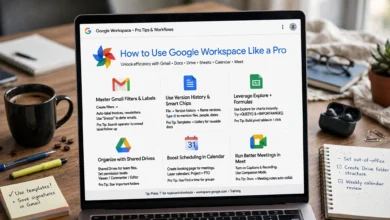
7. Google Sheets: Best for Absolute Simplicity
It might seem like an odd inclusion in a list of accounting software, but Google Sheets genuinely works for very small businesses or solopreneurs who need basic income and expense tracking without any of the complexity of a dedicated platform.
What’s included
- Completely free with no limits on data or collaborators
- Full customization of every tracking system you build
- Real-time collaboration and automatic version history
- Backed by Google’s security infrastructure, including multi-factor authentication
The catch
There’s no built-in accounting logic. No automated reconciliation, no invoicing system, no tax calculations. Everything has to be built and maintained manually, which increases the risk of errors as your business grows.
Who it’s for
Very early-stage businesses, side projects, or anyone who just wants a simple ledger without learning new software. It’s not a long-term solution once you start dealing with real transaction volume.
What to Look for in Free Accounting Software
Not all free plans are created equal, and it’s easy to pick a tool based on its name recognition rather than what it actually offers. Here’s what actually matters when comparing free accounting software:
Income and Expense Tracking
This is the foundation of any accounting tool. A decent free plan should let you record sales, log bills and operating expenses, categorize transactions, and see where your money is going over time without extra cost.
Bank Connections
A strong free plan should connect directly to your bank, or at minimum, support easy CSV uploads so you’re not manually entering every single transaction. As Wave’s 2026 changes show, this feature is increasingly something companies hold back for paid tiers, so check carefully before assuming it’s included.
Reconciliation Tools
Built-in reconciliation helps you match your bank activity against your books and catch discrepancies early, rather than discovering a mismatch three months later at tax time.
Tax-Ready Records
Free accounting software doesn’t need to file your taxes, but it should make tax prep easier. Look for the ability to tag deductible expenses and export clean records for your accountant. The IRS recordkeeping guidelines are a useful reference for what kind of documentation you’ll actually need to keep.
Basic Financial Reporting
At minimum, you want a profit and loss statement, a balance sheet, and some kind of cash flow summary. These reports give you a real snapshot of business health rather than just a list of transactions.
User Limits
Some free plans restrict you to a single user, which becomes a problem the moment you want to give a bookkeeper, accountant, or business partner access. Check this before you build your entire workflow around a tool.
Free vs. Paid Accounting Software: When to Upgrade
Free accounting software is a great starting point, but there are clear signs it’s time to consider a paid plan:
- You’re hitting revenue or transaction caps. Tools like Zoho Books cap free usage at a certain annual revenue, and once you cross it, you’re locked out of new features until you upgrade.
- You need more than one user. If you’re bringing on a bookkeeper, accountant, or co-founder, most free plans only support a single login.
- Manual bank entry is eating your time. If you’re spending hours each month reconciling transactions by hand, paying for automated bank feeds often pays for itself in time saved.
- You need payroll or sales tax automation. Free plans rarely include these, and manually calculating payroll taxes is a risky place to cut corners.
- Your reporting needs are getting more complex. Multi-entity consolidation, custom dashboards, and advanced forecasting are almost always paid features.
For a broader look at when small businesses typically outgrow free tools, the Small Business Administration’s guide to managing business finances is a solid starting point for thinking through the decision.
Frequently Asked Questions
Is free accounting software good enough for a small business?
For very early-stage businesses, freelancers, and solopreneurs, yes. The best free accounting software covers the essentials: invoicing, expense tracking, and basic reporting. Once your business grows in complexity or transaction volume, you’ll likely need to weigh a paid upgrade.
What is the most reliable free accounting software in 2026?
Zoho Books and Wave are the two most commonly recommended tools this year, though they serve slightly different needs. Zoho Books offers a more complete free accounting system with a revenue cap, while Wave is stronger for invoicing but now requires a paid plan for automated bank feeds.
Can I switch from free accounting software to a paid plan later without losing data?
Generally, yes. Most platforms, including Zoho Books, Wave, and ZipBooks, let you upgrade within the same account, so your historical data carries over. It’s still worth confirming this directly with the provider before committing long-term, since migration quality varies.
Is open-source accounting software safe to use?
Tools like GnuCash and Akaunting are widely used and actively maintained, but security depends partly on how you host and manage them, especially if you’re self-hosting. Keeping software updated and using strong access controls matters more with self-hosted tools than with fully managed cloud platforms.
Conclusion
There’s no single best free accounting software for every business, but there is a right answer for your specific situation. If you want the most complete free bookkeeping system, Zoho Books is hard to beat. If you’re a solo freelancer who mainly needs to send polished invoices, Wave still works well as long as you’re okay with manual bank entry. If you already understand accounting fundamentals and want full control without a subscription, GnuCash or Manager.io are worth the learning curve.
And if your needs are genuinely simple, even Google Sheets can carry you further than you’d expect. The key is matching the tool to where your business actually is right now, not where you hope it’ll be in two years, and being honest about which limitations you can live with and which ones will slow you down.