Top Apps to Manage Your Subscriptions
Top apps to manage your subscriptions in 2026 — compare Rocket Money, Bobby, PocketGuard & more to stop wasting money on forgotten charges.
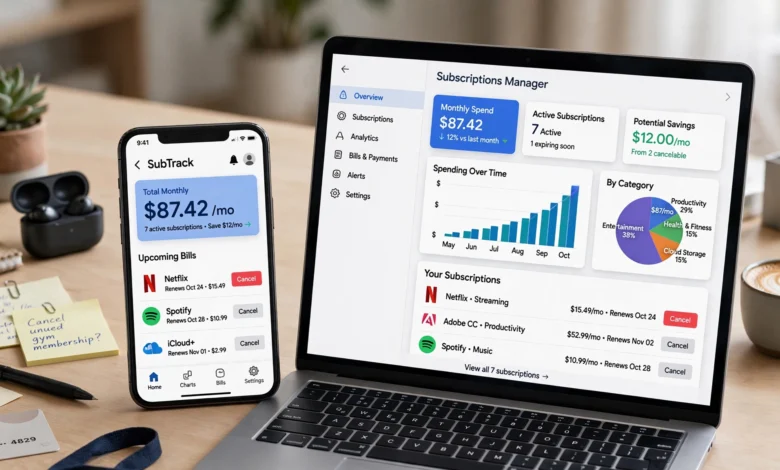
If you’ve ever opened your bank statement and thought “wait, what is this $14.99 charge,” you’re not alone. Somewhere between the free trial you forgot to cancel and the streaming service you haven’t opened in eight months, your money has been quietly leaking out. That’s exactly why so many people are now searching for the best apps to manage subscriptions — tools that find, track, and sometimes even cancel these charges for you.
Subscriptions used to mean your phone bill and maybe a gym membership. Now they cover streaming, cloud storage, meal kits, fitness apps, software, newsletters, and a dozen other things you pay for automatically without thinking twice. The convenience is real, but so is the cost. A lot of people are shocked when they actually add up what they’re spending each month on things they barely use.
This is where subscription management apps come in. Some are built to hunt down every recurring charge tied to your bank account and flag the ones you forgot about. Others go a step further and negotiate your bills or cancel services on your behalf. And some are simple manual trackers for people who’d rather not link their bank account to anything.
In this guide, we’ll walk through the best apps to manage your subscriptions right now, what makes each one worth considering, and how to pick the one that actually fits how you handle money.
Why You Need a Subscription Management App
Before getting into the app comparisons, it helps to understand why this has become such a common problem. Subscription services are designed to be frictionless to join and, often, deliberately annoying to leave. You sign up in ten seconds with a saved card, and then months later you’re still being charged for something you meant to cancel back in February.
A recent industry report found that the average American spends around $329 a month on subscriptions, and roughly 42% of people are still paying for at least one service they’ve completely forgotten about. Separately, CNBC Select reported that more than 40% of Americans are paying for subscriptions they’ve forgotten about, with these “ghost” subscriptions costing about $17 a month, or over $200 a year. Even if the exact numbers vary by source, the pattern is the same: most people are overpaying without realizing it.
A good subscription management app solves a few problems at once:
- It gives you one place to see every recurring charge instead of digging through bank statements
- It warns you before a free trial converts into a paid plan
- It flags price increases that sneak in after a promo period ends
- It can help you cancel or negotiate bills without the hassle of a phone call
- It shows you the true monthly cost of your subscription habit, which is often higher than people expect
If any of that sounds useful, keep reading, because the app you pick really does matter. Some are built for people who want a hands-off, fully automated experience. Others are for people who want to stay in control and enter everything manually.
What to Look for in a Subscription Tracker
Not every app to manage subscriptions works the same way, and the right one for you depends on your comfort level with linking financial accounts and how hands-on you want to be.


Automatic Detection vs. Manual Entry
The best apps to manage your subscriptions connect directly to your bank or credit card accounts and automatically spot recurring charges. This saves time and catches things you’d otherwise miss entirely. The tradeoff is that you’re sharing account access with a third party, which not everyone is comfortable with.
Manual trackers require you to enter each subscription yourself. It’s more work upfront, but some people prefer this because nothing is linked to their bank, and the process of typing in every subscription tends to make you more aware of how many you actually have.
Cancellation and Negotiation Support
Some apps stop at tracking. Others will actually contact the company on your behalf to cancel a subscription or negotiate a lower rate on a bill like cable or internet. This is a genuinely useful feature if you hate making those calls yourself, though it usually comes with a cost, either a flat subscription fee or a cut of whatever you save.
Budgeting Integration
If you already use a budgeting app, it makes sense to look at whether it also handles subscription tracking, rather than juggling two separate tools. Several full-featured budgeting platforms fold subscription management into a broader picture of your spending, savings, and goals.
Price and Privacy
Free versions of most apps to manage subscriptions will show you what you’re paying for, but premium tiers often unlock alerts, negotiation services, or deeper analytics. It’s worth deciding up front whether you’re willing to pay a monthly fee, or a percentage of savings, for the convenience.
Best Apps to Manage Your Subscriptions in 2026
Here’s a rundown of the standout options, based on features, ease of use, and what kind of user each one suits best.
1. Rocket Money
Rocket Money is consistently named one of the top subscription trackers, and for good reason. It automatically scans your linked accounts, flags recurring charges, and lets you cancel subscriptions directly from the app. It also offers bill negotiation, where the company will contact your provider and try to lower your bill in exchange for a cut of the savings.
Best for: People who want an all-in-one tool that finds subscriptions, cancels the unwanted ones, and negotiates bills, without much manual work.
Key features:
- Automatic detection of recurring charges across linked accounts
- In-app subscription cancellation
- Bill negotiation service
- Budgeting and net worth tracking layered on top
Rocket Money’s premium plan runs a modest monthly fee, and Rocket Money’s premium tier for cancellation help starts at around $7 a month, though pricing can vary depending on the plan you choose.
2. Bobby
Bobby is a manual subscription tracker, meaning it doesn’t connect to your bank account at all. You add each subscription yourself, and the app keeps a running total of what you’re spending and sends reminders before renewal dates.
Best for: Privacy-conscious users who’d rather not link financial accounts to a third-party app.
Key features:
- Manual entry with a clean, simple interface
- Renewal and price-change reminders
- No bank connection required
- Visual breakdown of monthly and yearly subscription costs
Because it forces you to type in every charge, Bobby tends to make people more aware of exactly how many subscriptions they’re carrying, which is part of its appeal.
3. PocketGuard
PocketGuard takes a slightly different approach. Instead of centering the app around subscriptions specifically, it focuses on showing you how much spending money you have left after bills, subscriptions, and savings goals are accounted for.
Best for: People who want subscription awareness folded into a broader daily budgeting tool.
Key features:
- “In My Pocket” feature calculating your safe-to-spend balance
- Automatic bill and subscription detection
- Spending breakdowns by category
- Goal setting and savings recommendations
If your main goal is day-to-day budgeting and subscriptions are just one piece of that puzzle, PocketGuard is worth a look.
4. Trim
Trim operates almost entirely through text message, which makes it one of the more hands-off options on this list. Once it’s connected to your accounts, it monitors your recurring charges and pings you when it spots something worth acting on, whether that’s a forgotten subscription or an opportunity to negotiate a lower bill.
Best for: People who want subscription monitoring without having to open an app regularly.
Key features:
- Text-based interface, no app required
- Bill negotiation on things like cable, internet, and phone plans
- Revenue model based on a percentage of savings rather than a flat fee
One useful thing to know about Trim’s pricing structure: it’s free to use for cancellations, and it only makes money when it successfully negotiates savings on a bill for you, typically taking a percentage of what it saves.
5. Monarch Money
Monarch Money is a full budgeting platform that happens to do an excellent job surfacing recurring charges. Its recurring expense section flags upcoming payments and has a track record of catching subscriptions users had genuinely forgotten about.
Best for: People who want subscription tracking built into a comprehensive financial dashboard rather than a standalone tool.
Key features:
- Recurring expense alerts ahead of due dates
- Budgeting, net worth, and investment tracking
- Shared account access for couples managing money together
- Clean, modern interface
6. Quicken Simplifi
Quicken Simplifi is another budgeting-first app where subscription tracking is a supporting feature rather than the main event. It pulls together all your recurring payments so you can see them alongside your broader spending, and it’s ad-free, which some users appreciate compared to free alternatives.
Best for: People who want a polished, ad-free budgeting app that happens to keep tabs on subscriptions too.
Key features:
- Recurring payment tracking across linked accounts
- Spending and savings goal monitoring
- Ad-free experience
- Custom watchlists and alerts
7. Origin
Origin positions itself as an all-encompassing financial wellness app, with subscription tracking as one part of a much larger picture that includes investing, estate planning basics, and financial goal setting.
Best for: Users who want subscription management wrapped into holistic financial guidance rather than a narrow, subscription-only tool.
Key features:
- Recurring charge tracking connected to overall financial planning
- Investment and net worth tracking
- Goal-based financial recommendations
- Access to financial planning resources
8. Pine (formerly Asterisk)
Pine focuses specifically on finding and canceling subscriptions automatically, with an AI-driven assistant that handles the process for you. It links to your accounts, scans for recurring charges, and can initiate cancellations without you needing to make a call or send an email yourself.
Best for: People who specifically want the cancellation process automated and don’t mind handing that off to an AI assistant.
Key features:
- Automatic detection of recurring payments
- AI-assisted cancellation requests
- Free basic tracking with a paid premium tier
- Alerts for price increases and trial expirations
9. Recur (Android)
For Android users who want a lightweight, manual option, Recur is a straightforward subscription tracker. You add your subscriptions yourself, set reminders, and get simple analytics on your spending patterns over time.
Best for: Android users who want a no-frills, manual subscription tracker without linking a bank account.
Key features:
- Manual subscription entry
- Payment reminders and renewal notifications
- Basic spending analytics
- No account linking required, which some users see as a privacy plus
10. Copilot
Copilot has become a popular pick for people who left Mint behind after it shut down. It’s a well-designed budgeting app for iOS that includes solid recurring expense tracking alongside its broader money management tools.
Best for: Former Mint users on iOS who want a visually polished budgeting app with strong subscription visibility.
Key features:
- Automatic recurring charge detection
- Clean, design-forward interface
- Spending trends and category breakdowns
- Investment tracking alongside budgeting
How to Choose the Right Subscription Manager App
With this many good apps to manage subscriptions, the “best” one really depends on your situation. Here’s a simple way to narrow it down:
- Decide how hands-on you want to be. If you want everything automated, look at Rocket Money, Trim, or Pine. If you’d rather enter things manually and skip linking your bank account, Bobby or Recur are better fits.
- Think about whether you want budgeting bundled in. If subscriptions are just one part of a bigger money picture you want to manage, Monarch Money, Quicken Simplifi, Origin, or Copilot make more sense than a standalone tracker.
- Consider whether you want cancellation help. Not everyone wants to deal with customer service reps trying to talk them out of canceling. Apps like Rocket Money, Trim, and Pine will do that negotiation for you.
- Factor in cost. Some tools are free with optional paid tiers, while others take a percentage of whatever they save you. Read the pricing structure carefully before connecting your accounts.
- Check platform compatibility. A few apps, like Recur, are built specifically for Android, while others like Copilot lean iOS-first. Make sure the app actually works well on your device.
Tips to Avoid Subscription Creep Going Forward
Even with a great subscription management app, a little discipline goes a long way. A few habits worth building:
- Review your subscriptions every quarter. Set a recurring reminder to actually look at what you’re paying for.
- Use a separate card for trials. A prepaid or virtual card makes it easy to let a trial expire without worrying about a surprise charge.
- Cancel before you forget, not after. If you know you won’t use a service past the trial, cancel it the day you sign up and just enjoy the free period.
- Watch for price hikes. Many services quietly raise prices after the first year. A tracker that flags price changes can save you from paying more than you agreed to.
- Ask “would I resubscribe today?” For each service, this simple question cuts through the sunk-cost feeling of “well, I’ve had it this long.”
For a deeper look at how subscription costs have crept upward over the past few years, the Deloitte Digital Media Trends research has tracked how subscription spending has climbed well beyond wage growth in recent years, which is worth reading if you want the bigger economic picture behind why this problem keeps getting worse. You can find more detail on that trend directly from Deloitte’s Digital Media Trends report.
If you want a broader comparison of tools before deciding, CNBC Select’s roundup of subscription trackers is a solid additional resource that breaks down pricing and features across several major apps.
Frequently Asked Questions
Are subscription management apps safe to use? Most reputable apps use bank-level encryption and read-only access to your accounts, meaning they can see transactions but can’t move money. Still, it’s worth reading an app’s privacy policy before linking your bank account, especially if you’re cautious about data sharing.
Do subscription tracker apps cost money? Many offer a free tier that covers basic tracking, while premium features like bill negotiation, cancellation services, or advanced budgeting tools usually come with a monthly fee or a percentage of the savings they find for you.
Can these apps actually cancel subscriptions for me? Some can. Apps like Rocket Money, Trim, and Pine offer in-app or assisted cancellation, so you don’t have to call customer service yourself. Others, like Bobby or Recur, are trackers only and won’t cancel anything on your behalf.
What’s the difference between a subscription tracker and a budgeting app? A subscription tracker focuses narrowly on recurring charges. A budgeting app usually includes subscription tracking as one feature within a much bigger picture of your income, spending, and savings goals.
Conclusion
Subscriptions have quietly become one of the biggest drains on the average household budget, mostly because they’re built to be easy to start and easy to forget about. The good news is that you don’t have to sort through bank statements by hand anymore. Whether you want a fully automated tool like Rocket Money or Trim, a privacy-first manual tracker like Bobby, or a subscription feature built into a bigger budgeting app like Monarch Money or Copilot, there’s a solid option out there for how you actually manage money.
The real value of these apps isn’t just seeing a list of charges, it’s catching the ones you forgot about, avoiding price hikes you didn’t agree to, and making a conscious choice about what’s actually worth paying for every month. Pick the app that matches your comfort level with sharing financial data, give it a try for a full billing cycle, and you’ll likely find at least one subscription that’s worth cutting loose.