How to Protect Yourself from Phishing Attacks
Learn how to protect yourself from phishing attacks with 12 proven strategies. Spot scams, secure your accounts, and stay safe from cyber threats today.
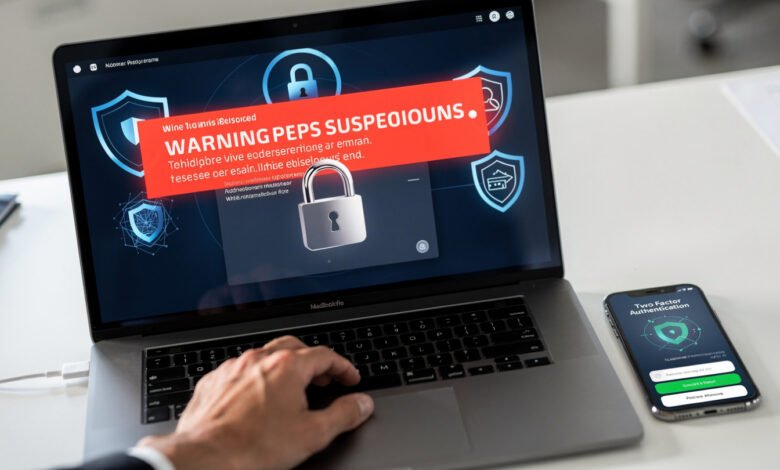
Phishing attacks are no longer the clumsy “Nigerian prince” emails most of us laughed at a decade ago. They have become polished, personal, and scary good at fooling smart people. According to the FBI’s Internet Crime Complaint Center, phishing remains the most reported cybercrime in the world, with billions of dollars lost every year. If you have an email address, a phone number, or a social media account, you are already a target.
The good news? Learning how to protect yourself from phishing attacks is not as technical as it sounds. You do not need to be a cybersecurity expert or install expensive software. You just need to know what to look for, build a few simple habits, and stay a little skeptical of unexpected messages.
This guide walks you through everything you need to know about phishing scams, including how they work, the different types attackers use, the red flags to watch for, and the practical steps you can take right now to keep your accounts, money, and identity safe. Whether you are a student, a remote worker, a parent, or someone running a small business, these tips will help you recognize an attack before it causes damage. By the end, you will have a clear, no-nonsense plan for staying ahead of the scammers.
What Are Phishing Attacks?
A phishing attack is a type of social engineering scam where criminals pretend to be someone you trust to trick you into giving up sensitive information. That information might be your password, credit card number, social security number, or login credentials for your bank or workplace. The attacker dangles bait, you bite, and they walk away with something valuable.
The term “phishing” is a play on the word “fishing.” The attacker casts a wide net, hoping someone will take the bait. And just like real fishing, the lure has to look convincing. That is why modern phishing emails often look identical to real messages from companies like Amazon, PayPal, Microsoft, or your own employer.
How Phishing Works
Most phishing scams follow the same basic playbook:
- The attacker sends a message that looks legitimate, usually through email, text, or a phone call.
- The message creates urgency, fear, curiosity, or excitement to make you act quickly without thinking.
- It includes a link, attachment, or request for information.
- When you click the link or share the data, the attacker captures it or installs malware on your device.
- They use what they stole to access your accounts, drain your money, or sell your information on the dark web.
The whole process can take seconds. A single click on a malicious link is sometimes all it takes to compromise your entire digital life.
Why Phishing Is So Effective
You might wonder why so many people still fall for phishing emails in 2026. The answer is psychology. Attackers exploit human emotions like fear (“Your account will be suspended”), curiosity (“Someone shared a document with you”), and authority (“This is your CEO, I need you to wire money now”). When your brain is in panic mode, your critical thinking shuts down. That is exactly what scammers count on.
Add in artificial intelligence tools that can write flawless, personalized messages in any language, and the average phishing attempt today is far more convincing than the typo-ridden scams of years past.


Common Types of Phishing Attacks
Not all phishing looks the same. Knowing the different forms helps you recognize them no matter how they show up in your inbox or on your phone.
Email Phishing
This is the classic version. You get an email that appears to come from a real company, asking you to log in, verify your details, or download an attachment. The link sends you to a fake site that looks identical to the real one. Once you type in your credentials, the attacker has them.
Spear Phishing
Spear phishing is more targeted. Instead of blasting millions of generic emails, attackers research a specific person or company. They might mention your boss by name, reference a recent project, or use details from your LinkedIn profile. Because the message feels personal, victims are far more likely to fall for it.
Whaling
Whaling targets the “big fish,” meaning executives, CEOs, and other high-level people. These attacks often involve fake legal documents, fraudulent invoices, or wire transfer requests that can cost companies millions in a single incident.
Smishing (SMS Phishing)
Smishing uses text messages instead of email. You might get a text claiming to be from FedEx about a missed delivery, your bank about a suspicious charge, or even the IRS demanding payment. The link in the text leads to a phishing site or downloads malware to your phone.
Vishing (Voice Phishing)
Vishing happens over the phone. A caller claims to be from tech support, the IRS, your bank, or a relative in trouble. They use urgency and fear to pressure you into giving up personal information or buying gift cards. With AI voice cloning, attackers can even mimic the voices of people you know.
Clone Phishing
In a clone attack, the scammer copies a real email you have already received and replaces the legitimate links or attachments with malicious ones. Since the message looks familiar, you are less suspicious.
Angler Phishing
This newer technique happens on social media. Attackers create fake customer service accounts that look like the real ones for major brands. When you tweet a complaint at a company, the fake account responds first, asking you to “verify your account” through a malicious link.
Pharming
Pharming redirects you from a real website to a fake one without you doing anything wrong. Attackers tamper with DNS settings or your device’s host file, so even typing the correct URL sends you to a fraudulent page.
Warning Signs of a Phishing Attack
Most phishing attempts have telltale signs if you know where to look. Train yourself to spot these red flags before you click anything.
- Urgent or threatening language. Messages like “Your account will be locked in 24 hours” are designed to make you panic.
- Generic greetings. Real companies usually address you by name. “Dear Customer” or “Dear User” is a warning sign.
- Mismatched email addresses. The display name might say “PayPal” but the actual address is something like support@paypa1-secure.com.
- Suspicious links. Hover over any link before clicking. If the URL does not match the company it claims to be from, do not click.
- Unexpected attachments. Be cautious with PDFs, ZIP files, or Word documents from senders you were not expecting.
- Spelling and grammar mistakes. Although AI has improved scam quality, many phishing messages still contain odd phrasing or errors.
- Requests for sensitive information. Banks, the IRS, and reputable companies will never ask for passwords or social security numbers by email.
- Too-good-to-be-true offers. Free iPhones, lottery winnings, and surprise refunds are classic bait.
- Strange sender behavior. A coworker emailing from a personal address asking you to buy gift cards? That is almost always a scam.
If you see two or more of these signs in a single message, treat it as a phishing attempt and delete it.
How to Protect Yourself from Phishing Attacks: 12 Proven Steps
Now for the practical part. Here is exactly how to protect yourself from phishing attacks with habits and tools that work.
1. Verify the Sender Before You Trust the Message
Before acting on any unexpected email or text, confirm the sender is who they claim to be. Look at the full email address, not just the display name. If something feels off, contact the company or person directly using a phone number or website you already know is real. Do not call the number listed in the suspicious message itself, since that could connect you straight to the scammer.
2. Check URLs Carefully Before Clicking
This is one of the most powerful phishing protection habits you can build. Always hover your mouse over a link (or long-press on mobile) to preview the actual URL. Watch for:
- Misspelled domain names like “amaz0n.com” or “paypa1.com”
- Extra subdomains like “paypal.security-update.com”
- Unusual top-level domains like “.xyz” or “.click” for major brands
- Shortened URLs (bit.ly, tinyurl) that hide the real destination
If you are unsure, type the website address directly into your browser instead of clicking the link.
3. Never Click Links or Open Attachments You Did Not Expect
This sounds obvious, but it catches even careful people. If a friend sends you a Google Doc out of the blue, message them on a different platform and ask if they actually sent it. If your bank emails about an “urgent issue,” log in directly through your bookmark or app, not through the email link.
4. Use Two-Factor Authentication on Every Account
Two-factor authentication (2FA) is one of the most effective defenses against credential theft. Even if a phisher gets your password, they cannot log in without the second factor, which is usually a code from an authenticator app or a hardware key.
For best results:
- Use an authenticator app like Authy, Google Authenticator, or Microsoft Authenticator instead of SMS codes when possible
- For high-value accounts (email, banking, work), consider a hardware security key like YubiKey
- Enable 2FA on every account that offers it, especially email, social media, banking, and cloud storage
5. Keep Your Software and Devices Updated
Outdated software is full of security holes that attackers love to exploit. Turn on automatic updates for:
- Your operating system (Windows, macOS, iOS, Android)
- Web browsers (Chrome, Firefox, Safari, Edge)
- Antivirus and anti-phishing software
- Apps and plugins
Many phishing attacks rely on known vulnerabilities that have already been patched. Keeping things current closes those doors.
6. Use Strong, Unique Passwords for Every Account
If you reuse the same password across multiple sites, one phishing attack can give criminals access to everything. A password manager like Bitwarden, 1Password, or Dashlane generates and stores strong, unique passwords for every site, so you only need to remember one master password.
A strong password should:
- Be at least 14 characters long
- Mix letters, numbers, and symbols
- Avoid personal information like birthdays or pet names
- Never be reused across accounts
7. Install Anti-Phishing Software and Browser Extensions
Modern browsers come with built-in phishing filters, but you can add extra layers. Look for:
- Reputable antivirus suites with web protection (Bitdefender, Malwarebytes, Norton)
- Browser extensions like uBlock Origin that block malicious ads and tracking
- Email clients with strong spam and phishing filters built in
These tools catch many threats before they reach you, but remember they are not perfect. Your judgment is still the most important line of defense.
8. Enable Email Filters and Spam Protection
Most modern email providers like Gmail, Outlook, and ProtonMail have powerful filters that block obvious phishing attempts. Make sure:
- Your spam filter is turned on
- You report phishing emails when you spot them, which trains the filter
- You do not whitelist senders unless you are absolutely sure they are safe
9. Educate Yourself and Your Family
Cybersecurity is a moving target. New scams pop up every week. Stay informed by following trusted resources like the Cybersecurity and Infrastructure Security Agency (CISA), which offers free guides and alerts on the latest threats. The Federal Trade Commission’s consumer site is another excellent place to learn about current scams and how to report them.
Talk to family members, especially older relatives and teenagers, about common phishing tactics. Many successful scams target people who simply have not been warned about them.
10. Be Careful on Public Wi-Fi
Public networks at coffee shops, airports, and hotels are often insecure. Attackers can set up fake hotspots or intercept traffic to steal login credentials. To stay safe:
- Avoid logging into banking or sensitive accounts on public Wi-Fi
- Use a reputable VPN to encrypt your connection
- Turn off automatic Wi-Fi connections on your devices
- Stick to mobile data when handling sensitive tasks
11. Limit What You Share on Social Media
The more personal information you post publicly, the easier it is for attackers to craft convincing spear phishing messages aimed at you. Be mindful about sharing:
- Your job title and employer
- Your birthday and hometown
- Your travel plans in real time
- Photos that reveal where you live or work
- Family members’ names and relationships
Review your privacy settings on every social platform at least once a year.
12. Trust Your Gut, and Slow Down
If a message feels off, it probably is. Phishing relies on speed and emotion. Take a breath, step away from the screen, and verify before you act. No legitimate request will fall apart if you take ten minutes to double-check it. Scammers count on you not pausing. The simple act of slowing down defeats most attacks.
What to Do If You Have Been Phished
Even careful people get caught sometimes. If you think you clicked a phishing link or shared sensitive information, act fast. The first hour matters most.
- Disconnect from the internet if you suspect malware was installed. This stops further data from leaving your device.
- Change your passwords immediately, starting with the compromised account, then any other accounts using the same password.
- Enable two-factor authentication on every important account if you have not already.
- Contact your bank or credit card company if you shared financial information. Cancel cards and request new ones.
- Run a full antivirus scan on your device to check for malware.
- Place a fraud alert or credit freeze with the major credit bureaus (Equifax, Experian, TransUnion) if your social security number was exposed.
- Report the phishing attempt to the FTC at reportfraud.ftc.gov, to your email provider, and to the company that was impersonated.
- Watch for follow-up scams. Once you are on a victim list, attackers often try again with new approaches.
- Document everything, including screenshots, URLs, and email headers. This information helps investigators and may be needed for insurance or law enforcement.
The faster you act, the more damage you can prevent.
Phishing Protection for Businesses and Remote Workers
If you run a business or manage a team, phishing protection is not just a personal issue. A single compromised employee can lead to a major data breach, ransomware attack, or financial loss.
Build a Security-First Culture
Train every employee, from interns to executives, on how to recognize phishing attempts. Run simulated phishing tests to see who needs more training. Make it clear that reporting a suspicious email is encouraged and never punished, even if the employee already clicked.
Use Enterprise-Grade Email Security
Invest in tools that scan inbound emails for malicious links, attachments, and spoofed senders. Solutions like Microsoft Defender, Proofpoint, and Mimecast catch threats before they reach inboxes.
Implement DMARC, SPF, and DKIM
These email authentication standards make it much harder for attackers to spoof your company’s domain. If you are not using them, you are giving scammers an easy way to impersonate your brand.
Limit Access and Use the Principle of Least Privilege
Employees should only have access to the data and systems they actually need. If an account is compromised, this limits the damage an attacker can do.
Create a Clear Incident Response Plan
Everyone in the company should know exactly what to do if they suspect a phishing attack. Who do they report it to? What systems get locked down? Who handles communication with customers if data is breached? Having answers ready saves precious time during a real incident.
Useful Tools and Resources for Phishing Defense
You do not have to build your defenses alone. Here are some trusted resources and tools that can help:
- Have I Been Pwned (haveibeenpwned.com): Check if your email or password has been exposed in a known data breach.
- Google Safe Browsing: Built into Chrome and other browsers, it warns you about known phishing sites.
- VirusTotal (virustotal.com): Scan suspicious files or URLs against multiple antivirus engines for free.
- PhishTank: A community-powered database of confirmed phishing sites.
- CISA Alerts: Free alerts about new phishing campaigns and other cyber threats.
- Anti-Phishing Working Group (APWG): Industry coalition that tracks and reports phishing activity.
Bookmark these and check them when you have doubts about a link, file, or message.
Phishing in 2026: What Has Changed
A few years ago, the average phishing email was easy to spot. Bad grammar, weird formatting, and suspicious sender addresses gave them away. That is no longer the case. Today’s phishing attacks use AI to write flawless messages, mimic real branding pixel-for-pixel, and even generate deepfake voices and videos. Some attackers use chatbots to hold real-time conversations with victims over text or email.
This means relying on “I’ll know it when I see it” is no longer enough. The best defense in 2026 combines:
- Strong technical controls (2FA, password managers, updated software)
- Healthy skepticism toward any unexpected message
- A habit of verifying before acting
- Continuous learning about new scam techniques
Treat every unexpected request for information, money, or clicks as suspicious until proven otherwise. This single mindset shift will protect you from the vast majority of attacks.
Common Myths About Phishing
Let’s clear up a few misconceptions that get people in trouble.
Myth 1: “Only old people fall for phishing.” Wrong. Studies consistently show that younger people, especially those aged 18-29, are actually more likely to fall for certain types of phishing, particularly on social media and through text messages. Confidence with technology can lead to overconfidence.
Myth 2: “If I have antivirus, I’m safe.” Antivirus helps, but it cannot stop you from voluntarily typing your password into a fake login page. Technology cannot fix bad habits.
Myth 3: “My email provider blocks all phishing.” Filters block many attacks, but plenty of sophisticated ones get through. You are still the last line of defense.
Myth 4: “Big companies have my back.” If you fall for a phishing scam and willingly hand over your credentials, banks and online services are often not required to refund your losses. Prevention matters far more than recovery.
Myth 5: “Phishing is just an email problem.” Phishing now happens through text, phone calls, social media, QR codes, and even within legitimate apps. Stay alert across every channel.
Quick Phishing Defense Checklist
Print this out or save it somewhere handy. Before responding to any unexpected message, ask yourself:
- [ ] Do I actually know this sender?
- [ ] Is the email address or phone number exactly right?
- [ ] Does the message create artificial urgency?
- [ ] Are there spelling or grammar issues?
- [ ] Does the link match the company’s real website?
- [ ] Am I being asked for sensitive information?
- [ ] Would the company really contact me this way?
- [ ] Is the offer too good to be true?
- [ ] Have I verified through another channel?
- [ ] Am I sure my software and 2FA are up to date?
If any of these raise concern, pause. Verify. Then decide.
Conclusion
Knowing how to protect yourself from phishing attacks comes down to a mix of awareness, smart habits, and the right tools. Phishing scams have grown more sophisticated, with AI-generated emails, deepfake voices, and convincing fake websites tricking even careful people, but the core defenses still work. Verify senders, check URLs before clicking, enable two-factor authentication on every account, keep your software updated, use a password manager, and stay skeptical of any message that creates urgency. If you do get caught, act fast by changing passwords, contacting your bank, and reporting the incident.
Most importantly, slow down. Scammers depend on you reacting without thinking, so the simple act of pausing before you click is one of the most powerful phishing protection habits you can build. Stay informed, share what you learn with friends and family, and treat your online security the way you would treat the locks on your front door. With these strategies in place, you will be far harder to fool than the average target, and that is exactly where you want to be.