Best Laptops Under $500 in 2026
Best laptops under $500 in 2026 that actually deliver — top picks for students, remote workers, and everyday users who want real value without the regret.
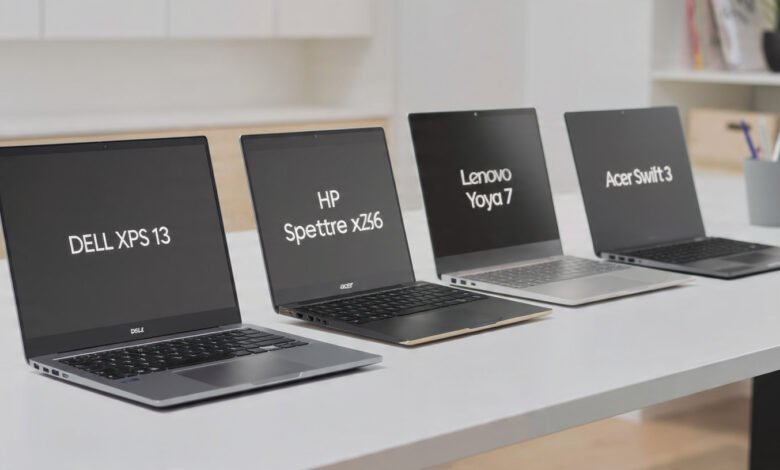
Best laptops under $500 have come a long way. A few years ago, spending less than five hundred dollars on a laptop meant accepting a sluggish processor, a mediocre display, and a build quality that felt like it would snap in half if you looked at it wrong. That’s not really the case anymore.
In 2026, the budget laptop market has genuinely matured. You can walk away with a machine that handles schoolwork, video calls, web browsing, streaming, and light office tasks without constantly fighting the hardware. Thanks to improvements in AMD Ryzen and Intel Core processors, faster DDR5 memory, and NVMe SSD storage trickling into the budget tier, the gap between affordable and premium has shrunk considerably.
That said, shopping in this price range still requires some patience. There are a lot of mediocre options out there, and a flashy spec sheet doesn’t always translate to a good daily experience. You need to know what to look for and, just as importantly, what to ignore.
This guide cuts through the noise. We’ve analyzed the top-performing models tested by leading tech publications in 2026, factored in real-world performance, battery life, build quality, and value, and put together a list of the best options available right now. Whether you’re a college student, a remote worker, or just someone who needs a reliable machine for everyday use, there’s something here for you.
What to Look for in the Best Laptops Under $500
Before jumping into specific models, it helps to understand what separates a good budget laptop from a frustrating one. The spec sheet can be misleading in this price range, so knowing which numbers actually matter will save you from making an expensive mistake.
Processor: Don’t Get Stuck with Outdated Silicon
The processor is the engine of your laptop, and in the sub-$500 space, you’ll encounter a range of options. Look for AMD Ryzen 5 or Ryzen 7 chips, or Intel Core i3 or i5 from recent generations. The newer Intel N-series processors (like the N355) are surprisingly capable for everyday tasks and show up in several top picks this year.
Avoid older Celeron or Pentium chips if you can help it. They’re not completely unusable, but you’ll notice the lag during multitasking, and the experience ages poorly over time.
RAM: 8GB Is the Minimum, 16GB Is Better
8GB of RAM is the practical floor for a laptop in 2026. Anything less and you’ll feel the bottleneck almost immediately when switching between a few browser tabs and a document. If you can find a model with 16GB RAM at this price point, that’s a legitimate win worth prioritizing.
Keep in mind that most budget laptops have soldered RAM, meaning you can’t upgrade it later. Buy what you need from day one.

Storage: SSD Over Everything
This one isn’t negotiable. A solid-state drive (SSD) makes a dramatic difference in how fast your laptop boots, opens applications, and saves files. Avoid any laptop with eMMC storage if you can, and definitely avoid traditional HDDs. Aim for at least 256GB SSD, though 512GB is much more comfortable for everyday use.
Display: 1080p IPS at the Minimum
A Full HD 1080p display is table stakes at this price point. Anything below that resolution will look noticeably soft, especially on a 15-inch screen. IPS panels offer better viewing angles and more natural colors compared to TN panels, so they’re worth prioritizing if you’re comparing two similar machines.
Battery Life
Budget Windows laptops often struggle here. Many in this price range give you six to eight hours of real-world use. Chromebooks tend to do better, with several models hitting ten to twelve hours. If you’re going to be away from an outlet for most of the day, factor battery life into your decision heavily.
Best Laptops Under $500 in 2026: Our Top Picks
Here’s a breakdown of the best options available right now, organized by category so you can find the right fit for your specific needs.
1. Acer Aspire Go 15 — Best Overall Value
Price: $269–$349 Operating System: Windows 11
The Acer Aspire Go 15 delivers everything you need in a laptop for a remarkably low price of around $299. For that, you’re getting a 15.6-inch Full HD display, the Intel Core 3 N355 processor, 8GB DDR5 RAM, and solid SSD storage. That combination would have been hard to find under $400 just two years ago.
The keyboard feels nice with a good amount of key travel, and there’s a useful spread of ports: two USB-C, two USB-A, HDMI, a combo audio jack, and a Kensington lock slot.
In real-world use, the Aspire Go 15 handles web browsing, document editing, video streaming, and video calls without any trouble. It’s not going to run Photoshop or gaming at playable frame rates, but for the tasks most people need a laptop for, it genuinely delivers.
Battery testing showed over 10 hours of use, which is impressive for a Windows laptop at this price.
Who it’s for: Students, remote workers, anyone who needs a solid everyday Windows laptop without spending a lot.
Pros:
- Outstanding value for money
- Solid keyboard and port selection
- Good battery life for a Windows budget laptop
- Full Windows 11 with proper SSD performance
Cons:
- Budget-tier build (plastic chassis)
- Not suitable for demanding tasks like video editing or gaming
- No keyboard backlight on base model
2. ASUS Chromebook Plus CX34 — Best Chromebook Under $500
Price: $325–$400 Operating System: Chrome OS
The ASUS Chromebook Plus CX34 offers a premium feel at a budget price, with an excellent display and long battery life. If you’re open to Chrome OS and most of your work happens in a browser or through web-based apps, this is one of the best laptops under $500 you can buy right now.
The CX34 runs on an Intel Core i3 processor with 8GB of RAM, which is more than enough to handle the demands of Chrome OS. The display is bright and sharp, and the build quality feels noticeably more refined than most plastic Windows laptops at this price.
Chromebooks generally offer better performance and battery life at this price point compared to Windows machines. If you don’t need specific Windows-only software, Chrome OS is a genuinely smart choice in 2026, especially with Google’s AI features starting to trickle into these devices.
Who it’s for: Students, light users, anyone who primarily works in Google Docs, Gmail, and the browser.
Pros:
- Premium build quality for the price
- Excellent battery life
- Fast, responsive performance within Chrome OS
- Regular automatic security updates
Cons:
- Chrome OS isn’t compatible with Windows-only software
- Less local storage than Windows alternatives
- Not ideal if you rely on specialized professional applications
3. Dell Inspiron 15 3520 — Best Windows Laptop for Reliability
Price: $449–$500 Operating System: Windows 11
The Dell Inspiron 15 3520 is described as “old reliable that still delivers,” offering dependable performance for everyday Windows users on a tight budget. Dell’s Inspiron line has been a staple of the budget laptop market for years, and the 3520 continues that tradition with a competent processor, solid RAM, and SSD storage in a well-built chassis.
The 15.6-inch 1080p display is clear and comfortable for daily use, and the keyboard provides enough travel to be pleasant for extended typing sessions. Port selection is generous, including USB-A, USB-C, HDMI, and an SD card reader.
When comparing the best laptops under $500, it’s important to focus on performance, storage, and long-term usability. The Inspiron 15 3520 checks all those boxes while adding the peace of mind that comes with buying from a brand with a strong support network.
Who it’s for: Anyone who needs a Windows laptop they can rely on for work or school and wants a recognizable brand with solid after-sales support.
Pros:
- Trustworthy build quality from Dell
- Solid port selection
- Good performance for productivity tasks
- Widely available and well-supported
Cons:
- Sits at the higher end of this budget range
- Not the lightest or thinnest option
- Battery life could be better
4. Lenovo IdeaPad Flex 5i Chromebook Plus — Best 2-in-1 Under $500
Price: $349–$450 Operating System: Chrome OS
If you want versatility, the Lenovo IdeaPad Flex 5i Chromebook Plus is the most compelling 2-in-1 laptop in this price range. The 360-degree hinge lets you flip between laptop and tablet modes, making it genuinely useful for note-taking, sketching, or watching content.
The 2-in-1 design is genuinely useful, and the build quality is solid for a laptop in this price range.
It ships with a capable Intel processor, 8GB of RAM, and decent SSD storage. Chrome OS runs smoothly on this hardware, and the “Plus” certification means it meets Google’s higher performance standards for the Chromebook lineup. The touchscreen is responsive, and Lenovo’s keyboards continue to be among the better ones at this price point.
Who it’s for: Students who want a flexible form factor, tablet-style use, and long battery life in a single device.
Pros:
- Versatile 360-degree convertible design
- Great keyboard for a budget 2-in-1
- Strong battery life
- Meets Google’s Chromebook Plus performance standards
Cons:
- Chrome OS limitations apply here too
- Tablet mode isn’t as polished as a dedicated iPad or Android tablet
- Base storage can feel limited for some users
5. Acer Chromebook Plus 514 — Best Battery Life Under $500
Price: $350–$450 Operating System: Chrome OS
The Acer Chromebook Plus 514 is recommended for people buying a budget laptop because it does all the most important things better than its competition, including writing, web browsing, and light video watching.
Battery life is where this machine truly stands out. In testing with a looping 1080p video at 50% brightness, the Chromebook Plus lasted 12 hours and 50 minutes — that’s a full workday and then some. For students who move between classrooms or workers who spend time in meetings and coffee shops, that kind of stamina is a real advantage.
The 14-inch form factor makes it lighter and more portable than the 15-inch machines that dominate this price range, and build quality is a step above what you’d expect at this price.
Who it’s for: Users who prioritize battery life and portability above all else.
Pros:
- Best-in-class battery life at this price point
- More portable than most 15-inch budget options
- Clean, well-built chassis
- Strong everyday performance within Chrome OS
Cons:
- Smaller 14-inch screen isn’t for everyone
- Chrome OS limitations
- Less local storage compared to some Windows alternatives
6. HP 15.6″ Intel Core i5 Touch Laptop — Best Touchscreen Option
Price: $449–$499 Operating System: Windows 11
The HP 15.6-inch i5 Touch Laptop offers excellent value thanks to its 16GB RAM and 512GB SSD. That’s a genuinely impressive spec sheet for under $500, and the touchscreen display adds a layer of versatility that most budget laptops skip entirely.
The Intel Core i5 processor handles multitasking well, and 16GB of RAM means this machine won’t feel constrained as you pile on browser tabs, Office apps, and video calls simultaneously. The 512GB SSD gives you plenty of room for files, downloads, and applications without constantly managing storage.
Who it’s for: Anyone who wants the most storage and RAM available at this price, especially if a touchscreen is on the wishlist.
Pros:
- 16GB RAM is exceptional at this price
- 512GB SSD provides ample storage
- Touchscreen display adds flexibility
- Strong processor for a budget Windows machine
Cons:
- HP’s budget build quality isn’t always consistent
- Battery life is average
- Heavier than Chromebook alternatives
Should You Buy a Windows Laptop or a Chromebook?
This is probably the biggest decision you’ll make when shopping for a budget laptop under $500, and the answer depends entirely on how you plan to use it.
Choose a Windows laptop if:
- You need Microsoft Office installed locally (not just online)
- You rely on specific software that only runs on Windows
- You use Adobe applications, industry-specific tools, or programs without web-based alternatives
- You’re accustomed to Windows and don’t want to change your workflow
Choose a Chromebook if:
- Most of your work happens in Google Docs, Gmail, YouTube, or a browser
- You want longer battery life without paying more
- You want a machine that stays fast and secure with minimal maintenance
- You’re a student who primarily uses school-provided web apps
Chrome OS generally performs better at this price point and offers longer battery life, but Windows is necessary for specific software compatibility. Choose based on your application needs rather than personal preference.
What About Refurbished Laptops?
Don’t overlook the refurbished market. A refurbished Lenovo ThinkPad E14 or E15 for $400–$500 beats most new budget laptops, offering professional-grade keyboard quality, actual upgradability, and better specs than new budget machines at this price.
ThinkPads are built to a higher standard than most consumer budget laptops, and a refurbished model from a reputable seller with a warranty can be an excellent buy. Just make sure you’re purchasing from a trustworthy refurbisher, check that the battery has been tested or replaced, and verify the return policy before committing.
Common Mistakes to Avoid When Buying a Budget Laptop
Shopping in this price range comes with a few pitfalls. Here’s what to watch out for:
1. Buying based on brand loyalty from more expensive models
A $999 Lenovo laptop is nothing like the company’s sub-$500 models, and the same will be true with the likes of Asus, Dell, and HP. Evaluate each machine on its own merits.
2. Prioritizing screen size over everything else
A 15-inch screen sounds appealing, but if it comes with a worse processor or less RAM to hit the price target, you’re making the wrong trade.
3. Ignoring storage type
A laptop with 256GB SSD will always feel faster and more responsive than one with 1TB HDD. Don’t be fooled by higher storage numbers if the underlying tech is slower.
4. Overlooking RAM
8GB is the minimum in 2026. 4GB is painful for multitasking. This one is non-negotiable.
5. Skipping the return policy review
Budget laptops occasionally have quality control issues. Buy from a retailer with a straightforward return policy, and keep your receipt.
Tips for Getting the Most Out of a Budget Laptop
Once you’ve made your purchase, a few simple habits will help your machine stay fast and last longer:
- Keep your storage clean. Budget SSDs are smaller, so regularly delete unused files and move large media to external storage or cloud services.
- Limit startup programs. The fewer apps launching at startup, the faster your machine will feel day-to-day.
- Keep your OS updated. Security patches and driver updates keep your laptop running smoothly.
- Use a browser that’s light on resources. Brave or Firefox tend to use less RAM than Chrome on Windows, which matters when you’re working with 8GB.
- Invest in a good charger. Budget laptops often come with adequate but not great chargers. A USB-C PD charger can extend cable life.
Best Laptops Under $500: Quick Comparison
| Model | Price | OS | RAM | Storage | Best For |
|---|---|---|---|---|---|
| Acer Aspire Go 15 | $269–$349 | Windows 11 | 8GB DDR5 | 128–512GB SSD | Best Overall |
| ASUS Chromebook Plus CX34 | $325–$400 | Chrome OS | 8GB | 256GB SSD | Best Chromebook |
| Dell Inspiron 15 3520 | $449–$500 | Windows 11 | 8GB | 512GB SSD | Most Reliable |
| Lenovo IdeaPad Flex 5i | $349–$450 | Chrome OS | 8GB | 256GB SSD | Best 2-in-1 |
| Acer Chromebook Plus 514 | $350–$450 | Chrome OS | 8GB | 256GB SSD | Best Battery |
| HP 15.6″ i5 Touch | $449–$499 | Windows 11 | 16GB | 512GB SSD | Best Specs |
Where to Buy and How to Find the Best Deals
For verified specs and current pricing, check out PCWorld’s regularly updated best laptops under $500 guide, which features hands-on reviews from their testing team.
For deeper benchmark comparisons and display quality scores, Tom’s Guide is an excellent resource that tests laptops with consistent methodology across battery, performance, and screen quality.
When it comes to timing your purchase, watch for back-to-school sales in July and August, Black Friday and Cyber Monday deals in November, and Amazon’s seasonal sale events throughout the year. Budget laptops under $500 regularly see discounts of $50–$100 during these windows, which can push a solid mid-range model into your budget.
Frequently Asked Questions About Budget Laptops
Is 8GB RAM enough for a laptop in 2026?
For most everyday tasks, yes. Web browsing, document editing, video streaming, and video calls all run fine on 8GB. If you plan to run more demanding applications, edit video, or keep many apps open simultaneously, 16GB will feel noticeably better.
Are Chromebooks worth buying in 2026?
Absolutely, for the right user. If your workflow lives mostly in a browser and Google’s ecosystem, a Chromebook offers better performance per dollar than Windows laptops in this price range. The trade-off is compatibility with Windows-only software.
Can you game on a laptop under $500?
Light gaming on titles like Minecraft, older indie games, or browser-based games is possible. For anything demanding, you’ll need to spend more. Cloud gaming services like GeForce Now can extend what a budget machine can do, but they require a reliable internet connection.
How long will a budget laptop last?
With proper care, a well-chosen budget laptop can last four to five years for everyday tasks. Chromebooks also receive guaranteed software and security updates for at least eight years from their release date now, which is a significant advantage for long-term value.
Should I buy a new or refurbished laptop under $500?
Both are valid options. A new budget laptop gives you a warranty and the latest software. A refurbished business-class laptop like a ThinkPad or Dell Latitude can give you better build quality and specs for the same money. Just buy from a reputable seller with a clear return policy.
Conclusion
The best laptops under $500 in 2026 prove that you don’t need to spend a fortune to get a machine that handles real work. The Acer Aspire Go 15 stands out as the top overall pick for its unbeatable value on Windows, while the ASUS Chromebook Plus CX34 and Acer Chromebook Plus 514 make a strong case for Chrome OS with their longer battery life and polished performance.
For users who want Windows reliability, the Dell Inspiron 15 3520 and HP 15.6-inch i5 Touch Laptop cover different needs at the upper end of this budget. The key is knowing what you actually need before you shop: prioritize 8GB RAM minimum, a proper SSD, and a 1080p IPS display, and you’ll come away with a machine that gets the job done without regret.